Get Started
Product Introduction
Overview
Querydog is a multi-DB workbench that allows various heterogeneous databases such as Oracle / MySQL / MariaDB / PostgreSQL / MSSQL / SQLite to be operated from a single interface.
Combined with AI (Google Gemini, OpenAI GPT, Anthropic Claude, Alibaba Qwen, Moonshot Kimi, local Ollama), it converts natural language queries to SQL/DDL and automatically adjusts type differences between heterogeneous DBs.
Key Features
- Supports Oracle / MySQL / MariaDB / PostgreSQL / MSSQL / SQLite
- AI-based automatic SQL/DDL generation and conversion
- Integrated DDL · Data transfer, backup, scheduling
- Differentiates between interrupted source reads and failed save rows as partial transfers and marks retry targets
- Oracle PL/SQL → MariaDB Migration (code and job conversion and verification)
- Built-in operational tools such as DB comparison and impact analysis
- Stores connection secrets in user-specific encrypted storage
- Read-only lock per connection (🔒) — prevents misoperation of the production DB
Get Started
Menu-specific Screen Guide
Overview
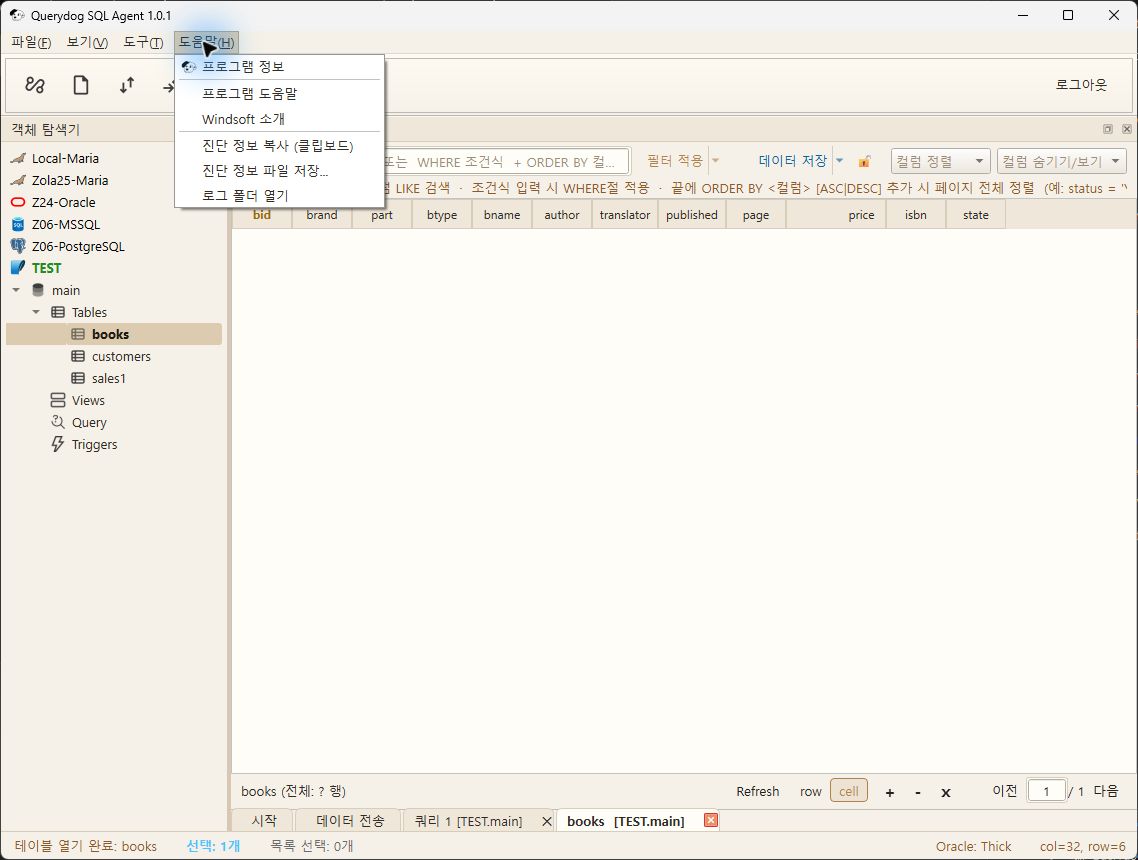
The menu capture below is the bright theme execution screen of Querydog 1.0.1 (2026-10-01). Individual task windows of the latest UI have been updated on each feature page with captures from 2026-10-31. Menu items and positions may differ in the current version, so please also check the entry paths on each feature page.
Key Features
- Top menu: File, View, Tools, Help
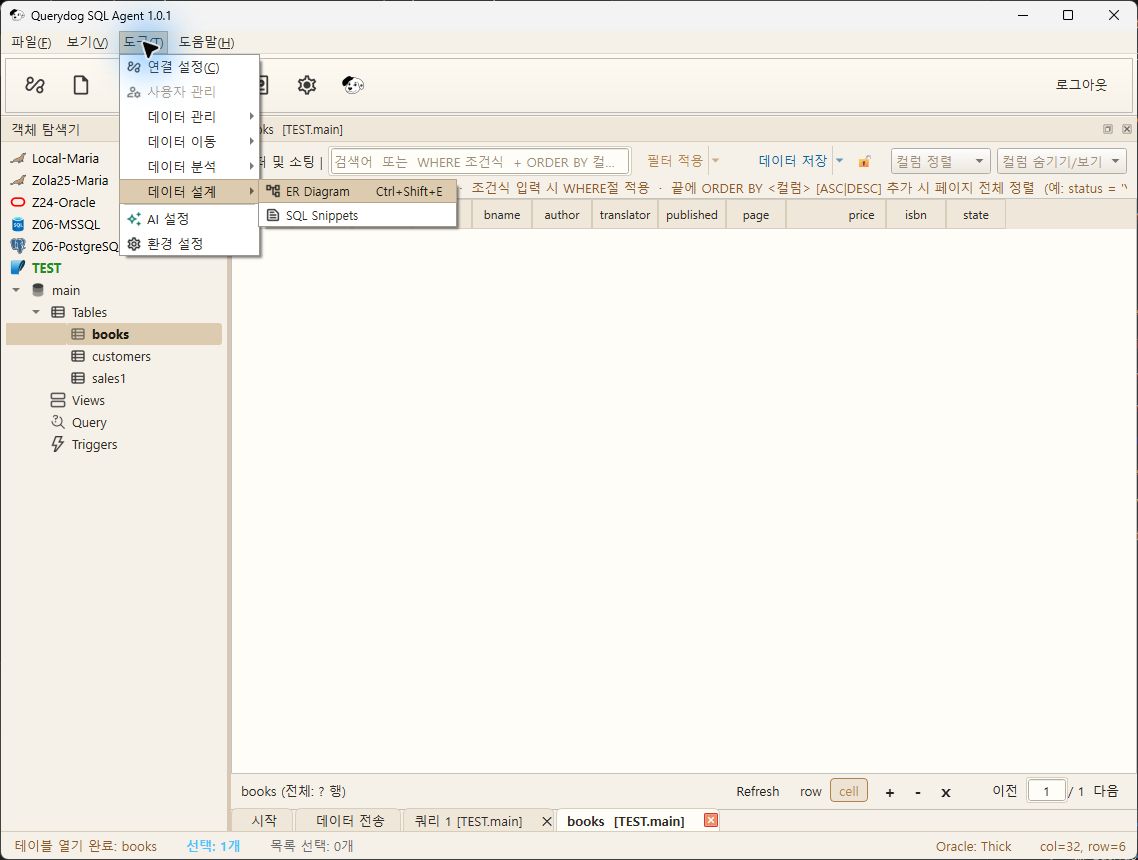
- Tools submenu: Data Management, Data Transfer, Data Analysis, Data Design
- Each task window was captured in settings and preview states.
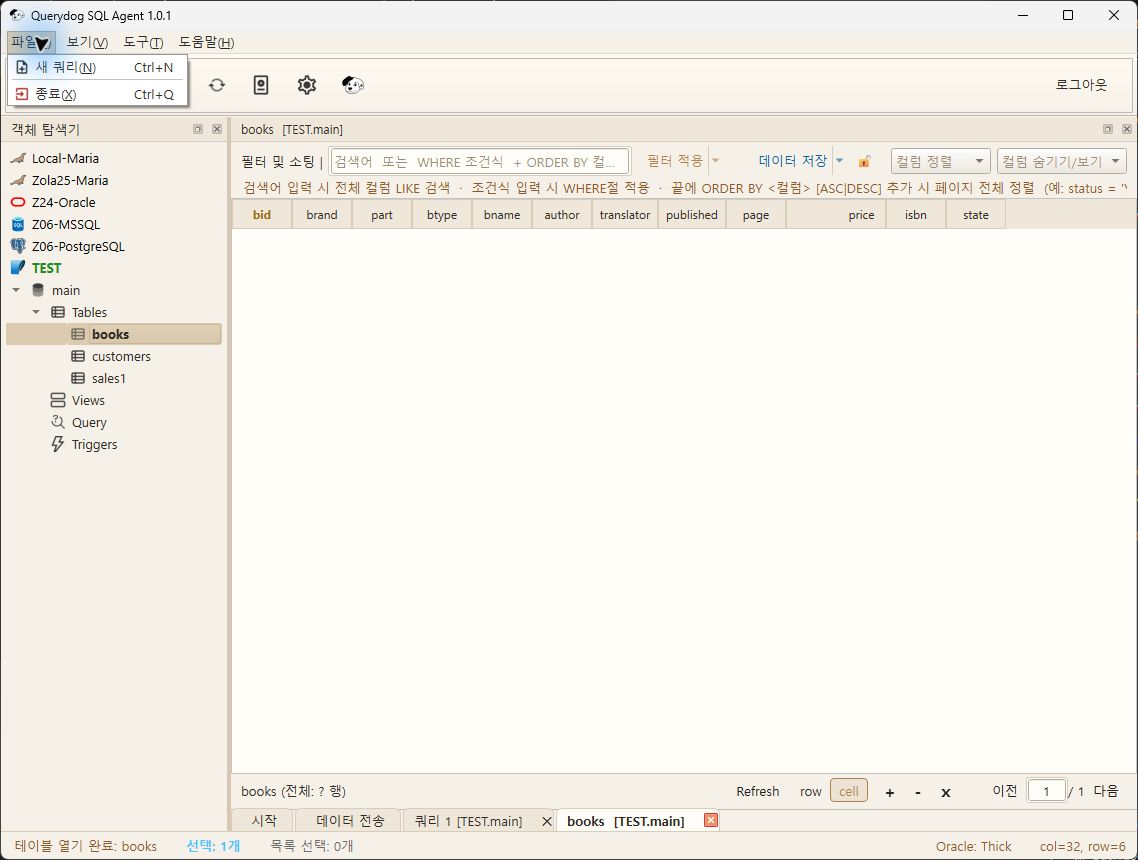
File
To create a new query, open the SQL editor tab, and to exit, close the program. For query writing examples, SQL Editorplease refer to it.
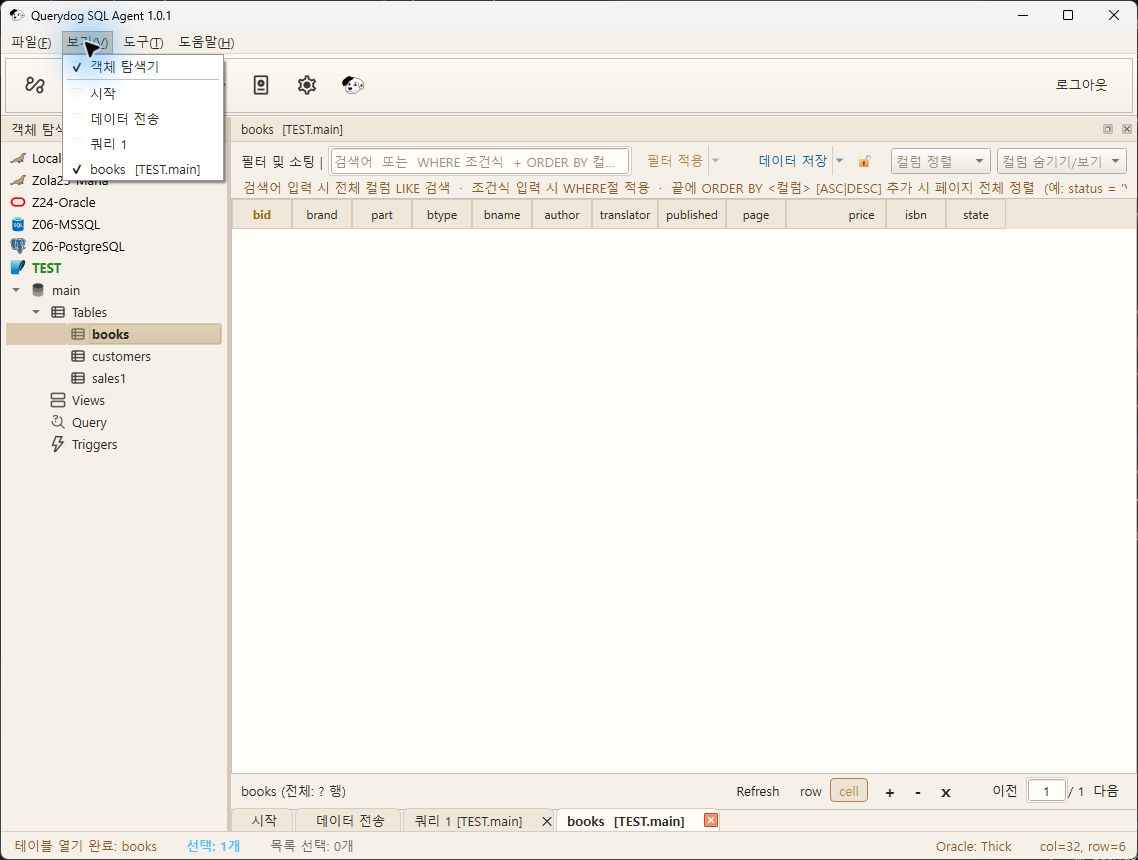
Show
Toggles the display of the Object Explorer and open task tabs.
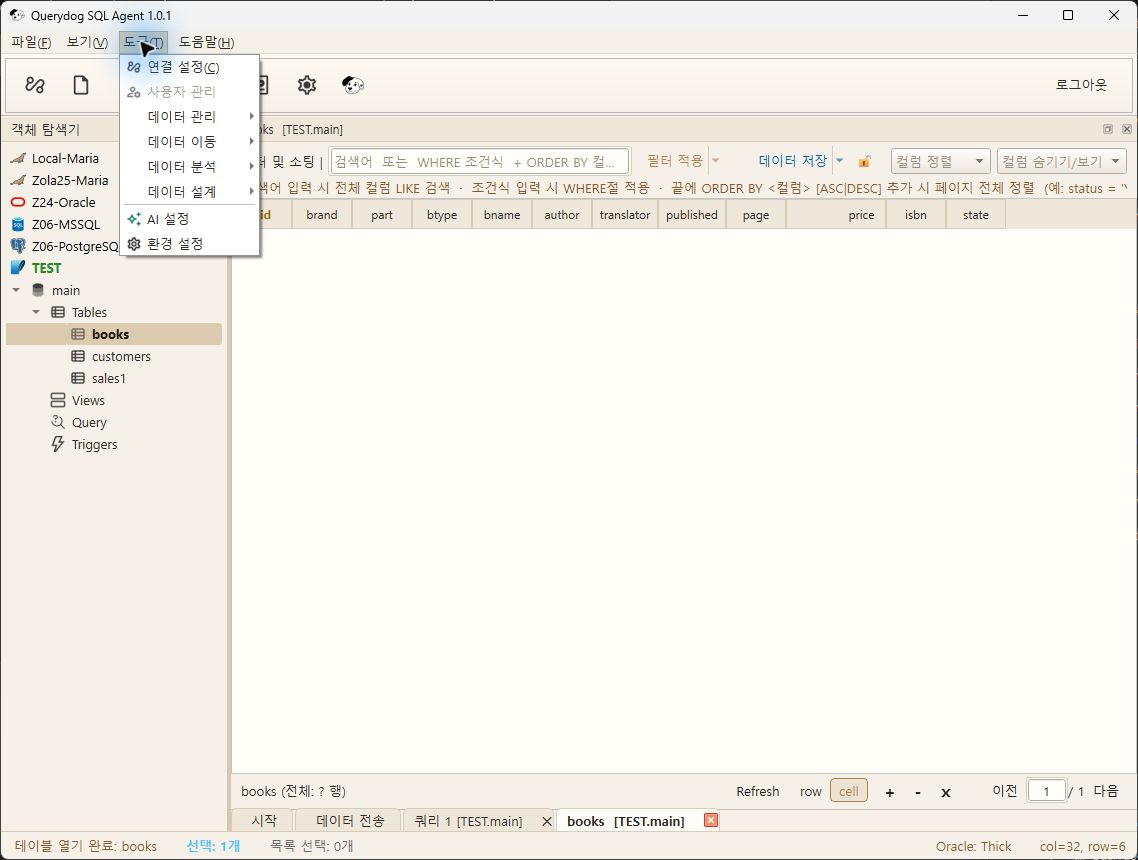
Tools
Opens connection settings, Data Management·Transfer·Analysis·Design, AI Settings, Preferences.
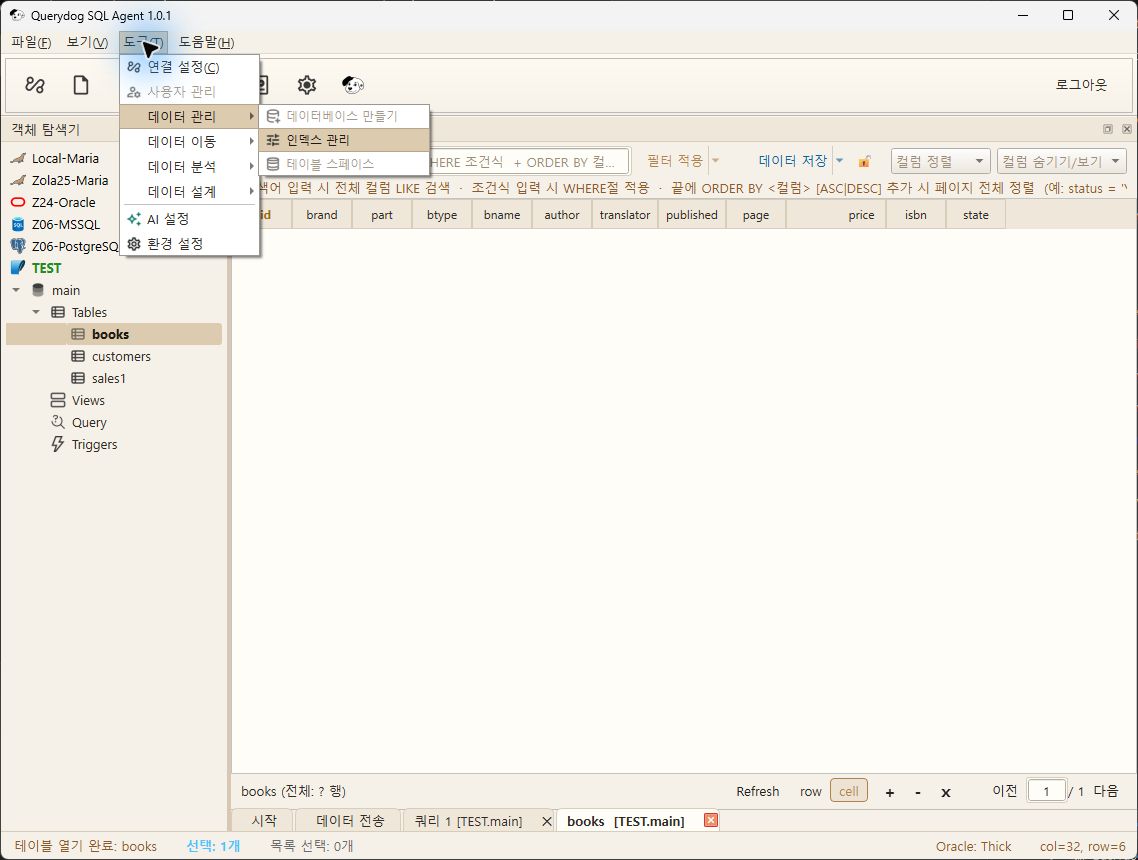
Data Management
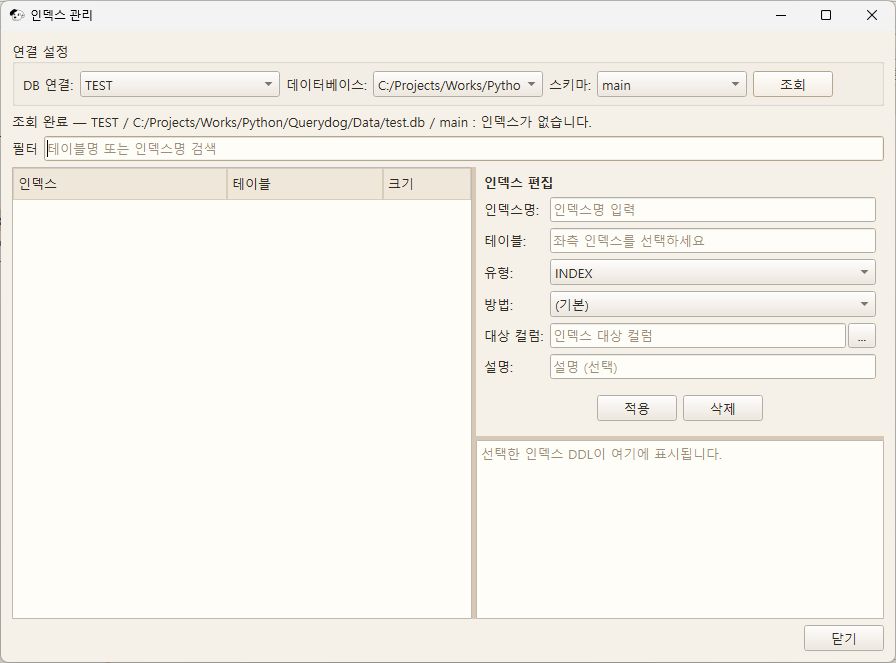
Moves to Create Database, Index Management, Tablespace. Some items are disabled in the SQLite TEST connection.
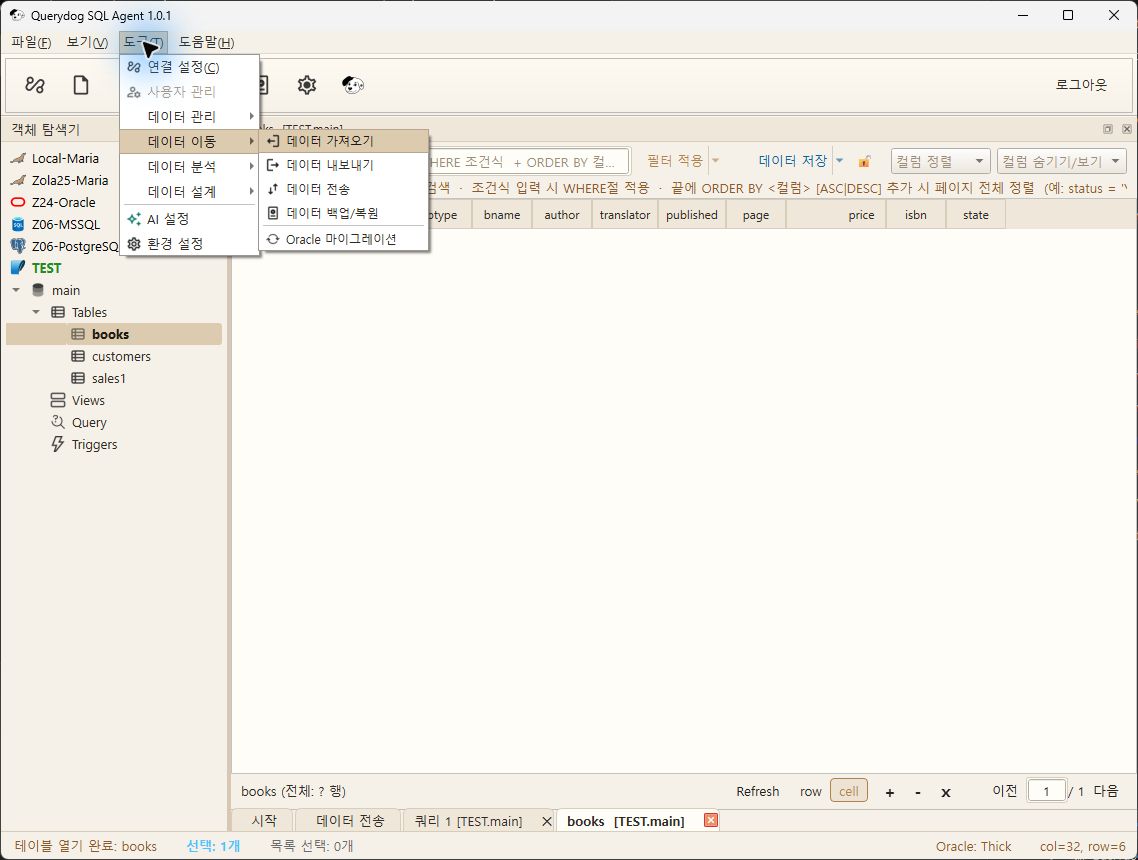
Data migration
Moves to Import, Export, DB-to-DB Transfer, Backup·Restore, Oracle Migration.
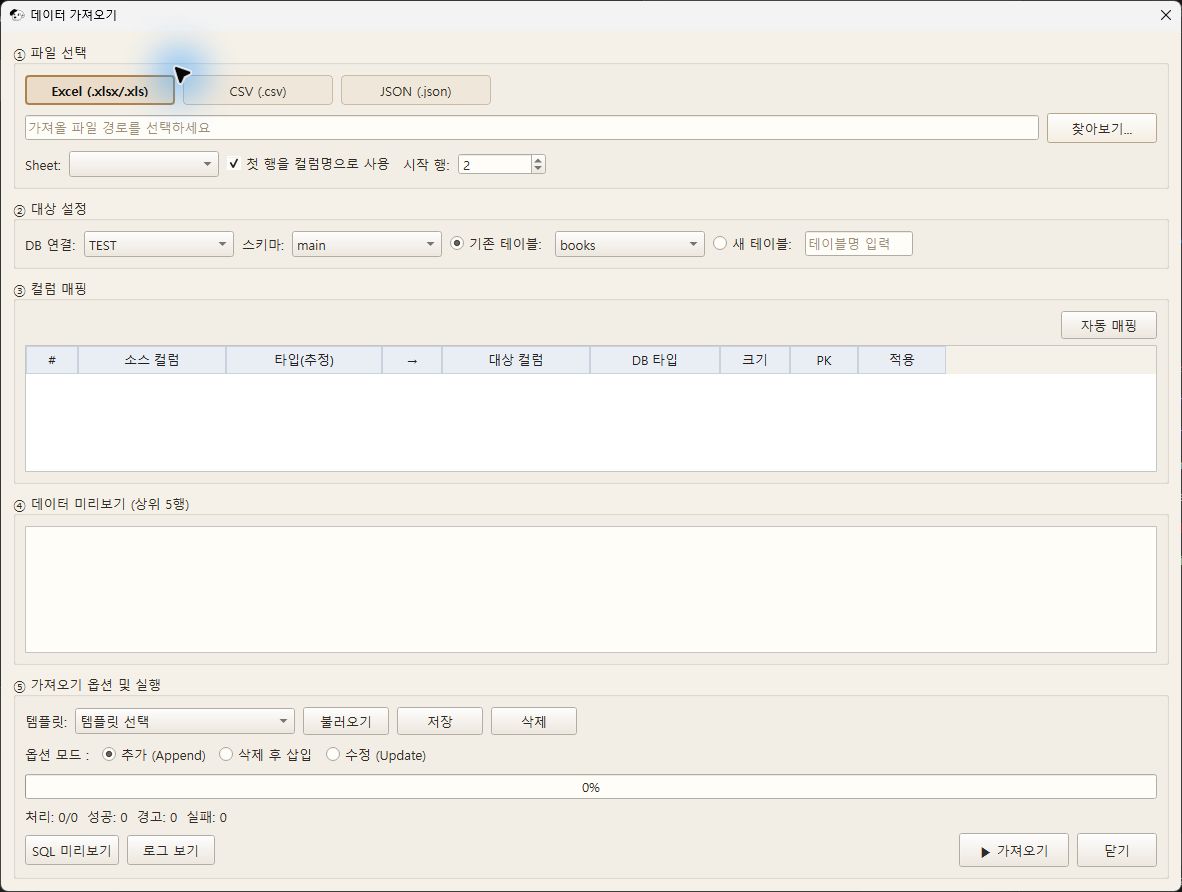
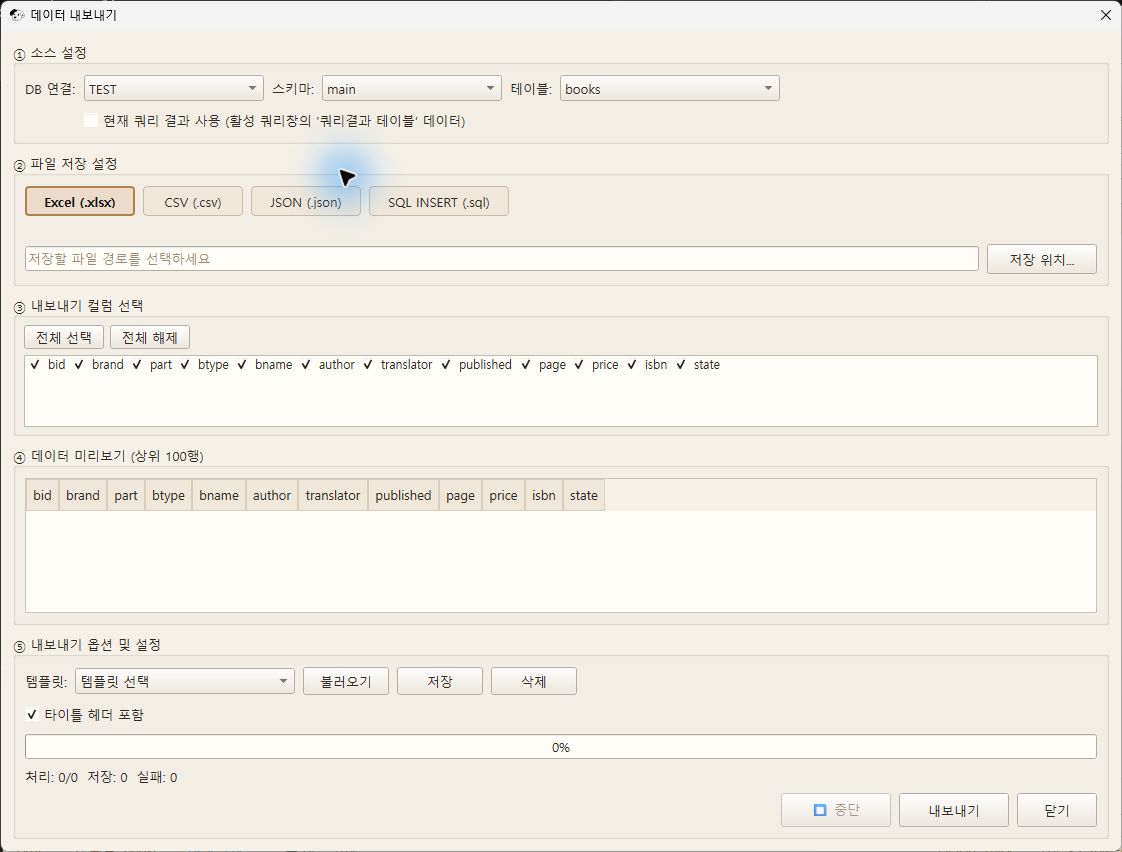
The default screens for Transfer and Backup are DDL/Data Transfer, Database Backupreferenced.
Data Analysis
Moves to DB Comparison, Query Results Comparison, Data Optimization, Data Audit History, Session Monitor, Server Watch Dashboard.
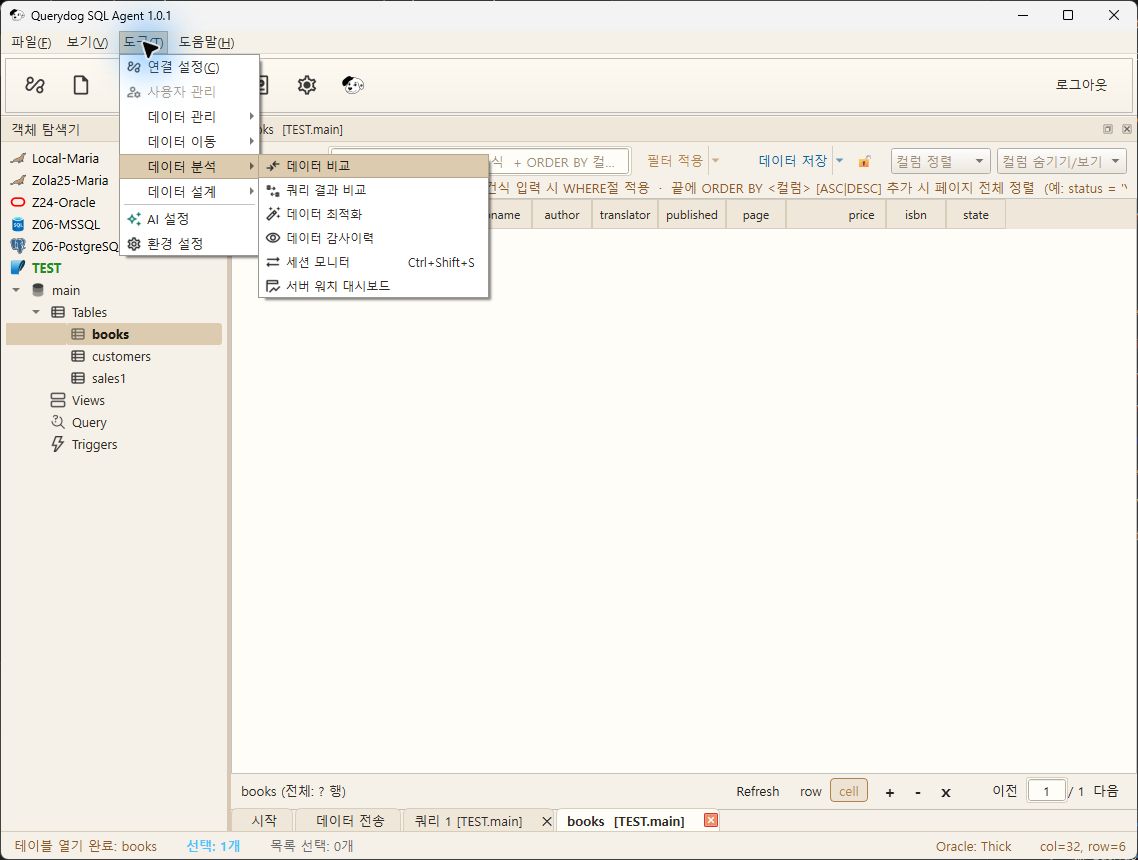
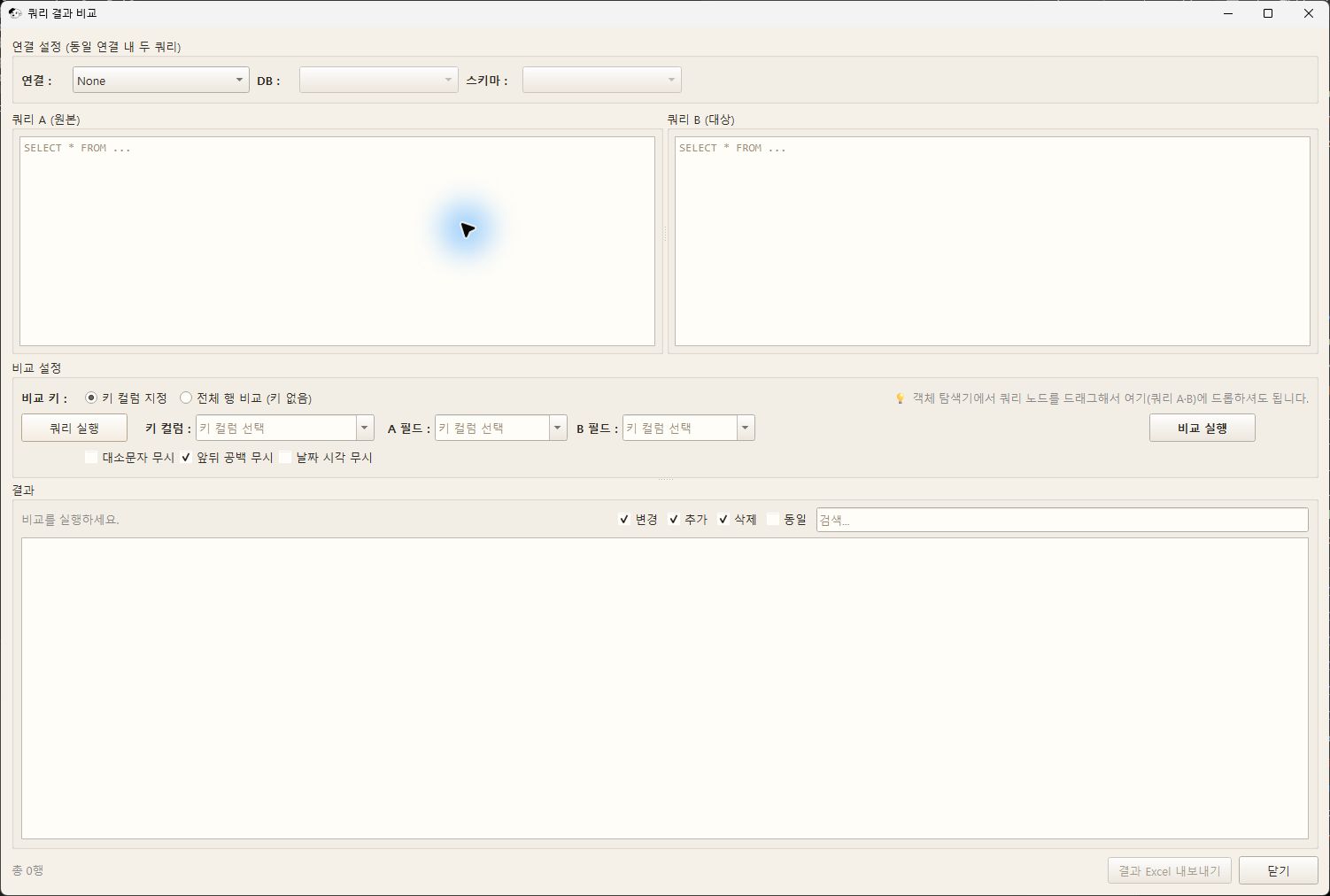
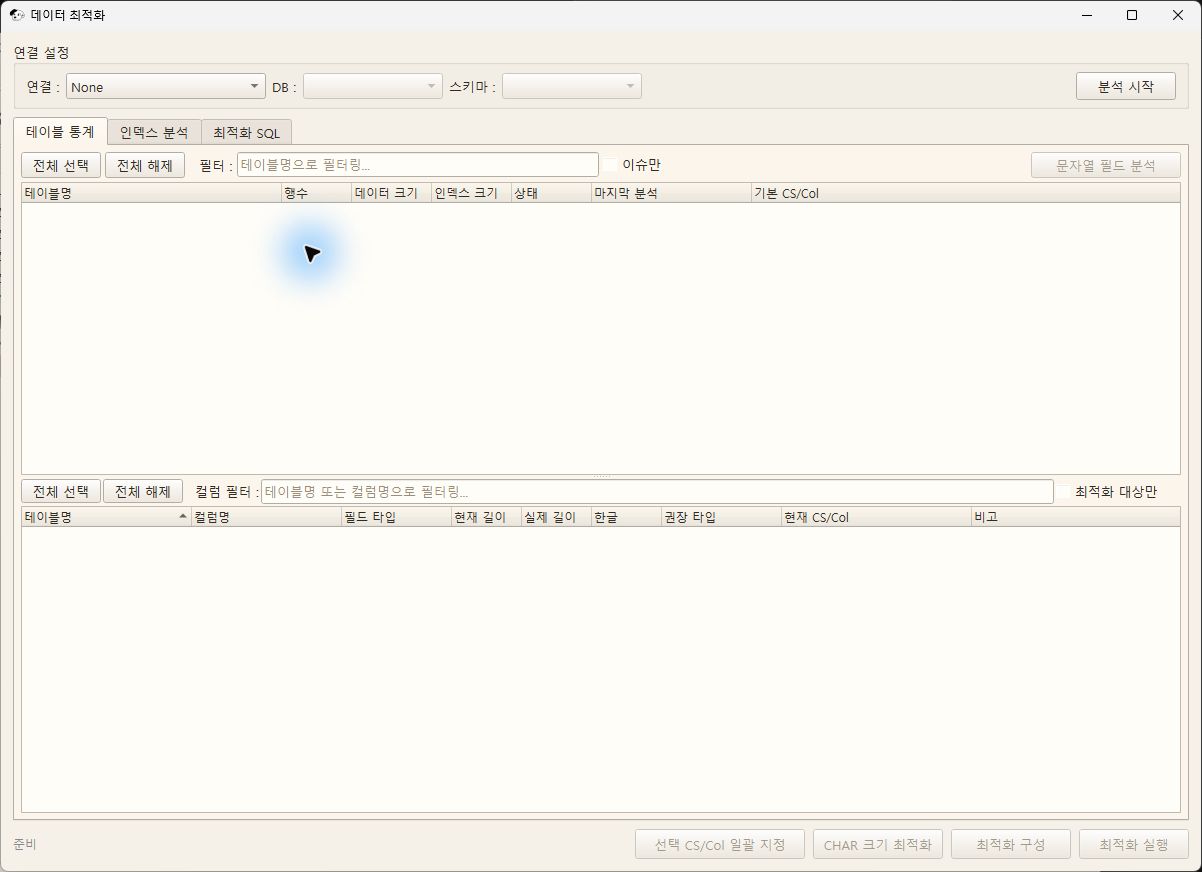
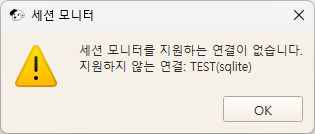
When opening Session Monitor in the SQLite TEST connection, an unsupported notice will be displayed.
Data Design
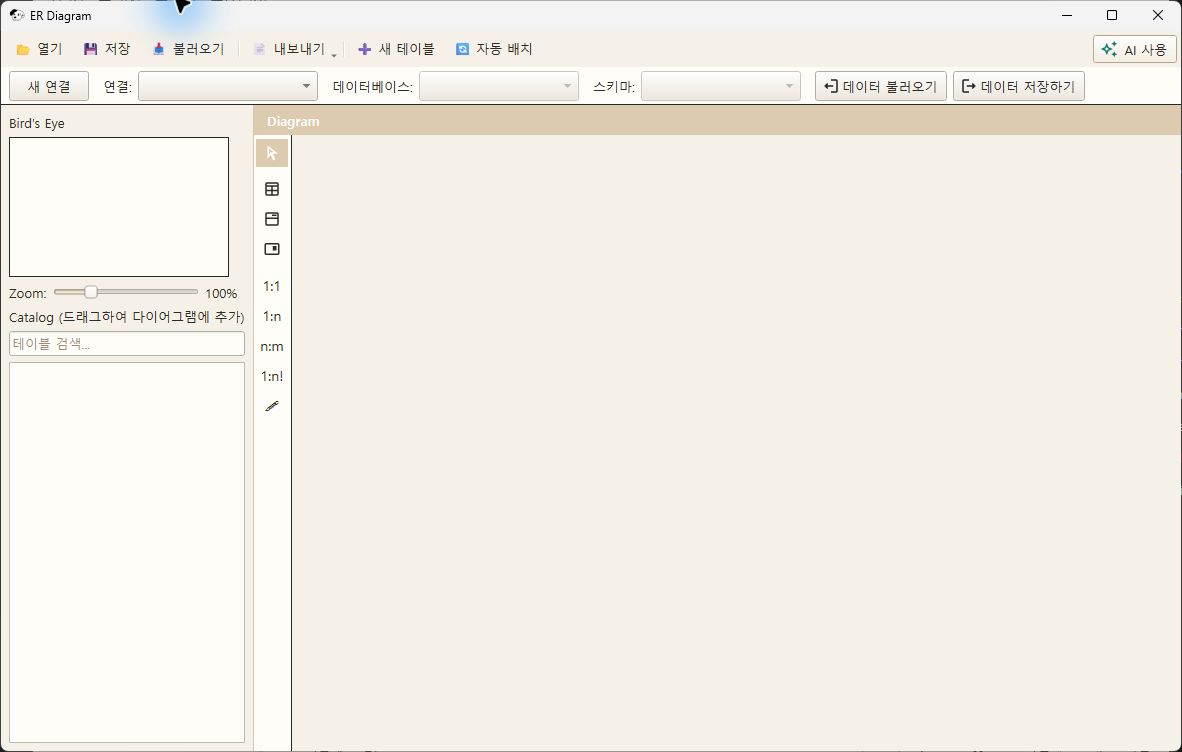
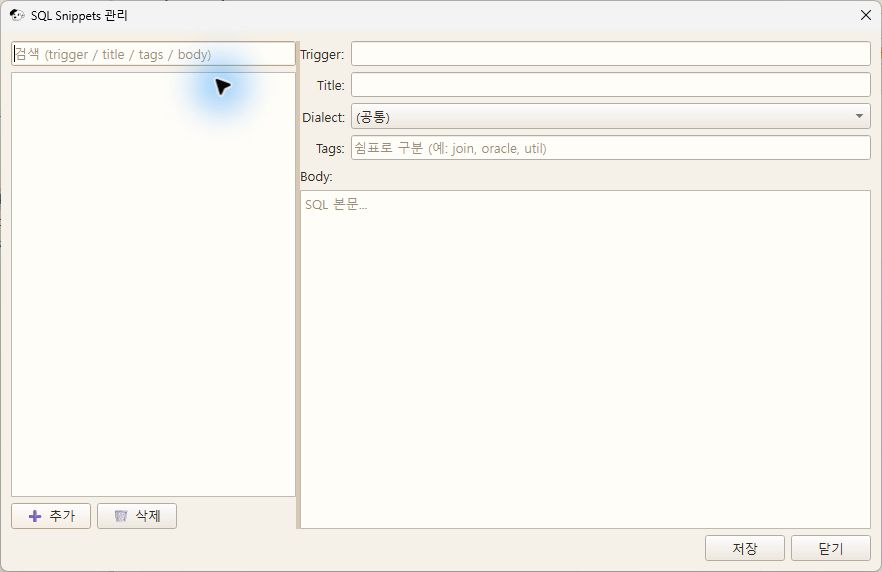
Move to the ER Diagram and SQL Snippets management window.
Help
There are menus for Program Information, Help Webpage, Introduction to Windsoft, Diagnostic Information, and Log Folder. The Program Information window displays the login account, so only the menu was captured.
can be adjusted in
Editor, Grid and Tree, Toolbar, Server Watch settings screen can be adjusted inreferenced.
Get Started
Screen Layout
Overview
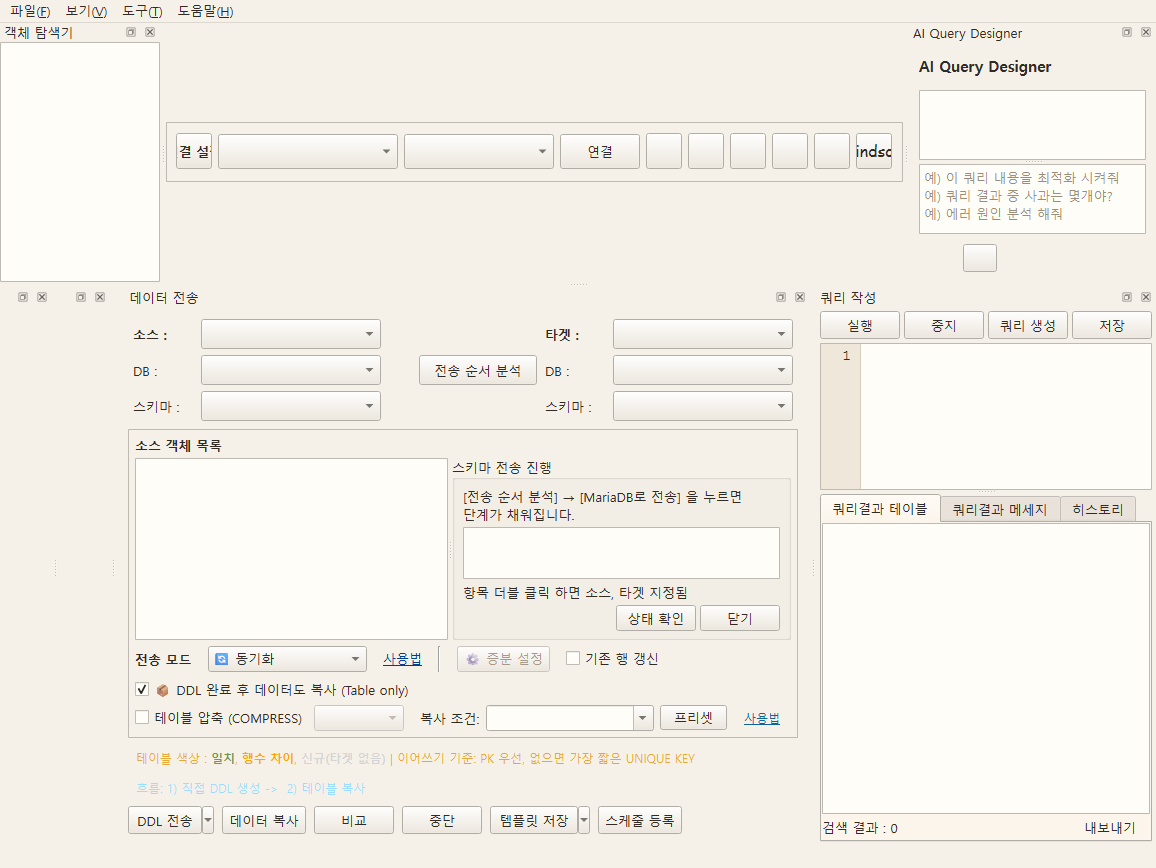
The Querydog main screen is composed of the Menu/Toolbar, DB Tree Panel, Work Tab Area (Query·Data·AI), Result Tab, and Status Bar. Each panel can be separated, moved, and closed in a docked manner.
Screen
Example of the light theme screen of Querydog 1.0.46 source UI (2026-10-31). Only test data was used, and this does not reflect DB connection, transmission, or compilation results. Buttons added later may not appear on the screen.
Key Features
- Explore Tables / Views / Sequences / Triggers / Functions from the left DB Tree
- Switch to Start / Data / Query / AI screens in the central Work Tab
- Check table results / messages / execution history in the bottom Result Tab
- Call frequently used commands such as connection switching, execution, and formatting from the top Toolbar
- Double-click the Tables node in the DB Tree to open a separate table list window
DB Connection
DB Connection Management
Overview
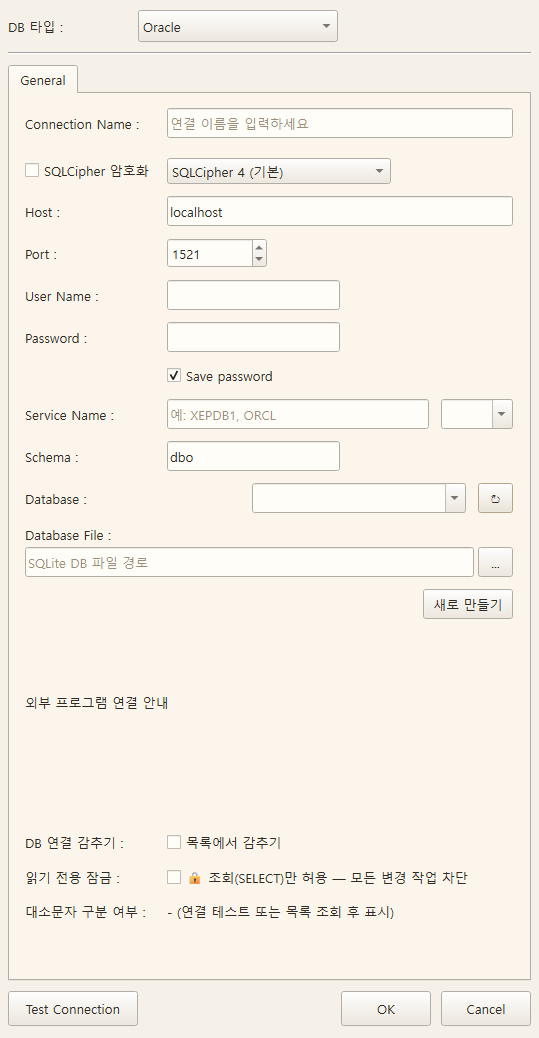
Create, edit, and save multiple database connection profiles and switch with one click
Screen
Example of the light theme screen of Querydog 1.0.46 source UI (2026-10-31). Only test data was used, and this does not reflect DB connection, transmission, or compilation results. Buttons added later may not appear on the screen.
Key Features
- Manage Oracle / MySQL / MariaDB / PostgreSQL / MSSQL / SQLite connection profiles
- Store connection confidential information encrypted in the user's AppData (do not save password in Connection.ini)
- Confirm immediate connection with the connection test button — MariaDB/MySQL is
lower_case_table_names0, display warning together (for Oracle migration target, 1 is recommended before creating DB) - Automatically retrieve database/schema list and select from combo
- Share context of active connection (Database/Schema) in tree, query, and transfer
- Lock (read-only) — Allow only query (SELECT) and block all modification operations
- Hidden — Hide from tree and connection list
Entry path
Register under Menu > Tools > Connection Settings, then use in toolbar Connection Button
Open from external program
Guidance in the connection window is updated according to the actual selected file path and SQLCipher 3/4 compatible version. When opening in Navicat/DBeaver, check that guidance and encryption-supported driver.
SQLCipher Encrypted SQLite
- In connection edit, select DB type as SQLite.
- Enable SQLCipher encryptionand enter the file password.
- Default is SQLCipher 4, and existing 3-format files select SQLCipher 3 compatible.
-
Select the file and Test connectionRun. After entering the password for a new file Create new fileCreate as
-
When password storage is enabled, it is encrypted with Windows user-specific DPAPI and stored in AppData. If disabled, it is only remembered during the current session and must be re-entered in connection editing after restarting.
- Regular SQLite files are not automatically encrypted. For regular files, disable the SQLCipher option and connect.
- Encrypted files can also use object browsing, SQL execution, editing, transfer, backup, and restore.
- SQL and QDB backups use the existing export format. The encryption of the original SQLCipher file is not automatically applied to the backup file.
- Data can be transferred to a new SQLCipher file with a different password. Changing the password of an existing file or formats of other SQLite encryption engines is not supported in this option.
Read-only lock 🔒
This is a safety measure to prevent accidental changes to the operational DB. In the connection editing window Lock When enabled, that connection can only be used for queries.
| What is blocked | What is allowed |
|---|---|
| INSERT / UPDATE / DELETE / MERGE | SELECT |
| CREATE / ALTER / DROP / TRUNCATE | Execution plans, object browsing |
| Editing data grid cells, adding/deleting rows | Data query/export |
| Transfer/migration Target Specify | Transfer/migration Source Specify |
- Locked connections are shown in the tree and connection list 🔒 as
- The data view window opens with the lock activated and cannot be unlocked.
- This is a feature that restricts changes in the execution path of Querydog and does not change the server permissions of the DB account.
Migrate the production DB SourceWhen used in writing, it is recommended to keep the lock on — since it is read-only, it does not interfere with the work and can reduce accidental changes.
DB Connection
Create Database
Overview
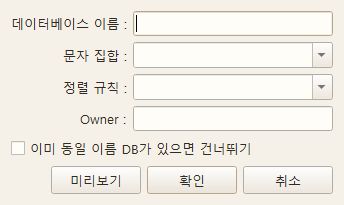
Create a new database using the GUI. The necessary options for each DB type are automatically displayed.
Screen
Example of the light theme screen of Querydog 1.0.46 source UI (2026-10-31). Only test data was used, and this does not reflect DB connection, transmission, or compilation results. Buttons added later may not appear on the screen.
Key Features
- MySQL/MariaDB: Charset (utf8mb4, etc.) + Collation combo automatically mapped
- PostgreSQL: Specify Owner / Encoding / Template / Tablespace
- MSSQL: Select data/log file paths, Recovery Model
- Oracle: Create a new schema (USER) + assign basic permissions
Entry path
Right-click the DB tree root > Create Database
Query
SQL Editor
Overview
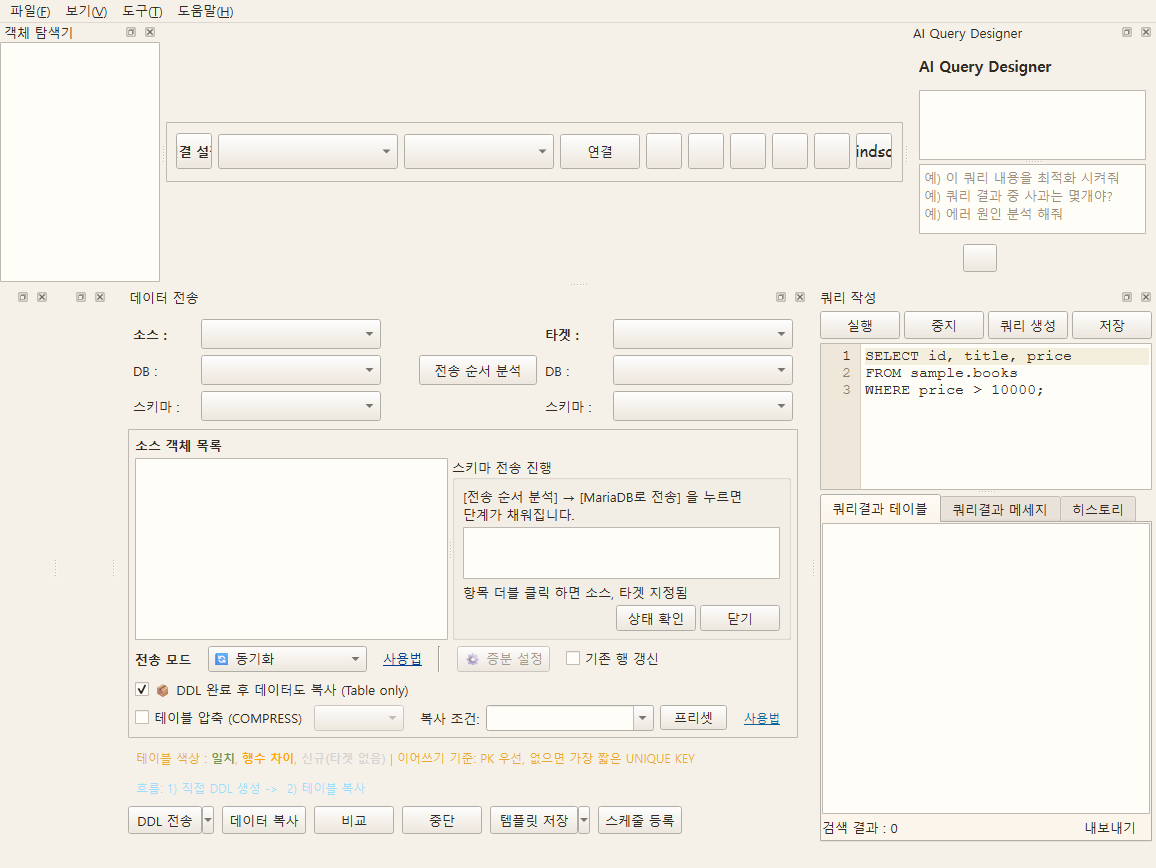
Write, save, and execute SQL files, and check the results in table and message tabs. With the multi-tab Querydog, you can open multiple SQLs simultaneously and run them independently.
Screen
Example of the light theme screen of Querydog 1.0.46 source UI (2026-10-31). Only test data was used, and this does not reflect DB connection, transmission, or compilation results. Buttons added later may not appear on the screen.
Key Features
- SQL syntax highlighting (differentiate keywords, strings, comments, numbers with colors)
- Multi-tab Querydog — execute multiple SQLs at the same time
- SQL formatting: Fast mode / SQLFluff mode
- Execute query (
F5) / Execute selection / Stop execution - Display execution results separately in table or message tabs
- Query history — automatically records executed SQL, time, success/error
- Save to Excel / AI error analysis support
- Save location:
~/Documents/Querydog/Query/<ConnectionName>/
Query
SQL Auto-completion
Overview
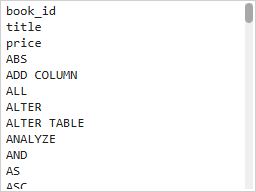
Displays candidates based on the current SQL context and connection metadata.
Screen
Example of the light theme screen of Querydog 1.0.46 source UI (2026-10-31). Only test data was used, and this does not reflect DB connection, transmission, or compilation results. Buttons added later may not appear on the screen.
Key Features
- Table · View · Column and alias interpretation
- CTE · Nested query context candidates
Entry path
Query editor
SQL Auto-completion
After connecting to the DB, displays candidates based on table · view · column information. Alias. Input and
Interprets the current position of the CTE · nested query and suggests related columns. Column information is fetched in the background, so please wait until the list is populated immediately after connection.
| Manipulation | Action |
|---|---|
Ctrl+Space |
Opens autocomplete candidates directly |
Up · Down arrow keys → Enter |
Select candidates to insert |
Esc |
Close the candidate window |
Tab / Shift+Tab |
Close the candidate window and handle editor indentation |
Autocomplete is a feature that assists SQL writing and does not guarantee execution results.
Query
PL/SQL · SP Trace Execution
Overview
Please check the following procedures and precautions.
Screen
Example of the light theme screen of Querydog 1.0.46 source UI (2026-10-31). Only test data was used, and this does not reflect DB connection, transmission, or compilation results. Buttons added later may not appear on the screen.
Key Features
Entry path
Debugger function of the query editor
Overview
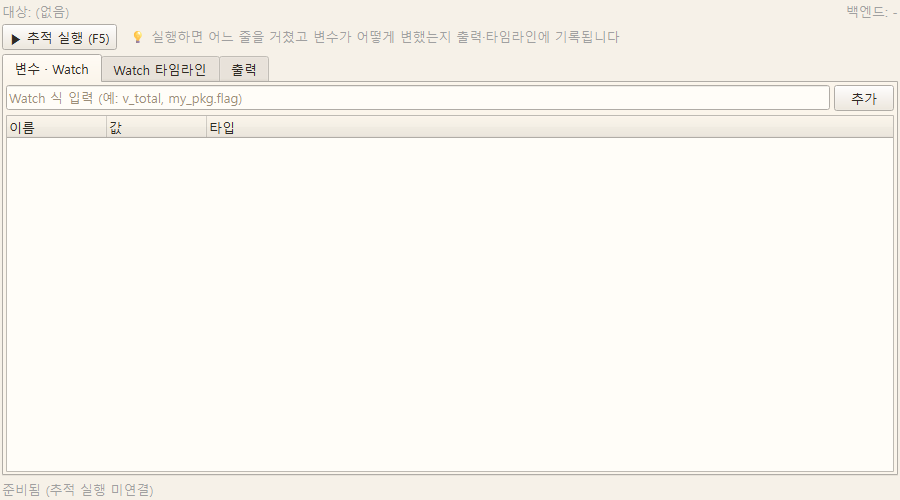
Just like following program code line by line, it traces the execution process of PL/SQL blocks or stored procedures. You can visually check how variable values change along the way.
How to use
- Write an anonymous block in the query editor or select a procedure or function from the tree.
- Start trace execution. If the procedure requires input values, a parameter input window will open.
- The values you enter once are saved and will be filled in again for the next execution.
- Check progress and variable values on the trace execution panel.
Key Features
- Anonymous block trace execution — Traces the block you wrote in the editor as is.
- Procedure · Function Trace Execution — We trace the routines that are already created in the database for you.
- Procedure Parameter Input — We save the input values and restore them for the next execution.
- Watch (Variable Tracking) — If you specify variables to watch, we follow the changes in their values.
- Watch Timeline — We show in chronological order when and how the variable values changed.
- Output Display —
DBMS_OUTPUT— We also display the output content during execution. - Execution Control — You can control the trace flow, such as progression and pause.
- Diagnostic Log — We leave detailed records so you can find the cause when tracing does not go as expected.
Supported Databases
Usable with Oracle · MySQL · MariaDB · PostgreSQL · MSSQL. Although the methods provided by the servers differ internally, the usage is the same. It is not step execution that stops at breakpoints, but a tracing method that follows which lines were executed and what the variable values were at that time.
Examples by DB
The following are examples of procedural language syntax for each DB. Execute them in the DB connection corresponding to each example. SQLite is not the target for executing these PL/SQL · Stored Procedure trace examples.
Paste the block below into the query editor, and in Watch v_total and v_grade
(MSSQL is @total and @grade) After registering, try starting the trace execution.
You can see the process where the total changes in a loop as 10 → 30 → 60 → 100 → 150, and finally the grade is determined as
HIGH .
Oracle (PL/SQL)
DECLARE
  v_no     NUMBER := 0;
  v_total  NUMBER := 0;
  v_grade  VARCHAR2(10);
BEGIN
  WHILE v_no < 5 LOOP
    v_no := v_no + 1;
    v_total := v_total + v_no * 10;
  END LOOP;
  IF v_total >= 100 THEN
    v_grade := 'HIGH';
  ELSE
    v_grade := 'LOW';
  END IF;
  DBMS_OUTPUT.PUT_LINE('Total=' || v_total || ' Grade=' || v_grade);
END;
MySQL · MariaDB
BEGIN
  DECLARE v_no INT DEFAULT 0;
  DECLARE v_total INT DEFAULT 0;
  DECLARE v_grade VARCHAR(10) DEFAULT '';
  WHILE v_no < 5 DO
    SET v_no = v_no + 1;
    SET v_total = v_total + v_no * 10;
  END WHILE;
  IF v_total >= 100 THEN
    SET v_grade = 'HIGH';
  ELSE
    SET v_grade = 'LOW';
  END IF;
END
MSSQL (T-SQL) — Watch is @total, @grade
DECLARE @no INT = 0;
DECLARE @total INT = 0;
DECLARE @grade VARCHAR(10) = '';
WHILE @no < 5
BEGIN
  SET @no = @no + 1;
  SET @total = @total + @no * 10;
END
IF @total >= 100
BEGIN
  SET @grade = 'HIGH';
END
ELSE
BEGIN
  SET @grade = 'LOW';
END
MSSQL wraps IF/ELSE branches as in the example above. If a single-line branch is not wrapped, tracing is skipped to prevent structural breakage, so the variable changes on that line are not recorded.
BEGIN ... END'Total=% Grade=%'
PostgreSQL (PL/pgSQL)
DO $$
DECLARE
  v_no    int := 0;
  v_total int := 0;
  v_grade text := '';
BEGIN
  WHILE v_no < 5 LOOP
    v_no := v_no + 1;
    v_total := v_total + v_no * 10;
  END LOOP;
  IF v_total >= 100 THEN
    v_grade := 'HIGH';
  ELSE
    v_grade := 'LOW';
  END IF;
  RAISE NOTICE Points worth noting, v_total, v_grade;
END $$;
This method executes a copy in which trace statements have been inserted into the original source,
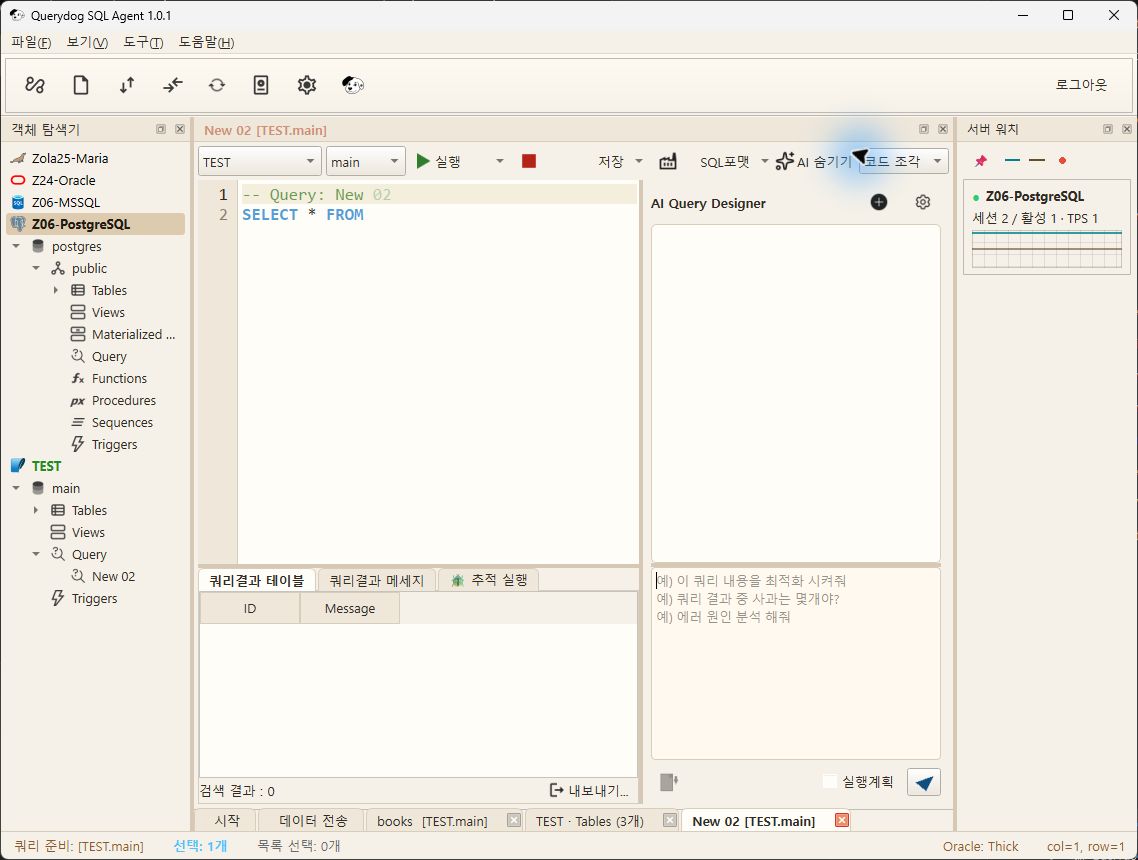
- so even if you trace a procedure created in the database, the original is never modified.Trace temporary copies are automatically cleaned up when execution ends. During tracing, execution is slightly slower than the original code. It is recommended to narrow down the problematic section rather than tracing a large loop entirely.If you make a request in natural language, the AI generates SQL or DDL and inserts it directly into the editor.
- Querydog 1.0.1 execution screen (2026-10-01). Only connection names that the user allowed publicly are displayed.
Query
AI Query Designer
Overview
Enter natural language questions via the chat interface
Screen
Automatically send the current connection's table/schema information to the AI
Key Features
- Enter natural language questions in the chat interface
- Automatically transmit the table/schema information of the current connection to AI
- Insert the generated SQL into the editor with a single click
- Supported AI: Google Gemini / OpenAI GPT / Anthropic Claude / Alibaba Qwen / Moonshot Kimi / Ollama (local)
- API key / model / system prompts are can be adjusted inmanaged in
- Cross DB capability recognition — automatically generate SQL combining multiple connections using natural language
Supported providers
| Providers | API key issuers | Remarks |
|---|---|---|
| Google Gemini | Google AI Studio | DefaultThere is a free tier, so you can issue a key without a card |
| OpenAI GPT | platform.openai.com | |
| Anthropic Claude | console.anthropic.com | |
| Alibaba Qwen | Alibaba Cloud Model Studio | Default for international region. For China region, change and enter the Base URL |
| Moonshot Kimi | Moonshot Open Platform | International default (api.moonshot.ai). For China api.moonshot.cn |
| Ollama | — | Local execution. Can be used without an API key |
API keys are issued and entered by the user (BYOK). Keys are stored in user AppData .env and are not distributed with connection information.
Query
Visual Query Builder
Overview
Visually build JOIN queries with drag and drop
Screen
Example of the light theme screen of Querydog 1.0.46 source UI (2026-10-31). Only test data was used, and this does not reflect DB connection, transmission, or compilation results. Buttons added later may not appear on the screen.
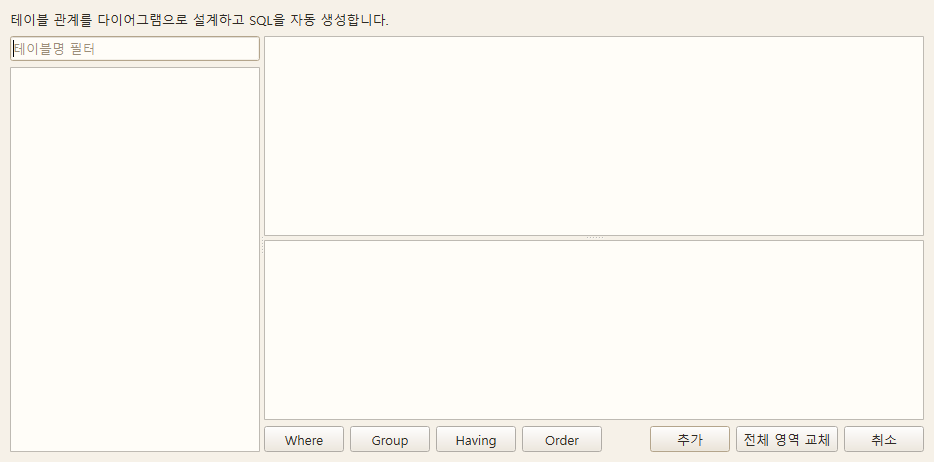
Key Features
- Add table cards and connect columns to form JOINs
- JOIN types: INNER / LEFT / RIGHT / OUTER / CROSS
- Visually set field selection, WHERE conditions, ORDER BY, GROUP BY
- SQL preview panel updates in real time
- Cross DB source preservation —
-- CROSS_DB_SOURCESAutomatic comment recording
Entry path
Visual Query Builder button in query editor (Pro)
Query
Cross DB Query
Overview
You can JOIN tables from different connections within a single SQL query and view them.
Screen
This is an example of SQL executed through public SQLite and PostgreSQL connections in Querydog 1.0.1. The execution is complete, and since there are no matching rows in the test table, the result is 0 rows.
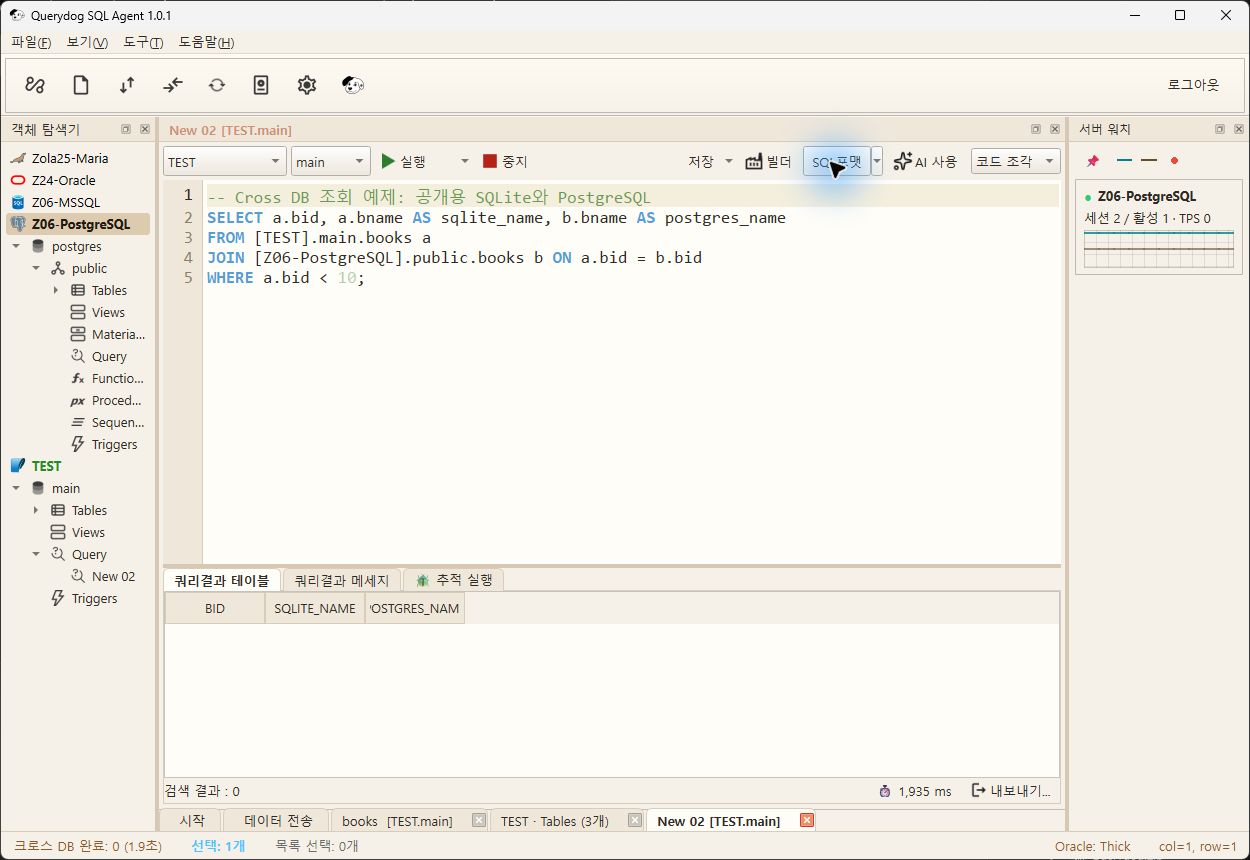
Key Features
[ConnectionName].(database.)Schema.TableCite the source in the format- Issue SELECT with WHERE condition pushed down in each join
- Perform a JOIN at the Python (pandas) level on the results and display them in a grid
- SELECT Exclusive — INSERT/UPDATE/DELETE not supported
- For large data
max_rowsRecommended limit on result rows
Entry path
Automatic branching when running SQL in the query editor
Example SQL
SELECT a.COL1, b.COL2
FROM [ConnectionA].schema.tableA a
JOIN [ConnectionB].schema.tableB b ON a.id = b.id
WHERE a.COL1 > 100
Query
Data Audit History
Overview
Database changes performed in the app are recorded and can be viewed in one place. Not only permission changes but also object deletion, database deletion, backup restoration, grid editing, and other irreversible actions are recorded along with their success or failure.
The record is in the app's internal SQLite(Data/querydog_history.db) is stored, and nothing is written to the target DB.
Screen
Example of the light theme screen of Querydog 1.0.46 source UI (2026-10-31). Only test data was used, and this does not reflect DB connection, transmission, or compilation results. Buttons added later may not appear on the screen.
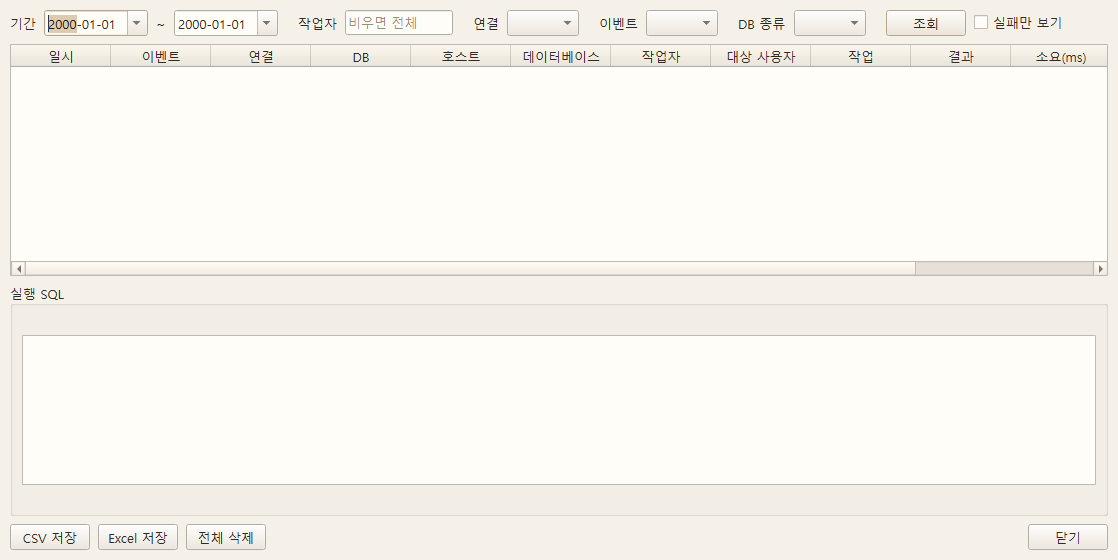
Key Features
- Date/Time / Executing Account / Connection / Event Type / Action / Object / Display Executed SQL
- Filter by period, execution account, connection, event type, and DB type, view failures only
- Display the most recent 500 entries, export to CSV / Excel
- Record even failed attempts — The fact that deletion is blocked in itself is something to be thankful for
- Store both the processing time and the number of rows affected
- The password is saved after masking
- Reset entire history (execute after confirmation)
Entry path
Menu > Tools > Data Analysis > Data Audit History (Pro)
Recorded task
| Event Type | Recording Target |
|---|---|
| Permissions | User creation·deletion·unlock, GRANT / REVOKE |
| SQL execution | Statements executed directly in SQL editor |
| DDL transmission / data transmission | Transfer operations between DBs |
| Object DDL | Deletion of tables·views·sequences·triggers, truncating tables, renaming, creating·deleting indexes, saving·deleting routines |
| Database | Database creation · attribute modification · deletion |
| Backup restoration | Restoration from backup file |
| Grid editing | Changes saved in table data grid |
| Data import | File → Import to table (including cancel) |
| Tablespace | Resize, auto-extend, add file, defragment, shrink, delete |
| Session | Forcible session termination |
| Maintenance | Data optimization, LOB space reduction |
Recording unit
For grid editing and data optimization One operation = one history record This is how it is recorded.
Recording per cell would overwrite the history.
Detailed row-level changes in grid editing are logs/save_audit.jsonl Accumulates separately.
Not recorded
Synchronization SQL for DB comparison is only saved as a file and not executed, so it does not appear in this list.
When you run the saved SQL in the editor, SQL execution it will be recorded in.
Schema/Object
Table Designer
Overview
Visually design table structures and generate DDL.
Screen
Example of the light theme screen of Querydog 1.0.46 source UI (2026-10-31). Only test data was used, and this does not reflect DB connection, transmission, or compilation results. Buttons added later may not appear on the screen.
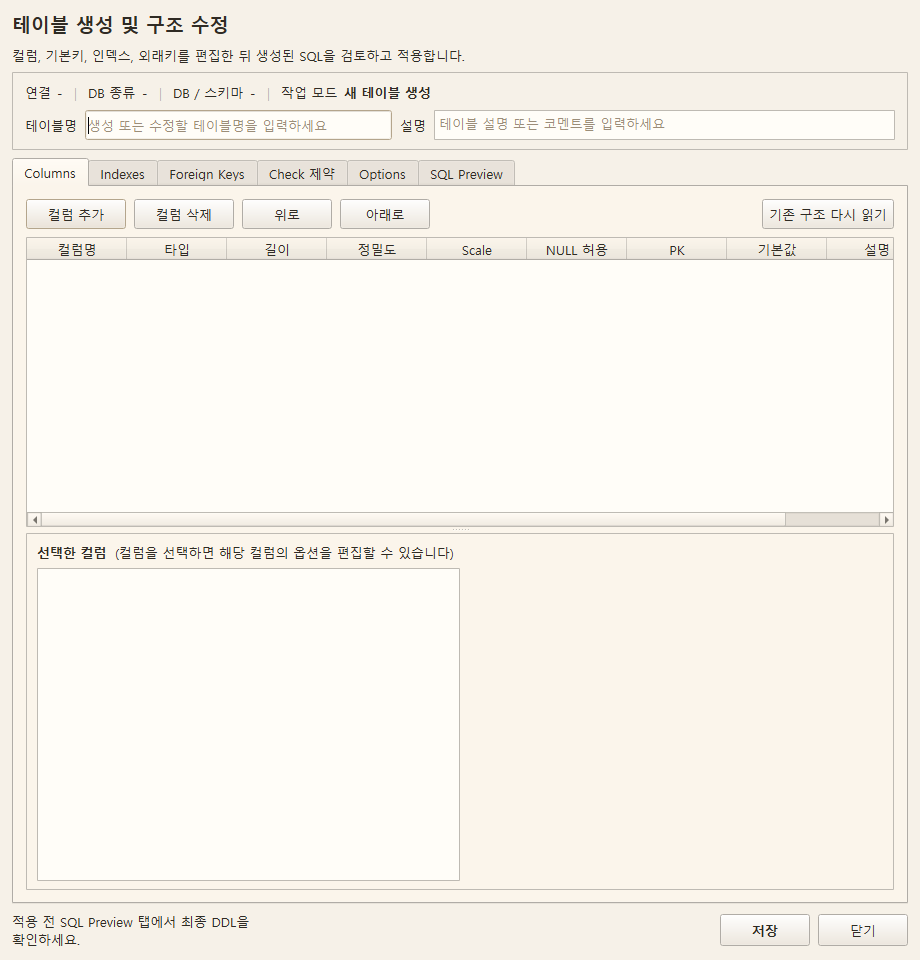
Key Features
- Column editing: Name / Type / Length / NULL / PK / Auto Increment / Default Value / Comment
- Automatically apply data type list according to DB type
- Index tab: Name, Type (INDEX/UNIQUE), Target Columns and Sort Order (ASC/DESC)
- Foreign Key tab: Referenced schema, table, column, Delete option; pre-block column count mismatch
- CHECK constraint: Preserve MSSQL disabled state, preserve PostgreSQL NOT VALID state
- Table options: Block unsupported changes before applying; Support PostgreSQL tablespace change
- CREATE TABLE DDL preview generated in real time
Entry path
DB Tree > Right-click Table > Open Table Designer
Schema/Object
Table List
Overview
Please check the following procedures and precautions.
Screen
Example of the light theme screen of Querydog 1.0.46 source UI (2026-10-31). Only test data was used, and this does not reflect DB connection, transmission, or compilation results. Buttons added later may not appear on the screen.
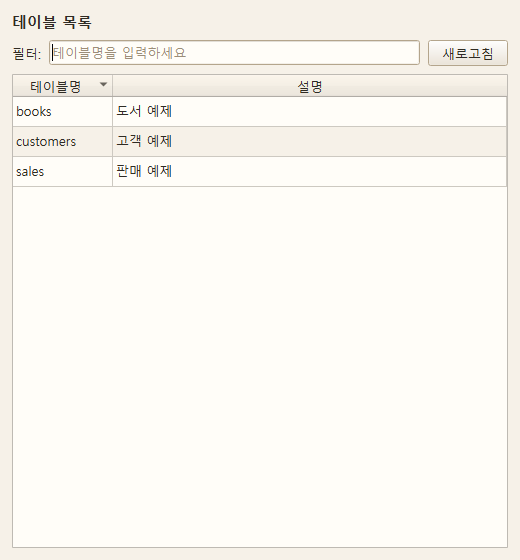
Key Features
Entry path
Object Explorer > Double-click Tables
Overview
This window shows each table in a schema along with row count, size, etc. You can also use this window when copying a table or moving it to another schema.
How to open
DB Tree > Schema > Tables Double click
Key Features
- List columns — Displays row count, size, etc., along with the table name.
- Context menu (right-click) — You can perform table-level operations such as copy and paste.
- Copy · Paste Table Clipboard — You can copy and paste an entire table.
If a table with the same name already exists,
(1),(2)a number will be automatically added as shown. - Multi-selection (Rubber Band) — You can drag in an empty area to select multiple tables at once.
Notes
- Dragging within this window is all multi-selection behavior. To send a table to the query window, please drag it from the left DB tree.
Schema/Object
View Table · Edit Cells
Overview
Please check the following procedures and precautions.
Screen
Automatically send the current connection's table/schema information to the AI
Key Features
Entry path
Double-click the table in the table list
Overview
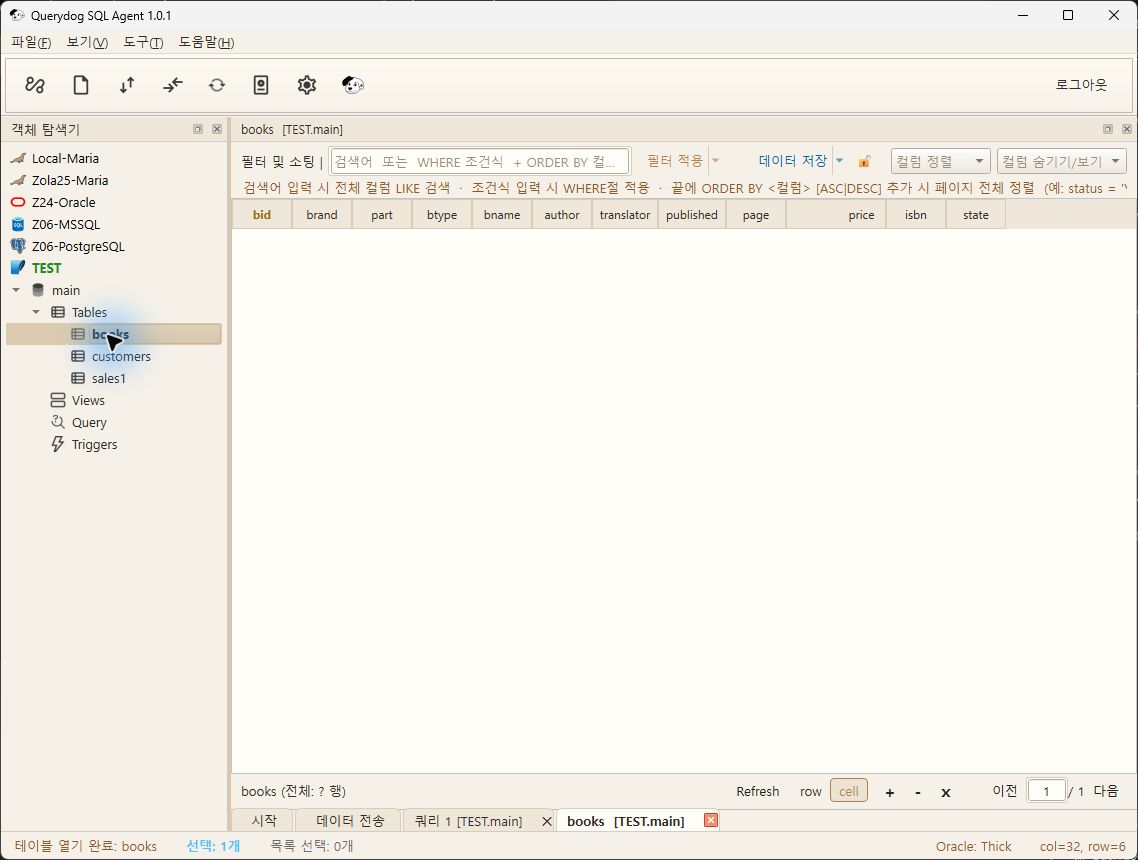
When you open a table, a grid that looks like Excel appears. After modifying the cells directly
you can save, and Querydog will generate and execute the appropriate INSERT · UPDATE · DELETE query for you.
How to open
DB Tree > Schema > Tables Double-click → Table List Window → Double-click Table
Row Status Colors
Edited rows are shown with colors until saved.
| Status | Meaning |
|---|---|
| Add | This is a newly added row (not saved yet) |
| Edit | This is a row whose value has been modified |
| Delete | This row is marked for deletion |
| Conflict | This row has different values because someone else modified it first |
Cell Editing Helper Features
- FK Lookup Picker — For foreign key columns, you can select values from the referenced table from a list. You do not need to memorize the code values.
- CHECK / ENUM / Boolean automatic widgets — Columns that can only contain predetermined values will change to a combo box or checkbox.
- NULL / DEFAULT / blank distinction — You can display and enter values distinguishing between empty (NULL), default, and blank strings.
- Inline large text / JSON / XML / BLOB editor — Double-click a cell with long content to open a dedicated editor.
- Column-level transform — You can apply the same transformation to an entire column at once.
- Toggle edit lock — You can lock the grid as read-only to prevent accidental value changes.
- Grid find & replace — You can find and replace values within the grid.
- Cell clipboard copy & paste — You can copy and paste by selecting a range of cells.
Saving and safety features
- Automatic PK filling on INSERT — Recognizes sequences, IDENTITY, and AUTO_INCREMENT to automatically insert primary keys.
- Partial row failure handling — If saving multiple rows and one row fails, that row is preserved while the others are saved successfully.
- Edit conflict detection — Rows edited by someone else after being displayed on your screen will not be overwritten but reported as a conflict.
- Auto-save edit status (Drafts) — Even if you close the program before saving, the content you were editing will be preserved.
- Send saved SQL to SQL editor — Use this when you want to directly check or modify the SQL to be executed.
Insert directly from file
- CSV / Excel drag-and-drop import — Drag and drop the file onto the grid to start importing.
- Clipboard import — You can paste the content copied from Excel directly.
Auto-hide LOB
Columns containing large data (LOB) such as images and documents ... are initially folded. This is to prevent the screen from becoming heavy, and you can double-click to expand the content.
Schema/Object
LOB Management
Overview
Please check the following procedures and precautions.
Screen
Example of the light theme screen of Querydog 1.0.46 source UI (2026-10-31). Only test data was used, and this does not reflect DB connection, transmission, or compilation results. Buttons added later may not appear on the screen.
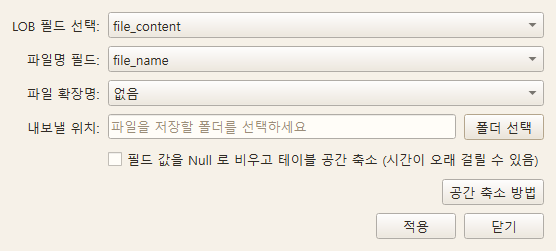
Key Features
Entry path
Table View Dock > LOB Management
Overview
Columns containing large data like images or documents (LOB) take up a lot of space. You can organize them in the order: Export → Empty → Reduce space.
How to open
Table View Dock → Top Action Bar → LOB Management Button
Workflow
- Export file (Mandatory) — Be sure to save the content to a file before deleting. If you skip this step, data cannot be recovered.
- Empty NULL (Optional) — Clears column values to actually delete data.
- Reduce space — Returns the empty space remaining after clearing to the database.
Key Features
- Export LOB file — You can save the contents of the column as a file.
- Empty LOB NULL — You can clear the column values after exporting.
- Reduce space — You can reclaim the empty space remaining after clearing.
- BLOB Conversion Guide (Oracle LONG RAW / RAW) — We guide you on how to convert old types to BLOB based on different situations. For small amounts, simple conversion is recommended; if zero downtime is needed during operation, use
DBMS_REDEFINITION.
Notes
- LOB handling methods vary by database type. Some databases do not immediately reflect space reduction.
- This is an irreversible operation, so please check that the export file is correct first.
Schema/Object
ER diagram
Overview
Design tables and relationships, and either export them as documentation or apply them to the actual DB structure.
Screen
Automatically send the current connection's table/schema information to the AI
Key Features
- Save / Open diagram file
- Export as PDF·PNG·SVG
- AI design assistance
Entry path
Tools > Data Design > ER Diagram
Open in diagram editing and actual DB reflection
Tools > Data Design > ER DiagramEdit tables and relationships,
Use AIto perform queries and assistance related to the design.
- Save / OpenStores and reopens the tables, relationships, and layout of the diagram as a file.
- ExportYou can select the format as PDF·PNG·SVG there.
- Save dataThis is a separate function to create the structure in the actual DB. Select the target connection, DB, and schema, then review the editable DDL previewand confirm execution.
- If the table already exists, DROP.It is basically turned off. If you turn it on, existing tables and data may be deleted, so please check the target of the preview and the SQL in advance. Simply saving the diagram file does not change the DB.
Schema/Object
Schema Manager
Overview
Manage objects collectively on a schema basis.
Screen
Example of the light theme screen of Querydog 1.0.46 source UI (2026-10-31). Only test data was used, and this does not reflect DB connection, transmission, or compilation results. Buttons added later may not appear on the screen.
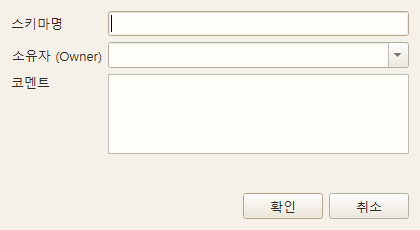
Key Features
- Create/delete schema / grant permissions
- List of objects (tables, views, sequences, triggers, functions) by schema
- Automatically adjust differences in schema concepts by DB type
The screen above is an example of the schema creation input window. It does not include the full schema list or the actual creation results.
Schema/Object
Index Manager
Overview
Visually view, create, and delete indexes for each table.
Screen
Example of the light theme screen of Querydog 1.0.46 source UI (2026-10-31). Only test data was used, and this does not reflect DB connection, transmission, or compilation results. Buttons added later may not appear on the screen.
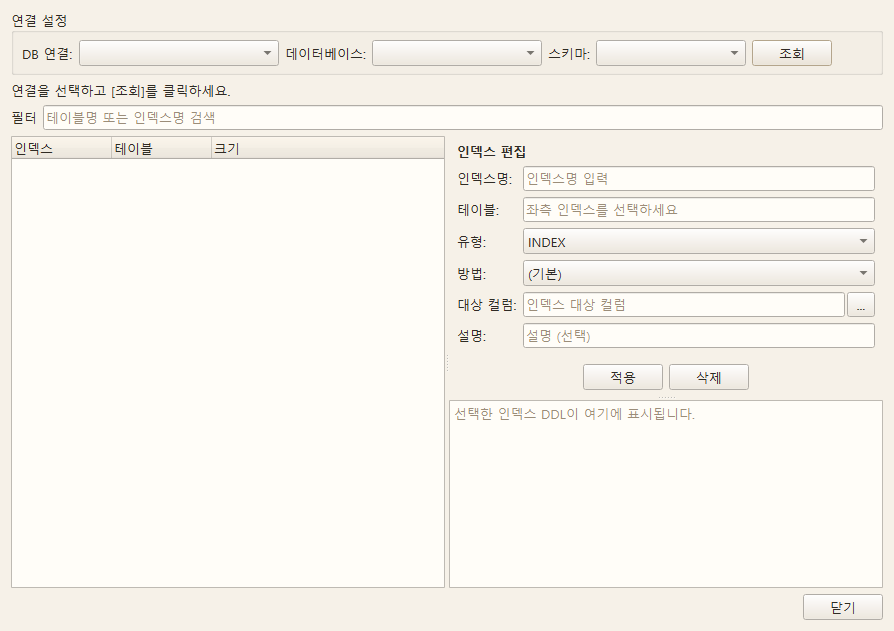
Key Features
- Display index types (UNIQUE / standard / FULLTEXT / SPATIAL)
- Support columns / sorting / include columns
- Display usage statistics — helps identify unused indexes
Schema/Object
User Management
Overview
Manage DB user accounts and permissions. Dedicated screens are provided for each DB type.
Screen
Example of the light theme screen of Querydog 1.0.46 source UI (2026-10-31). Only test data was used, and this does not reflect DB connection, transmission, or compilation results. Buttons added later may not appear on the screen.
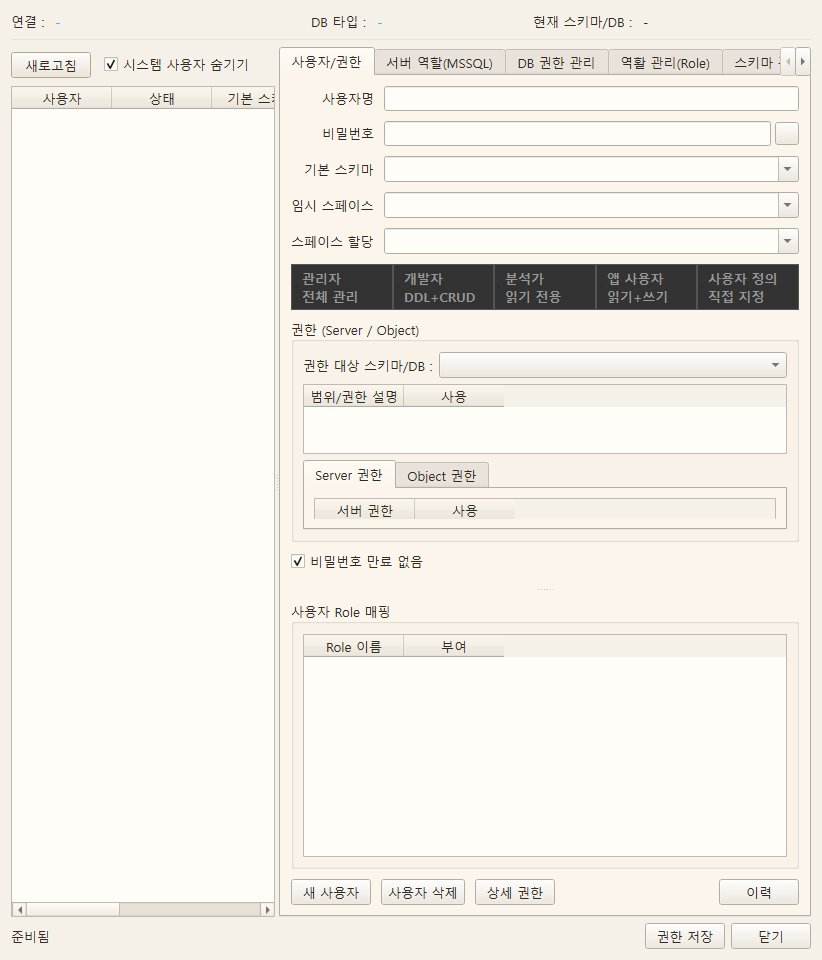
Key Features
- Create / modify / delete users
- Apply bulk permission bundles using role templates (
config/role_templates.json) - Password policy / expiration / lock settings
- Permission grant (GRANT) / revoke (REVOKE) via GUI
- Support MSSQL user mapping (mpc) grid
- All permission changes are automatically Permission History recorded
Entry path
Menu > Tools > User Management
Check query/save results
- While querying users and permissions, saving is restricted if the query fails. Refresh and change after successful query.
- MySQL/MariaDB allows the same username even if If the host is different, it is a different account.Please check
User@Hostbefore saving. Upper and lower case of PostgreSQL usernames are also preserved. - If a save error occurs, SQL that already received a success response, failed SQL, Changes committed first in another DBPlease check. Not all changes are rolled back in all DBs. After confirming the actual status by refreshing, save again.
- If validation query fails or results are different after saving in Oracle, it will be guided as validation incomplete/discrepancy. Do not assume save success means validation complete.
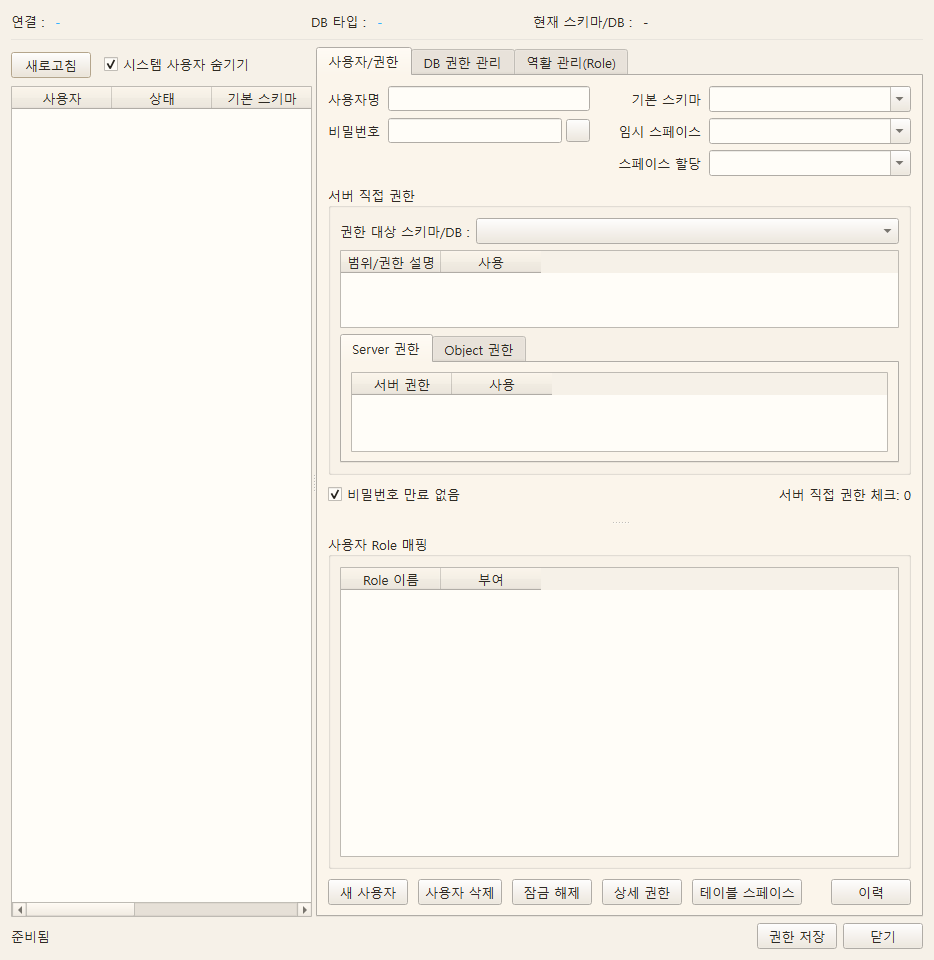
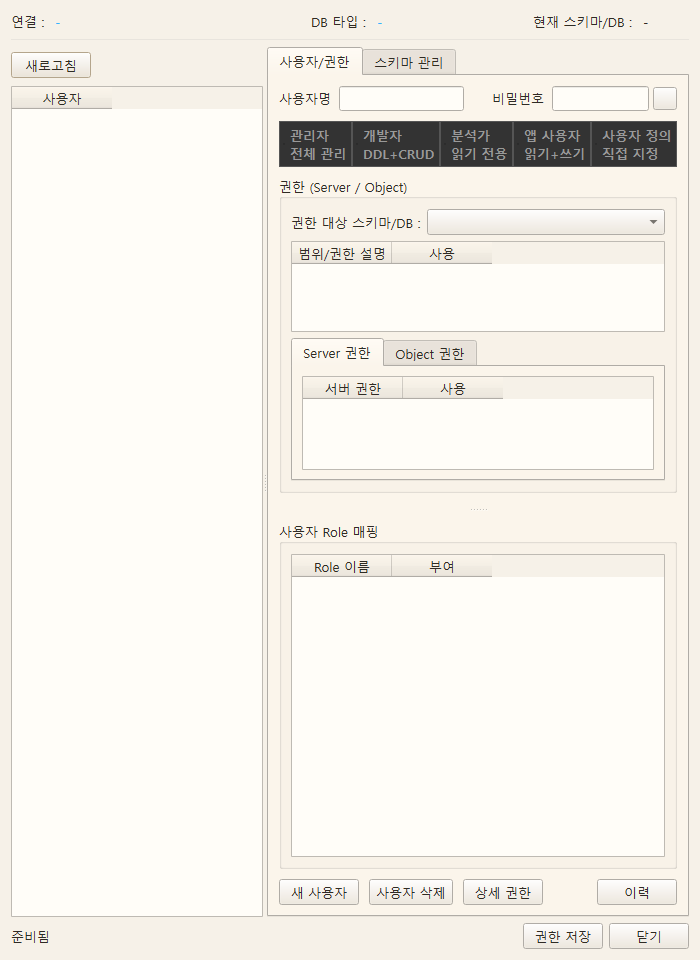
Screen by DB
The screen below is an example of the UI rendering the current form without test data and is not the actual DB user list or permission query result.
Oracle
MySQL
MariaDB
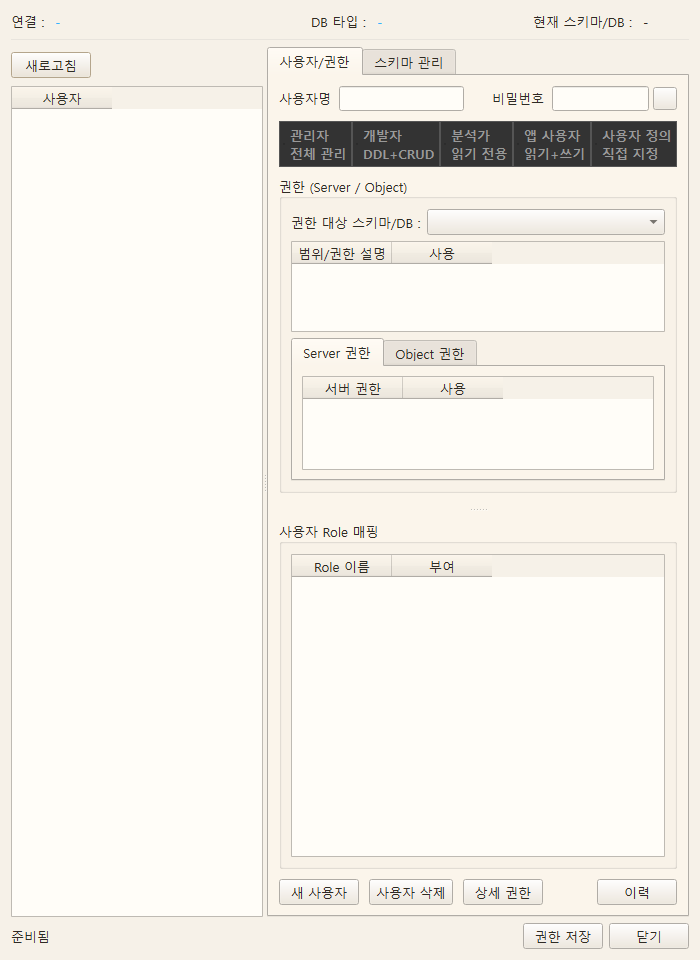
MSSQL
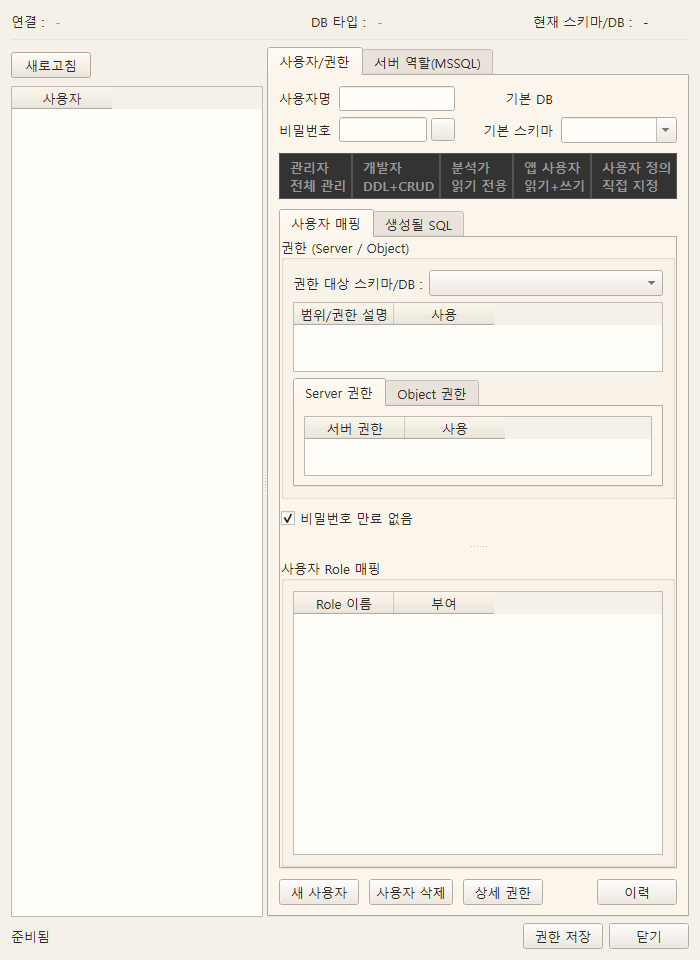
PostgreSQL
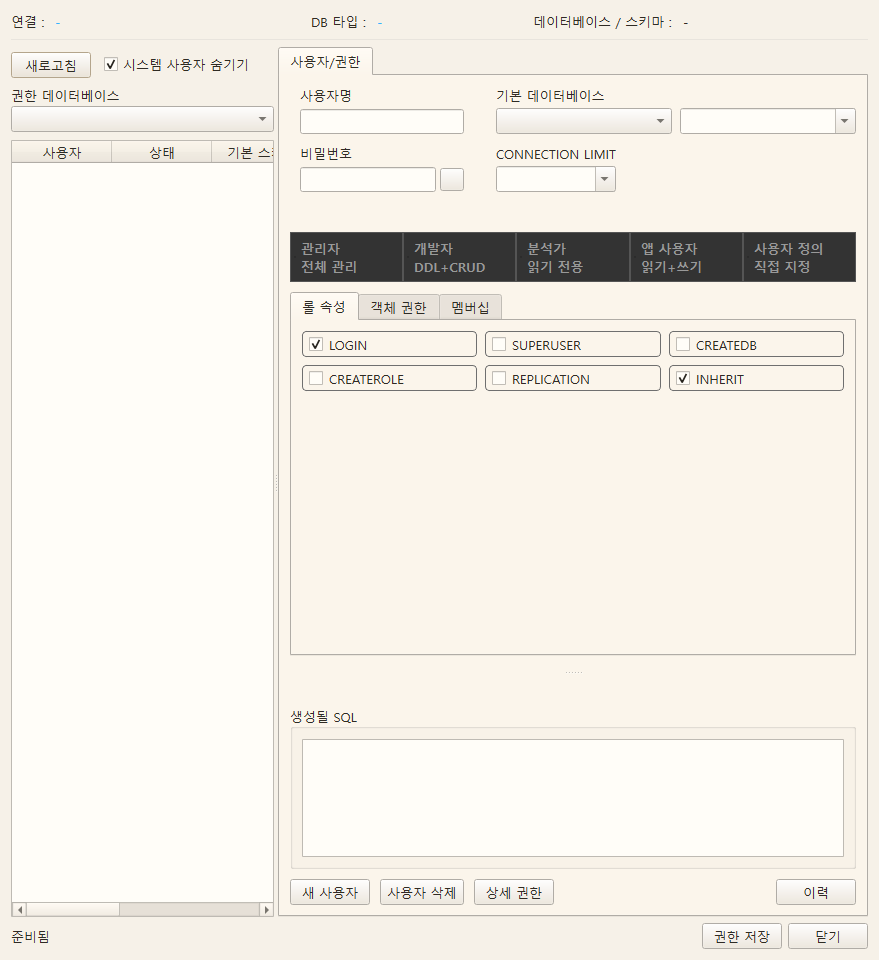
Data Transfer/Operation
DDL/Data Transfer
Overview
Transfer schema structure (DDL) and data from the source DB to the target DB.
Querydog Community (free) includes basic DDL transfer and data copy between homogeneous/heterogeneous DBs. Recreate/sync mode can be used, and incremental transfer, permission copy, and transfer scheduling are Pro features. Oracle PL/SQL migration is also a separate Pro feature.
Main object transfer order: Sequence → Type (Row Type → Collection Type) → Table (Priority to tables without FK) → View → Trigger
Screen
Example of the light theme screen of Querydog 1.0.46 source UI (2026-10-31). Only test data was used, and this does not reflect DB connection, transmission, or compilation results. Buttons added later may not appear on the screen.
Key Features
- Select source/target connections respectively, then select transfer object checkboxes
- AI DDL conversion — AI automatically adjusts type differences between heterogeneous DBs
- Rule-based DDL conversion — Uses predefined type mapping
- Before executing create DDL, check original type, auto suggestions, warnings for each column, and modify target type
- Reflect the modified target type in the CREATE TABLE preview and execution SQL
- Data transfer: batch INSERT, display progress
- If reading the source is stopped, mark the remaining tables as unprocessed and stop the transfer
- Exclude tables with rows that failed to save or values that were truncated from success and keep them for rechecking
- Save transfer settings as a template (
Data/transfer_templates.json) — used for scheduled execution - [Transfer Order Analysis] — Reads relationships where schemas (DBs) of the source connection reference each other (views, MViews, routines → other schemas, cross-schema FKs) and shows the recommended order so that the referenced side comes first. If schemas reference each other, it suggests a plan of 'all tables first → views later.' Supports Oracle · MariaDB/MySQL · PostgreSQL · MSSQL sources
- In Oracle → Oracle transfers, if the target character set has a wider byte width than the source (e.g., KO16MSWIN949 → AL32UTF8)
VARCHAR2(4000 CHAR)Columns with data exceeding 4,000 bytes are re-measured from the source data and automatically promoted to CLOB (shown in the top of the preview and in warnings) — prevents missing ORA-12899 errors that cannot be detected by declaration length alone - For target MariaDB/MySQL
lower_case_table_namesif it is 0, display it on the status line when selecting the target, and give a one-time warning when sending DDL or copying data from heterogeneous sources like Oracle — the Linux default value 0 distinguishes between uppercase and lowercase for DB, table names, and aliases, which may cause failure at execution, so setting it to 1 is recommended before creating the DB
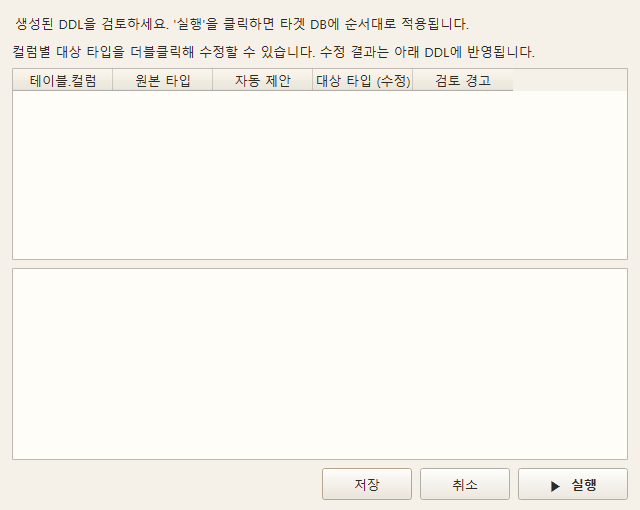
Current DDL type review screen
This is an example of the current source UI with a bright theme. It is an empty test screen and not the actual DDL execution result.
Transfer order analysis and permission copy
Transfer order analysisshows which schema to move first by investigating view, routine, and FK references between schemas. If there are mutual references, move the tables first and then handle views and others.
Permission copy (paid)is a separate button displayed in Pro. Prepare the objects first, then check the objects for which you want to copy permissions and execute. Confirm the pre-preparation status and the SQL to be applied.
- Oracle→Oracle, PostgreSQL→PostgreSQL, MSSQL→MSSQL, MySQL→MySQL, MariaDB→MariaDB, etc. Same DB typeis supported.
- Unlike the Community-provided scope for basic data transfer, permission copy between MySQL and MariaDB is not supported.
- Targets permissions directly granted to the selected objects. It does not replicate system privileges, role memberships, or ownerships altogether, and you must first prepare the necessary target users, roles, and objects.
- Cannot be executed on read-only targets or during processes such as comparison or transfer.
Show comparison
The transfer button is disabled during comparison. Approximately Nis the estimated number of rows, ?is an unverified value. Having the same number of rows does not mean all column values are the same.
Transfer mode
One mode determines the actions of both the "DDL Transfer" and "Data Copy" buttons together.
Review target type by column
Send DDLWhen you press it, the type review window opens before applying the generated SQL. It displays the original type, automatically converted target type, and review warnings for each column of the table to be created.
Target type (edit) Double-click the cell DECIMAL(18,4) Or VARCHAR(200)Like this
The change will be reflected in the CREATE TABLE preview below. After pressing Execute, the saved mapping is
Data/transfer_type_mappings.jsonstored by connection, DB, and schema, and will be displayed again during the next transfer review. CancelDo not apply DDL.
For example, Oracle NUMBER(12,4)Reducing to smaller DECIMAL(10,2)will show a precision warning,
VARCHAR2(100)Reducing VARCHAR(50)to will show a length warning. Even with the same length, the meaning of Oracle BYTE/CHAR and differences in target character set must be checked with actual data.
The review table only modifies the generated CREATE TABLE column types.Existing target tables are skipped in the synchronization DDL creation, so this screen does not automatically ALTER existing columns. If the original type cannot be retrieved, it is displayed in the table, so check it manually. Clear input errors like syntax or MariaDB/MySQL DECIMAL limits are blocked, but whether all actual data fits is not guaranteed until it is transferred and verified on the target.
| Mode | Send DDL | Copy data |
|---|---|---|
| 🗑 Recreate (drop target) | Drop existing objects on the target and recreate everything | INSERT all data after TRUNCATE (PK not required) |
| 🔄 Synchronize (default) | Create only objects not in the target | Compare based on PK (PK/UNIQUE required) |
| ⏩ Incremental (Pro) | Same as synchronization | Supplement missing key comparisons + update rows changed after the reference |
When sending DDL in regeneration mode, just before applying Check the list of objects to be deletedA window appears.
Copy condition (WHERE) restricts source rows in all three modes. Regeneration first verifies the condition, then empties the target; if there are 0 rows matching the condition, the target is also emptied. {first(n)}·{last(n)} Quantity condition is supported only in regeneration/incremental and blocked in synchronization.
Selecting subfields is supported in all three modes. The entire PK/UNIQUE key must be selected, and even if existing row updates are enabled in synchronization/incremental, unselected columns are retained. For new rows, unselected columns follow the target's default value or NULL allowance.
Synchronization/incremental DDL also preserves existing views/materialized views. If a materialized view is converted to a target table and an object with the same name exists, it is skipped; if the existence check fails, the creation of that DDL is aborted.
Which mode should you choose?
If you can discard the target, choose regeneration; if you need to preserve it, choose synchronization.
The safe criterion is not speed, but whether it's acceptable to lose the existing data in the target.That is the safest way to choose.
| Situation | Recommendation |
|---|---|
| Target must be a complete copy of the source (including deletions) | 🗑 Regeneration |
| Must preserve data only in target (integrated DB, items created during operation) | 🔄 Synchronization |
| Target table has no PK/UNIQUE | 🗑 Regeneration |
| Tables referenced by FK | 🔄 Synchronization |
| Environments where transmission can be interrupted | 🔄 Synchronization |
| Must not stop queries while in operation | 🔄 Synchronization |
Regeneration empties the target before filling it, so if it fails in the middle the target remains empty or only half full. Until the copy finishes, on the querying side it appears as if there is no data. Synchronization keeps existing data and adds to it, so there is no such period, and if it fails, re-running will continue it.
Synchronization only copies tables where PK/UNIQUE keys matching on both source and target are confirmed. If there is no key, the query fails, or the key columns on both sides are different, it skips that table and records the reason in the log and results. Tables without keys are not automatically converted to regular INSERT. Transmission of other normal tables continues. This process does not delete duplicate rows already accumulated.
Re-run after source connection interruption and partial transmission
If the connection is lost while reading source data or the cursor cannot continue reading, it stops on the current table. In the results, that table is partially transmitted, and remaining tables are not processed. Tables with save failure rows or truncated values are also not treated as successful, and only successfully copied tables are unchecked from the transmission list. Partially transmitted or unprocessed tables remain checked.
- Restore the source connection and first fix save failure rows, target column size, and constraint errors from the transmission results.
- After checking the checked tables and the original copy conditions Synchronize Run again in mode. Compare the same PK/UNIQUE keys on both source and target, and supplement rows missing in the target. If you also want to match the values of existing rows to the source, select Update existing rows.Please select.
- If there is no key or the keys are different on both sides, synchronization will block that table. Prepare a key, or if deleting existing data in the target is acceptable, select Recreate/Full Copy.
- After running again, perform Compareand separately check the necessary data and constraints.
It does not automatically continue reading from the last cursor position. Rows committed before interruption may remain in the target, and the Recreate mode may leave the target empty or partially filled. Synchronization basically preserves existing rows, so rows modified or deleted in the source are not automatically matched.
Empty target for recreation
TRUNCATE Select to empty, and if not usable (SQLite lacks syntax, or due to FK references or permissions), DELETE it automatically switches. If both fail, skip copying that table and record it as an error. INSERT will not continue if emptying fails.
select Update existing rows.
This is a sub-option of synchronization/incremental mode.
- If turned off, existing rows in the target are left as-is, and only new rows are added.
- If turned on, rows with overlapping keys are overwritten with source values (UPSERT). Only applies to tables with PK (or UNIQUE if PK not present), and tables without keys are not copied, with the reason indicated.
There is also a significant difference from the data transfer perspective.
- If turned off, Since only the rows not in the target are sent, the more populated the target, the more the transmission volume decreases.
- If turned on, Synchronization sends all rows that meet the copy conditions. Incremental sends missing rows and rows changed after the reference.
Resume interrupted synchronization transfer (Pro)
In Pro SynchronizeWhen sending to Data/transfer_checkpoints/<JobID>.jsonCommit the number of rows and table status atomically. If the connection is lost or the app is closed,
after restoring the source connection execute the synchronization again with the same connection, schema, table, and conditions.
If a record exists, a resume guide will be displayed on the screen. At this time, it does not skip to the saved cursor position, and rechecks the PK/UNIQUE keys of the source and target, so even if the app terminates immediately after commit before the record is saved, already stored rows are not reinserted. Rows without keys or with changed values should not be considered automatically recovered, and should be processed after verifying differences. Checkpoints do not store the connection password.
Incremental transfer and missing data verification
Incremental compares the PK/UNIQUE keys of the source and targetto supplement rows missing in the target. This includes all missing rows prior to the watermark for date, number, composite PK, and Oracle change SCN. Rows with a NULL reference date are also subject to missing data supplementation if the keys are valid. If there is no key or the keys differ on both sides, it stops with an error, and NULL keys are not allowed.
- "Update existing rows" If turned off, adds only rows not in the target and preserves existing rows.
- If turned on, Existing rows after the selected incremental reference are also updated. The date boundary is included. If there is no reference value, existing rows that meet the copy conditions are also updated again.
- Deletions are not reflected. Modifications of existing rows whose modification date or number has not changed cannot be detected. In Oracle,
ORA_ROWSCNselecting this allows you to determine the target for update using the change SCN. - The source and target keys are read each time, and after commit, it checks whether the selected keys exist in the target for copying. Therefore, key comparison costs occur, but large omissions are also sent in parts within the bind limit.
- Save errors, value truncation, missing verification failures, and reference value file save failures are not treated as completed. The watermark is maintained, and keys are re-compared in the next execution.
- Even if only some columns are selected, the incremental determination is maintained. The full key must be included in the selected columns.
When increment is executed for the first time or the target is recreated,
| Target status | Action |
|---|---|
| Empty | Ignore old watermark and copy rows that meet the copy condition from the beginning. |
| Data exists | Fill missing keys regardless of watermark, and process changed rows according to the update option. |
| There are sections missing in the middle. | Find keys missing based on date, number, PK, SCN and copy them separately. |
⚙ Incremental SettingsYou can specify the reference column or initialize the watermark in this. The reference value is Data/transfer_incremental.jsonstored per source, target, schema, and table.
Quantity condition {first(n)} / {last(n)}Is After selecting remaining copy candidates, apply them. Rows with the same date value are continuously selected in the next execution without omission.
Quantity limit and "Update Existing Rows" cannot be used together. Please remove the quantity condition for updates.
Copy Conditions
When copying data Commonly applied to all selected tablesConditions to set. WHERE Keywords
You do not have to use them (if attached, they are processed automatically).
status = 'A' AND reg_dt >= '2026-01-01'
Meta Tokens
{ } If tokens are mixed, they are automatically replaced with table-specific information, date, and row count. Column names can be used as they are.
reg_date >= {today-30d} AND {last(1000)}
→ Apply "Last 30 Days + PK Reverse Order 1,000 Rows" to all tables
| Separation | Token | Meaning |
|---|---|---|
| Quantity | {last(n)} |
Reference Column Descending Top n rows (in reverse PK order) |
| Quantity | {first(n)} |
Reference Column Ascending Top n rows (in PK order) |
| Quantity | {last(n%)} {first(n%)} |
Instead of row count RatioSpecify as (row count of each table is counted and converted) |
| Date | {today} {now} {today-Nd} |
Today / Current DateTime / N days ago (m= months, y= years) |
| Column | {pk(n)} |
nth primary key column (starting from 1) |
| Column | {identity} |
Auto-increment column (AUTO_INCREMENT / IDENTITY / serial) |
| Value | {max(col)} {min(col)} {count} |
Maximum and minimum values of the column / Number of rows |
| Name | {table} {schema} |
Current table name / Schema name |
The "nth column" token is not provided
{col(n)} {date(n)} {num(n)} {str(n)} like Tokens that specify columns by position are not supported. The meaning of the nth column varies for each table (in some tables it is registration date, in others it is deletion date), and if specified incorrectly, without error irrelevant data may be copied. Use the actual column name directly, and when applying it commonly to the entire table, use quantity tokens.
Copy partially
This is for cases like when creating a test environment, transferring only part of the data.
You don’t need to know the tokens — and load them from the preset Button
next to the copy condition input field and load them from the preset you can press the button to select frequently used conditions.
PK order 1,000 rows / PK order 10% / PK reverse order 1,000 rows / PK reverse order 10% / Last 30 days / Last N days... / Clear conditions — The selected results are displayed in the input field as they are, so you can either use them directly or modify them manually.
Last 30 Days The date column name is reg_date filled in, and that part is selectedwhen it comes in, so you can overwrite it immediately by entering the actual column name of the target table.
All presets use sequences that guarantee ordering, {last} / {first} so even if copied multiple times with the same preset, you always get the same data.
| Purpose | Input |
|---|---|
| 100 rows in reverse PK order | {last(100)} |
| 100 rows in PK order | {first(100)} |
| 10% in reverse PK order (proportional by size) | {last(10%)} |
| 10% in PK order | {first(10%)} |
| Only the last 7 days | reg_date >= {today-7d} |
| Condition + quantity | status = 'A' AND {last(500)} |
| Based on auto-increment column | {identity} > 1000 |
{last(n)} and {first(n)} Is Reference ColumnSort to select the top n items. The reference column is
entire PK(for composite PKs, in the declared order), and if there is no PK, it is replaced with the first date column → first numeric column (warns which column was used). ORDER BY Since it is explicitly specified
The same rowswill be copied no matter how many times it is executed — even if the test DB is recreated, the data remains the same.
Tables where dates are stored as strings (VARCHAR)
are common in legacy schemas. {today-Nd} Tokens are dedicated to date-type columns, so in this case they cannot be used — because the token TO_DATE('2026-01-01','YYYY-MM-DD') is replaced with the same date literal and compared with the string column. Preset ▸ Last 30 Days The date columns suggested here
are not included in the list.
Instead, you can simply compare the strings as they are.Or YYYYMMDD I YYYY-MM-DD HH:MM:SS like
A fixed-digit format means that lexicographical order is the same as chronological order.It is accurate without conversion.
| Save format | Last 1 year | Specific year |
|---|---|---|
'20210503' |
IN_DATE >= '20250824' |
IN_DATE LIKE '2025%' |
'2019-02-26 12:02:00' |
IN_TIME >= '2025-08-24' |
IN_TIME >= '2025-01-01' AND IN_TIME < '2026-01-01' |
You don’t have to include the time. '2025-08-24' is '2025-08-24 00:00:00' Shorter
Since it is smaller in string comparison, it includes everything from 0 o’clock of that day.
The end of the period < Cut with
IN_TIME <= '2025-12-31' If you write with '2025-12-31 14:30:00' This It will be missed.
Because a value with time attached at the end is a larger string.
IN_TIME < '2026-01-01' It is safer to cut the start of the next interval like < with.
It must be zero-padded.
This method only works if all values have the same number of digits. '2019-2-26' If the month is mixed like a single digit '2019-2-26' > '2019-12-01' it will become December comes before February Going.
Check it in one line before moving — if the length comes out as only one type, it is safe.
SELECT LENGTH(IN_TIME) AS Length, COUNT(*) AS Number of cases
  FROM Schema.Table GROUP BY LENGTH(IN_TIME) ORDER BY 2 DESC;
TO_DATE() Don’t wrap with
TO_DATE(IN_TIME,'YYYY-MM-DD HH24:MI:SS') >= ... The result is the same with, but If you apply a function to a column, you cannot use the index. The difference is significant in tables with millions of rows. String comparisons still use the index, so as long as the format is consistent, it is faster and the results are accurate.
Usage rules by transfer mode
| Mode | General conditions (status='A', date) |
Quantity conditions ({first}/{last}) |
|---|---|---|
| 🗑 Regeneration | ✅ (Data outside the condition will be deleted) | ✅ Create a sample test DB |
| 🔄 Synchronization | ✅ Partial synchronization | ❌ Not allowed |
| ⏩ Incremental | ✅ | ✅ Send in parts |
Synchronization Since the target is fully matched with the source, the mode conflicts with quantity limits and purpose — only that section is matched, and even if executed repeatedly, it does not move to the next section. Therefore, in synchronization,
and load them from the preset the quantity item in the menu is disabled, and even if you enter it manually, a notice appears during execution.
Send in parts (Incremental + quantity token)
Large tables can be moved little by little over multiple times. Set the transfer mode to ⏩ Incrementaland include {first(1000)} in the copy conditions, and each time you execute, the next 1,000 rowswill continue.
| Execute | Transfer range |
|---|---|
| 1st round | Rows 1 ~ 1,000 |
| 2nd round | Rows 1,001 ~ 2,000 |
| 3rd round | Rows 2,001 ~ 3,000 … |
Keys that are already in the target are excluded before the quantity limit, so the same rows are not sent again. This is useful when the network is unstable or when operational load needs to be distributed.{first(10%)}Using the ratio ( ) is calculated based on the remaining rows.
"PK in reverse order" does not mean "latest"
If the PK is an auto-increment number or date, {last(n)} it matches the latest data,
PRJ_ID but if it is the same string codeas the PK, it is just in reverse alphabetical order.
If you need the latest data, reg_date >= {today-30d} like use the date condition directly .
Quantity tokens are applied not as a WHERE condition but through SELECT sorting + row limitand are automatically converted according to the DB-specific syntax (Oracle ROWNUM, MSSQL TOP, others LIMIT).
If specified by ratio (n%), the number of rows is counted per table ( COUNT(*) ) and converted. It is not a random sample, but the same method as specifying the number of rows, and you can also use a fractional ratio ({last(2.5%)}). When there is a large difference in table size ( ), to maintain the original size ratio (), use ratio; if only a minimum amount of data is needed, the number of rows is suitable.
Quantity token result row count
Since it slices the first n rows after sorting, even if the values of the reference column are duplicated, it is exactly n rows ().
However, when used together with other conditions (status='A' , etc.), if the number of rows satisfying those conditions is less than n, fewer will be returned.
{identity} Supported range
Oracle only detects IDENTITY columns in 12c or later. The common sequence + trigger method in 11g and earlier cannot be recognized as auto-increment, so that table is skipped — in this case,
{pk(1)} specify the table or column name directly.
Regeneration mode + copy condition
empties the target completely and only inserts rows that match the condition. Existing data outside the condition will be lost, so a confirmation window appears before execution. To update only rows matching the condition, use synchronization + update existing rows ().
Precautions
- Single-quote string isof
{ }not interpreted as a token (memo LIKE '%{"a":1}%'safe). If a curly brace character is needed outside the string{{}}it is escaped. - If a token cannot be interpreted in a table (e.g., no date column) only that table is skipped and a warningis issued, while the rest is copied normally.
- The complete list can be seen at the link How to use next to the copy condition input field.
Data Transfer/Operation
Oracle Migration
Overview
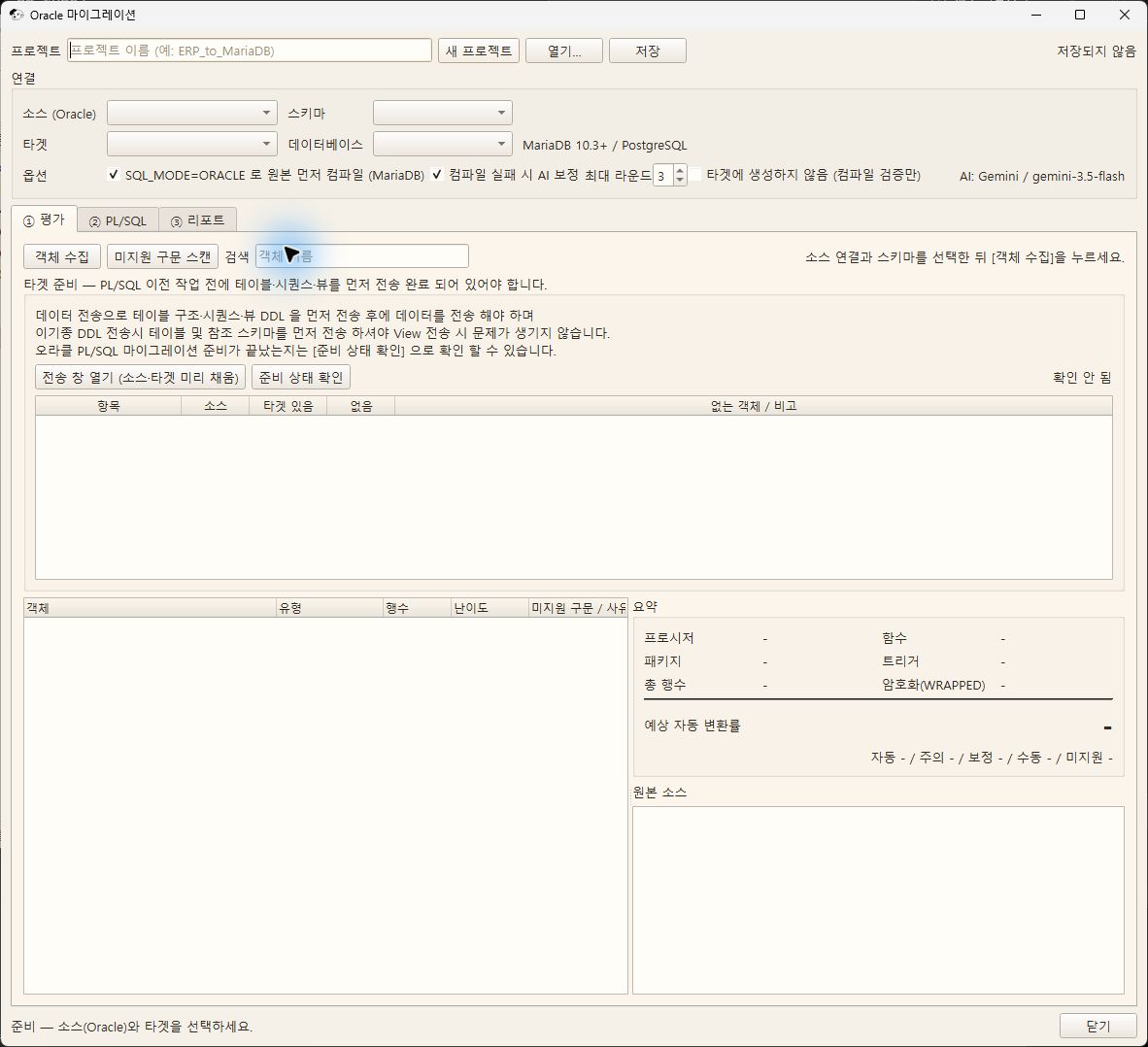
Oracle PL/SQL code(procedures, functions, packages, triggers), supported TYPE, jobsare moved to MariaDB. Tables, sequences, views, and data are DDL / Data transfer are responsible for, so this window is after completing the transfer the next step of moving the code.
MariaDB SQL_MODE=ORACLE runs a considerable part of PL/SQL as is.
Therefore, without converting everything it works by compiling the original as is and fixing only what does not work. Method of operation.
Screen
Example of the light theme screen of Querydog 1.0.46 source UI (2026-10-31). Only test data was used, and this does not reflect DB connection, transmission, or compilation results. Buttons added later may not appear on the screen.
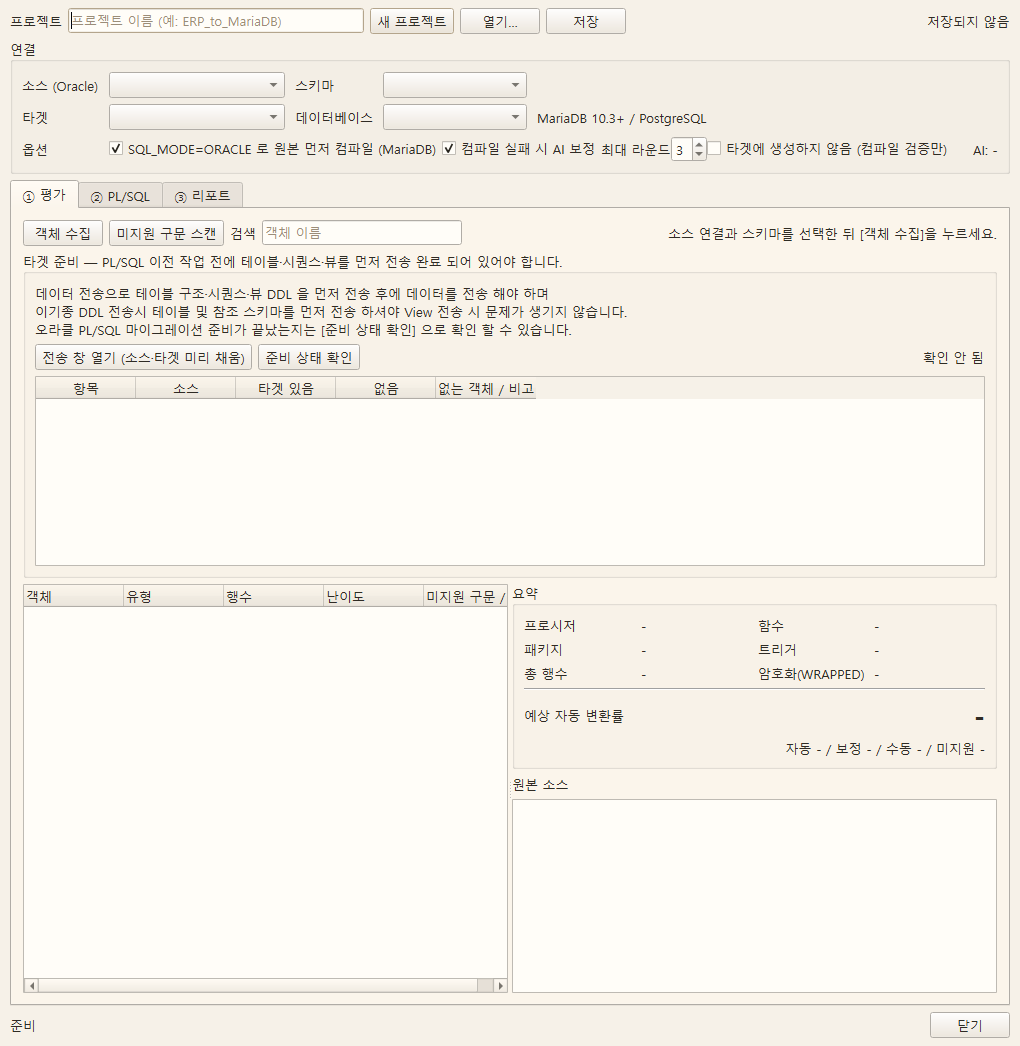
Key Features
- Conversion target : PROCEDURE / FUNCTION / PACKAGE / TRIGGER / TYPE / JOB
- Do not convert : Table · Sequence · View · Index · Data (handled by the transfer screen)
- Evaluation — Collects objects and scans for unsupported syntax Expected conversion rateis calculated
- Compilation — Tested in a dedicated validation DB and then deleted (target objects are not damaged)
- AI correction — Automatically fixes only failed compilations up to a maximum of N rounds
- Reference verification — What compilation does not check Existence of referencesis separately compared
- DBMS_JOB / Scheduler jobs to MariaDB EVENT conversion
- Project saving — Continue work over several days
Entry path
Menu > Tools > Data Migration > Oracle Migration (Can be added to the toolbar)
Usage order
Prior — Move tables first
DDL / Data transfer to Table · Sequence · Vieware sent first. ① At the top of the evaluation tab Press [Open Transfer Window] to open a transfer window with source and target pre-filled.
- Table structure · Sequence · View Send the DDL first then transfer the data.
- In heterogeneous DDL transfer send tables and reference schemas first Sending prevents problems when transferring views.
- Transfers do not need to be completed all at once. Send them in multiple parts, and fix and resend any failures. Large tables are considered ready even if only the DDL is moved. You can check if it’s ready
- by [Check Ready Status]. This shows whether the source tables, views, and sequences exist in the target, whether objects referenced by PL/SQL or other schemas are missing, and the target's case sensitivity policy in a table format. MariaDB will create routines even if the referenced tables don’t exist. If you compile without checking,
it may appear successful but fail at runtime.Therefore, if there is no readiness check or something is missing when starting ② compile, it will ask once (it doesn’t block — there may be tables intentionally skipped).
If the target is Linux MariaDB,
lower_case_table_names=1this is recommended. Oracle does not distinguish identifier case, leaving mixed notations in PL/SQL and app SQL as-is.View_Prj_MasterIf this setting is 0, not only table names but table aliases will fail at runtime. It must be decided before creating the DB, and tables already created in uppercase need to be resent.
This operation
| sequence | Tasks | Things to check |
|---|---|---|
| 1 | Enter project name | Data/migration/<Name>.json Saved here for continued work |
| 2 | Connect the source (Oracle) and select schema | 🔒 Locked connections are also okay (read-only) |
| 3 | Connect the target (MariaDB) and select DB | ORACLE Mode Available Confirm display |
| 4 | Check options | On first run Do Not Create in Target turn on |
| 5 | ① Evaluation — Send tables, sequences, views to [Open Transfer Window] → [Check Readiness] | None 0, no external schema |
| 6 | ① Evaluation — [Collect Objects] → [Scan Unsupported Syntax] | Difficulty color and reason, expected conversion rate |
| 7 | [Save] | The readiness check results will also be saved |
| 8 | ② PL/SQL — [Run Compile] | Progress and results per object |
| 9 | ③ Report — [Refresh Aggregation] | Aggregation by type and reason, readiness status |
| 10 | If the results are satisfactory Do Not Create in Target Uncheck and rerun |
Confirmation window → Actual creation |
| 11 | ② PL/SQL — [Verify Operation] | Compare actual call results of JSON cases in Oracle·MariaDB |
Runs automatically in step 8
- Replace schema prefix —
SBE_ERP.→sbe_erp.(If the target is case-sensitive and this is not matched, it will fail at runtime) - Create verification-only DB — Target's tables Structure only Clone → Compile → Delete from DB
- AI correction — Only for failures, up to N rounds
- Reference verification — Check if the reference target actually exists in the target
Difficulty display
| Difficulty | Meaning |
|---|---|
| Automatic | Expected to compile as-is |
| Caution | It will compile, but behavior may differ (empty string = NULL, date arithmetic, etc.) |
| Correction | Just change the syntax — AI correction target |
| Manual | No corresponding function, requires human redesign |
| Unsupported | Encrypted (WRAPPED) source, missing source, etc. — cannot be automatically converted |
Why "successful compilation" alone is not enough
MariaDB does not verify table/function references inside routines at compile time(late binding). Procedures reading non-existent tables also pass compilation and when called It fails.
So after compiling, Reference verificationrun it separately to catch the following.
- No schema (DB) in the target — other schemas must also be moved.
- No object in the target — order of dependencies or omissions.
- Case mismatch — not resolved automatically by replacement. Object nameCase difference of.
The conversion rate in the report is based on compilationand based on actual operability.Since these may differ, check both.
Actual operation verification (Pro)
② In PL/SQL, [Operation Verification] select a JSON case file. For example:
{"version":1,"cases":[{"name":"Payroll Calculation","source_sql":"SELECT ERP.CALC_PAY(100) FROM DUAL","target_sql":"SELECT erp.CALC_PAY(100)"}]}
Only the basic case is allowed. Compare the rows and values of each side while basically
ignoring the order of rows. If order is also important, SELECTspecify it. When testing a procedure, "ordered":trueput the call statement in
source_sql/target_sqland the result query in source_result_sql/target_result_sqland specify "allow_mutation":truethis. In this case, both sides require an isolated test DB.Querydog attempts rollback after the case, but COMMITs or external effects inside routines cannot be undone. Cases with errors are not counted as passed. Only pass/fail results are recorded when saving the project,
and are displayed separately from the compilation conversion rate. This does not mean objects without test cases are equivalent.
Things not entrusted to AI
The following syntax is deliberately not sent to AI and passed on for manual verification.
| Syntax | Reason |
|---|---|
PRAGMA AUTONOMOUS_TRANSACTION |
will compile even if transaction boundaries change |
(+) Outer Join |
works as is in MariaDB 12.x, but in earlier targets, if rewritten, the join direction may be wrong, yet compilation passes and only the results quietly differ |
DBMS_CRYPTO |
Different algorithms, keys, or padding prevent decrypting existing ciphertext |
Function that returns a table (PIPELINED)
MariaDB has no function that returns a table. If the body is a simple form of 'looping a SELECT one by one using cursor FOR loop and outputting it,'
PIPE ROW it is automatically converted by the pack into a procedure that returns a result set.The SELECT itself is untouched, only the wrapper is changed, and the caller must SELECT … FROM TABLE(f(…)) Enable CALL f(…) be changed accordingly (it will be shown in the compile result message). Functions with branches or calculations mixed in the loop remain manual.
The principle is not to automate anything that cannot be verified by compilation.
Oracle global TYPE handling
Simple types supported OBJECT TYPEare converted into JSON creation functions, TABLE OF TYPE while collections are converted into JSON array retrieval procedures.
Since the shape of Oracle TYPE and objects created in MariaDB differ, existing field access should be changed to JSON_VALUE etc., and collection retrieval calls to JSON_ARRAYWow CALL methods. Complex types or TYPE BODIES may fall outside automated conversion, and actual values and external program call results should be verified separately.
Released on 2026-10-31 Oracle → MariaDB test recordcovers the scope of verifying 40/40 DDL compilations in isolation tests of version 1.0.45 source, results of 10 designated new routines, and 259 results of date function inputs. Do not interpret this as overall work transfer success rate or data transfer completion rate.
Job → EVENT conversion
Oracle DBMS_JOB and scheduler jobs are changed to MariaDB CREATE EVENT .
| Oracle | MariaDB |
|---|---|
SYSDATE + (60/1440) |
EVERY 1 HOUR |
SYSDATE + 30/1440 |
EVERY 30 MINUTE |
TRUNC(SYSDATE+1) + 3/24 |
EVERY 1 DAY STARTS ... 03:00 |
FREQ=HOURLY |
EVERY 1 HOUR |
FREQ=DAILY;BYHOUR=3 |
EVERY 1 DAY STARTS ... 03:00 |
Cycles that cannot be interpreted are left to manual verification without guessing.
⚠️ If the event scheduler is off, EVENTS will not run even if created.
SET GLOBAL event_scheduler = ON;Turn it on, and for persistent application,my.cnfat .event_scheduler=ONenter
Materialized views
MV does not exist in MariaDB. There are many cases where it should not be changed to a view.
- MV is a point-in-time fixed copy whose data only changes when refreshed. Views are always up-to-date, so the numbers on a screen viewed by "specific point in time" may differ.
- If it is a pre-calculated large aggregation, changing it to a view causes the calculation to occur every query.
Recommended response is a combination of table + refresh procedure + EVENT. Jobs that used to refresh the MV should be changed to call that procedure to maintain original behavior.
Current limitations
- Current tab is ① Evaluation → ② PL/SQL → ③ ReportTables, sequences, and views use the DDL / Data transfer screen. There is no separate schema tab.
- Report Excel exportis in preparation.
- Syntax scan and PL/SQL compile targets are currently MariaDB / MySQL the only ones supported. Even if PostgreSQL appears in the connection list, it does not mean compile support is provided. This feature is Pro.
Data Transfer/Operation
Transfer Verification Report
Overview
Check the transmission results and the source/target comparison information. 'Success' in the result table does not mean all data values match.
Screen
Example of the light theme screen of Querydog 1.0.46 source UI (2026-10-31). Only test data was used, and this does not reflect DB connection, transmission, or compilation results. Buttons added later may not appear on the screen.
Key Features
- Compare the number of rows in source/target
- Verify if keys match
- Aggregate missing/excess data
- Check the results in table, summary, or CSV
- Tables with save failures or truncated values are treated as partial transmission, and tables after reading interruption are marked as unprocessed
Read interrupted/partially transmitted results
Tables with rows that failed to save or truncated values are removed from the success list but remain checked. If source reading is interrupted, the current table is marked as partial transmission, and subsequent tables are marked as unprocessed. After correcting source connections and target columns/constraints, re-execute the checked tables with key matching synchronization. Tables without keys cannot be synchronized, so prepare keys or check if target regeneration is possible.
Immediately after transmission, the result table and separate perform Compare results may have different generation times. Re-run the comparison to check the latest source/target row counts, and separately verify tasks requiring value, LOB, or FK reference matching. Even if the row counts are the same or the transmission is marked as successful, it does not prove lossless migration.
Data Transfer/Operation
DDL Execution Report
Overview
Displays the success/failure status and error message of the DDL executed during transmission.
Screen
Example of the light theme screen of Querydog 1.0.46 source UI (2026-10-31). Only test data was used, and this does not reflect DB connection, transmission, or compilation results. Buttons added later may not appear on the screen.
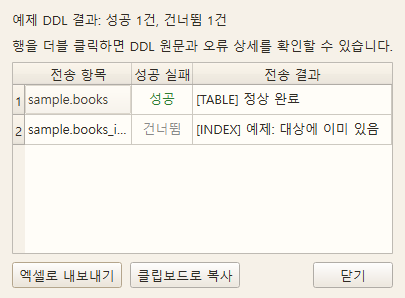
Key Features
- Success/failure status by object
- Display error messages and executed SQL
- Only failed objects can be re-executed
Data Transfer/Operation
Data Import
Overview
Load CSV / Excel / TXT files into a table
Screen
Example of the light theme screen of Querydog 1.0.46 source UI (2026-10-31). Only test data was used, and this does not reflect DB connection, transmission, or compilation results. Buttons added later may not appear on the screen.
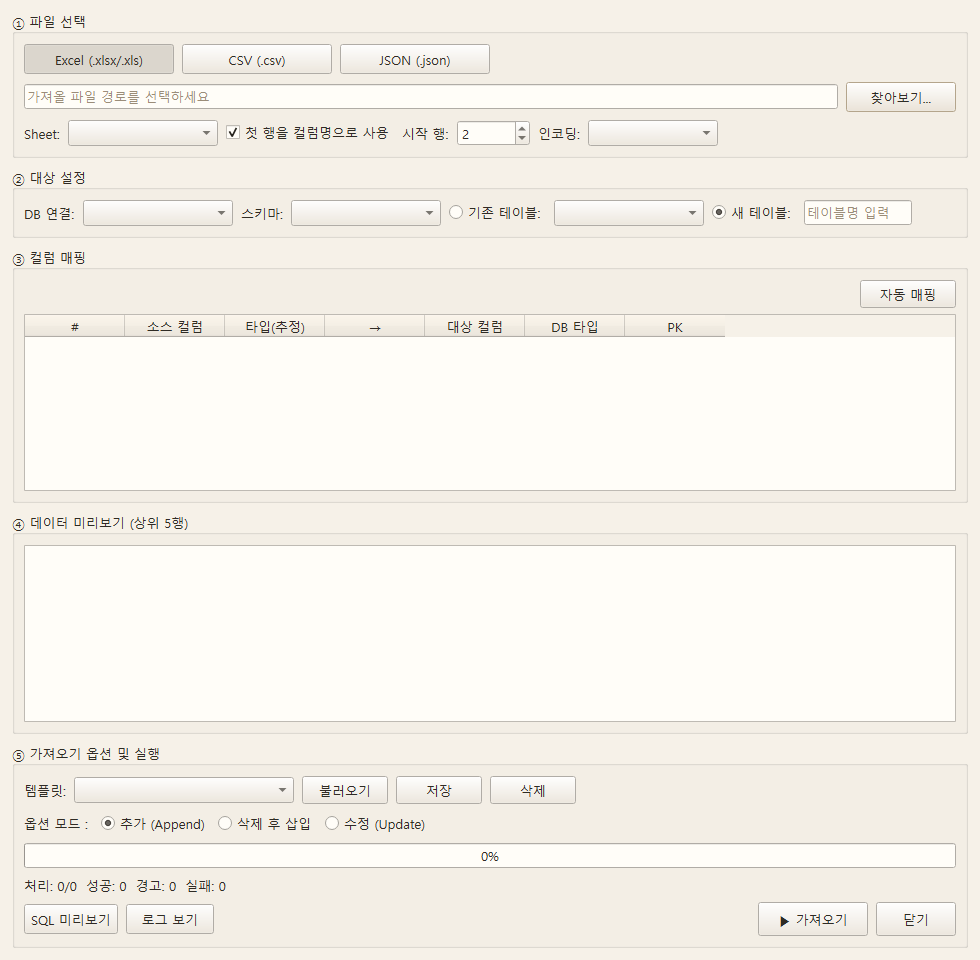
Key Features
- Automatic file preview (automatic encoding detection)
- Column mapping — automatic matching of file columns ↔ table columns
- Automatic type detection — estimate integer / float / date / string
- New table creation option — automatically generate CREATE TABLE from mapping results
- Header row position / sheet selection / row range specification
- Progress display and failed row log
Data Transfer/Operation
Data Export
Overview
Export tables or query results to external files
Screen
Example of the light theme screen of Querydog 1.0.46 source UI (2026-10-31). Only test data was used, and this does not reflect DB connection, transmission, or compilation results. Buttons added later may not appear on the screen.
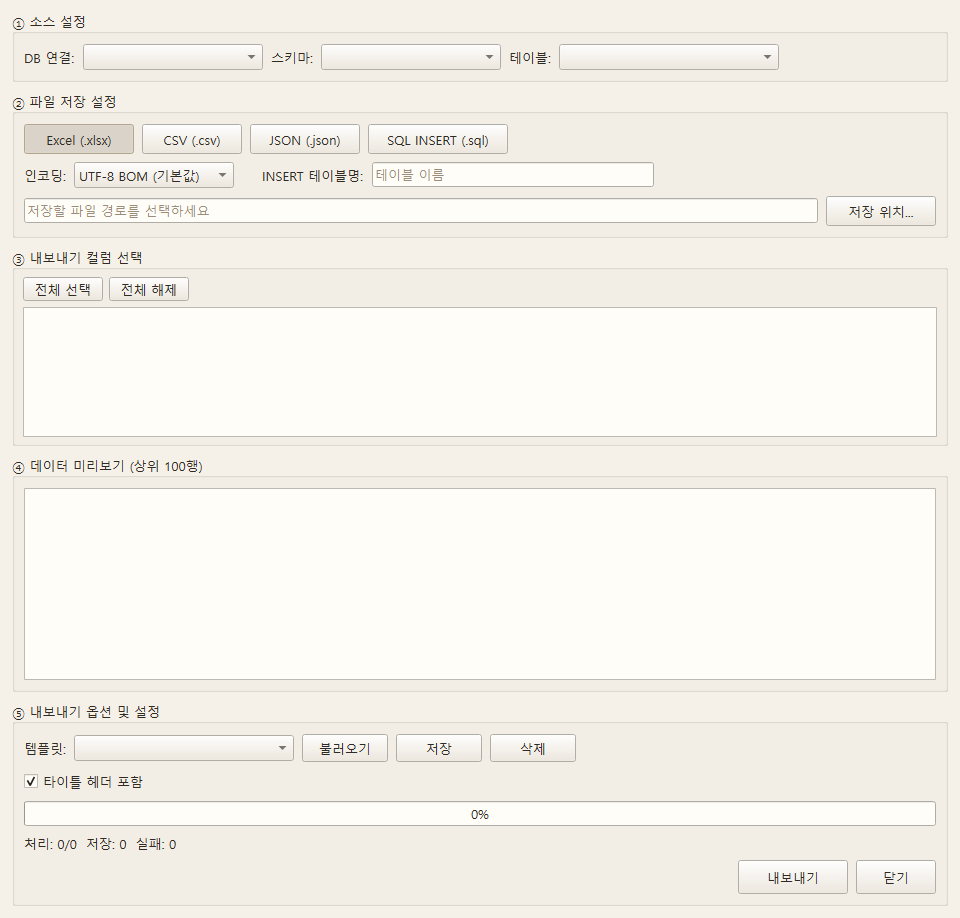
Key Features
- Output formats: CSV / Excel(.xlsx) / JSON / SQL INSERT
- Automatically apply Excel header style and column width
- Specify columns and row filters to export
- Handle large volumes in chunks
Distinguish between NULL and empty string
In CSV output options CSV: distinguish NULL and empty stringWhen enabled, NULL is \Nsaved as NULL, and empty string as a blank, and add a Querydog format mark on the first line of the file. When re-imported with Querydog, it will be automatically restored to the original value. In other CSV programs, check the first line and \N processing method. If this option is turned off, the existing CSV format is maintained and both values are blanks.
Analysis/Comparison
DB Comparison
Overview
Compare the structure and row count of two databases. In Oracle → MariaDB, the row data of a selected table can also be verified based on the PK.
Screen
Example of the light theme screen of Querydog 1.0.46 source UI (2026-10-31). Only test data was used, and this does not reflect DB connection, transmission, or compilation results. Buttons added later may not appear on the screen.
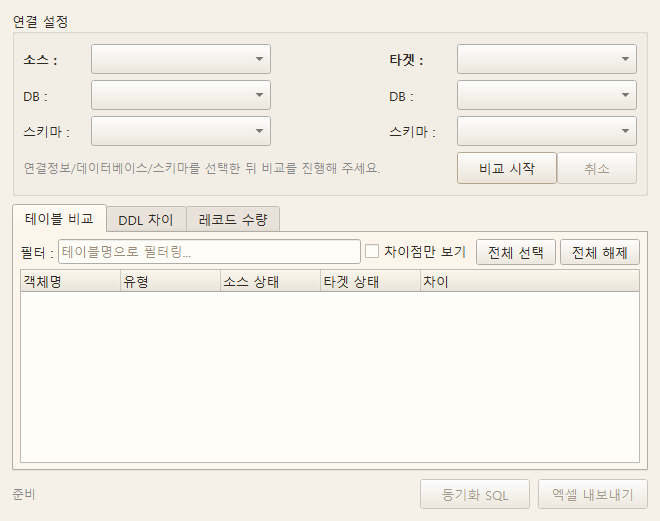
Key Features
- Structure comparison: Table / Column / Index / Constraints / Sequence / View / Trigger
- Record count comparison: Differences in row counts per table
- Highlight difference items with colors
- Output Excel report —
Structure/Record CountSeparate sheets - Automatically generate synchronization SQL (
Data/sync_*.sql) - Row data verification (Pro): For one selected table in Oracle → MariaDB, compare the same PK and columns to aggregate differences in values, rows only in the source, and rows only in the target
Entry path
Menu > Tools > Data Analysis > Data Comparison (Pro)
Row data verification scope
After executing structure comparison, select a table in the result tree and Row Data ValidationPress.
Both sides require the same column structure in the same order as the PK. Using a temporary disk index,
comparison is done without row limits, so large tables require temporary disk space and time. Difference keys and column names
can be saved in a JSON report for up to 100 items. If selected all differing rowsof INSERT/UPDATE
a draft recovery SQL is also generated. Rows present only in the target are indicated as comments and DELETEare not generated.
SQL is not executed automatically. Check the target data and types and back up before execution.
Since the report contains key values and the recovery SQL contains original row values,
please verify the storage location and sharing targets.
Simultaneous snapshots of different databases are not guaranteed. In environments where data can change during verification, stop writing or use a replicated copy at a consistent point in time before re-verifying. The verification itself does not modify the data.
Analysis/Comparison
Impact Analysis
Overview
Analyze the scope of impact before executing change statements like DROP / ALTER / RENAME.
Screen
Example of the light theme screen of Querydog 1.0.46 source UI (2026-10-31). Only test data was used, and this does not reflect DB connection, transmission, or compilation results. Buttons added later may not appear on the screen.
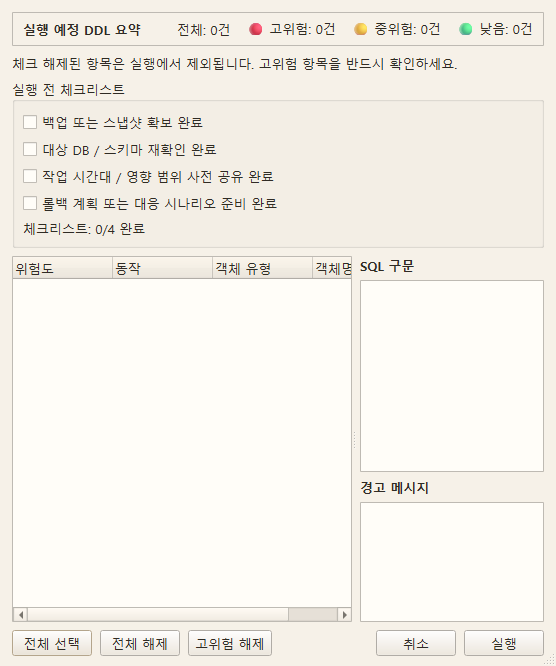
Key Features
- Trace views / functions / triggers / FKs that depend on the target object.
- Risk Level: LOW / MEDIUM / HIGH / CRITICAL, automatically determined.
- Visualize the tree of affected objects.
- AI-assisted opinions — side effects of changes and recommended procedures.
Entry path
When writing change SQL, use the 'Impact Analysis' button or menu > Tools.
Analysis/Comparison
Session Monitor
Overview
Connected All serversThis is a management screen that aggregates all currently connected sessions into a table and allows you to forcibly terminate problematic sessions. It is used to check which queries are running when a server suddenly slows down, or to clean up runaway queries and abandoned connections. It also displays servers of different types, such as Oracle and MariaDB.
Screen
Automatically send the current connection's table/schema information to the AI
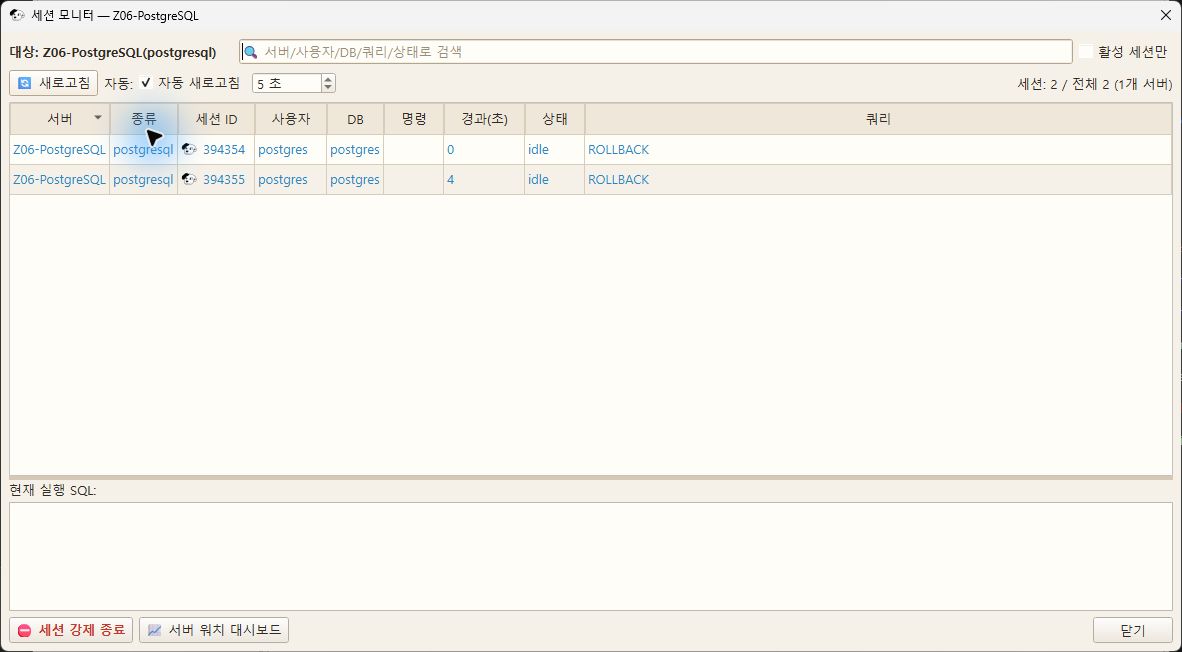
Key Features
- Integrate all connected servers into a single table — distinguish by Server / Type columns.
- Display session ID / user / database / command / elapsed time (seconds) / status / running SQL.
- Parallel query per server — if one server is slow or disconnected, the others are displayed first.
- Auto-refresh (2~600 seconds) — queries run in the background so that the screen does not freeze.
- Search (server / user / database / query / status) + "Active sessions only" filter, sort by clicking headers.
- When a row is selected, preview the full SQL in progress at the bottom — selection remains even after auto-refresh
- Force terminate session (KILL) — executes after a confirmation window showing server, user, client, and SQL summary
- Querydog marks connections it is using with 🐶 and gives a strong warning when terminating
- Use a dedicated monitoring connection for each server — running queries while left open does not interfere with each other
- Only client sessions are displayed, excluding internal server background processes (e.g., PG autovacuum)
- Session count trend graph Server watch dashboard In charge (move via bottom button)
- Supported DB: Oracle / PostgreSQL / MySQL / MariaDB / MSSQL
Entry path
Menu > Tools > Data Analysis > Session Monitor (Ctrl+Shift+S)
How to read the table
| Column | Meaning |
|---|---|
| Server | Name of the target connection. Hover the mouse to see that session’s Client connectedis displayed |
| Type | DB type (oracle / mariadb / postgresql / mssql) |
| Session ID | Identifier assigned by the server. Same number may appear if the server is different |
| DB | Database used by the session |
| Elapsed (seconds) | Criteria vary by DB (Oracle is since last call, MySQL is the current state duration) |
| Status | Original value by DB (ACTIVE/INACTIVE, Query/Sleep, active/idle, running/sleeping) |
Hover over the column header to see the above differences in a tooltip.
Session IDs are unique only within the server.
In the integrated table, session IDs from different servers may overlap. Since forced termination targets are identified internally by a (server, session) pair, sessions on the wrong server will not be terminated, and the server name is displayed in the confirmation window.
Source of DB-specific queries
| DB | Session list | Terminate session |
|---|---|---|
| Oracle | V$SESSION + V$SQL (+ Command name is V$SQLCOMMAND) |
ALTER SYSTEM KILL SESSION 'sid,serial#' |
| PostgreSQL | pg_stat_activity |
pg_terminate_backend(pid) |
| MySQL / MariaDB | SHOW FULL PROCESSLIST |
KILL id |
| MSSQL | sys.dm_exec_sessions + sys.dm_exec_requests |
KILL spid |
Session termination cannot be undone
Transactions in progress for terminated sessions Will be rolled backAnd the connection will be disconnected. Please make sure to check the user, host, and running SQL displayed in the confirmation window before executing.
Permission guide
Viewing and terminating all sessions requires DB-specific administrative privileges (Oracle ALTER SYSTEM, PostgreSQL pg_signal_backend/superuser,
MySQL PROCESS + SUPER Or CONNECTION_ADMIN, MSSQL ALTER ANY CONNECTION). Without permission, you can only see your own sessions or a permission error will appear when attempting termination.
Analysis/Comparison
Server Watch
Overview
This is a lightweight monitoring feature that periodically collects the number of all open connections in the background and notifies if there is a sudden increase or if a threshold is exceeded. It allows you to see 'which server has an issue' even without looking at the screen and provides a mini-dashboard to view server trends at a glance.
Screen
Automatically send the current connection's table/schema information to the AI
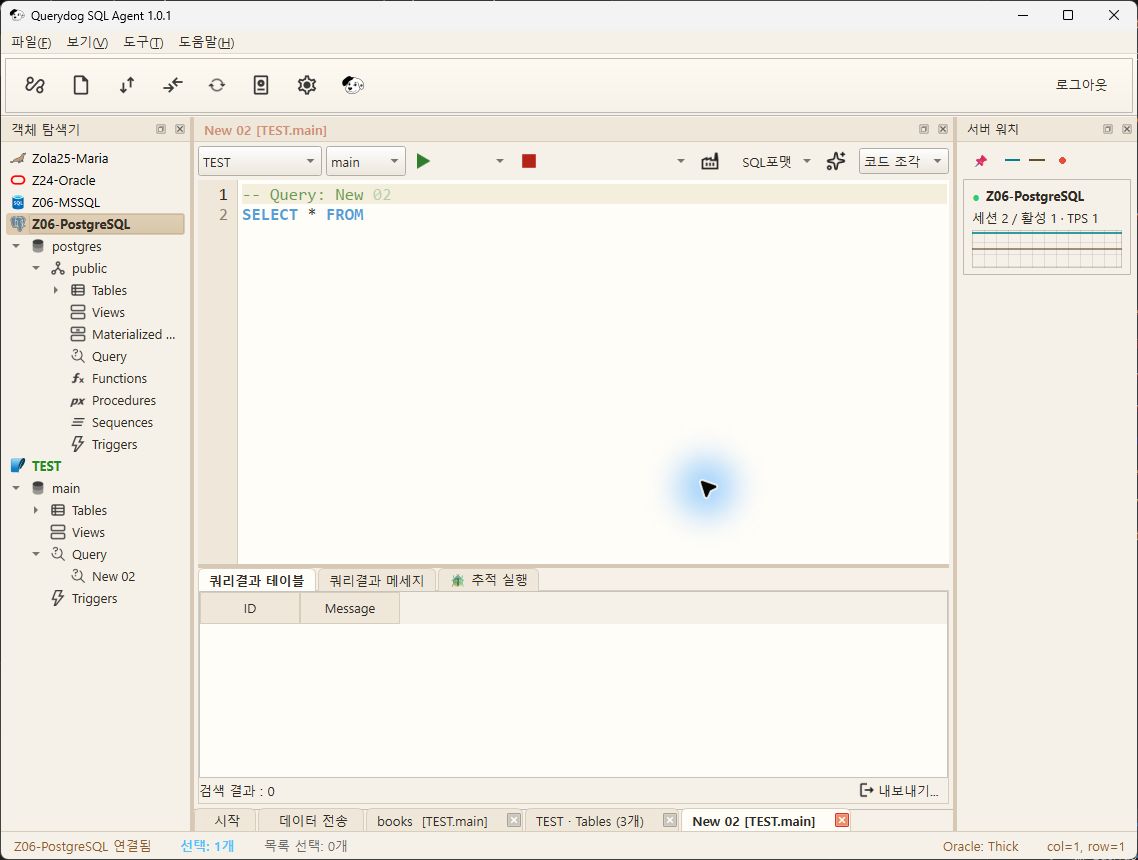
Key Features
- Automatic monitoring of open connections — dedicated collection thread + dedicated connection for each connection (no interference with existing tasks)
- Spike determination: exceeds multiple compared to usual (moving average) / active session threshold / waiting (blocking) session threshold
- Two types of load distinction: Active session (busy load) + Waiting session (load blocked by lock — if present, tile shows caution color)
- Notification: Status bar ⚠ button (click → session monitor drill-down) + OS tray balloon notification when selected
- Suppress repeated notifications with notification cooldown — but immediately re-notify if the value worsens by 1.5 times
- Mini dashboard dock: Per-server tiles (status color, sessions/active, QPS, sparkline), click to drill-down
- Dashboards can be freely positioned as docked/floating, with an “Always on top” option when floating
- Throughput display: DB cumulative counter difference — MySQL/Oracle
QPS, PostgreSQLTPS, MSSQLBatch/sDisplay according to the source (automatically omitted if no permission) - Hovering over a tile shows the calculation basis for each metric per DB
- On collection failure, automatically back off and reconnect — displayed as gray tile without an error popup
- Accounts without query permission are shown as “No permission” and retries are stopped (prevents meaningless repeated queries)
- Supported DB: Oracle / PostgreSQL / MySQL / MariaDB / MSSQL
Entry path
Turn on in Settings > Server Watch tab · Dashboard is under Menu > Tools > Data Analysis > Server Watch Dashboard
Configuration items
| Items | Default | Explanation |
|---|---|---|
| Use Server Watch | Off | Default is off as periodic queries put load on remote servers |
| OS tray balloon notification on sudden spike | Off | Clicking the balloon opens the dashboard |
| Collection interval | 30 seconds | 10~600 seconds |
| Spike detection multiplier | 2.0 times | Compared with usual (recent 10-sample moving average) |
| Minimum session count for spike detection | 10 | Floor value to prevent false positives from small fluctuations |
| Active Session Absolute Threshold | Do not use | Notify if active sessions exceed this value |
| Waiting (Blocking) Session Threshold | Do not use | Notify if sessions waiting on a lock exceed this value |
| Notification Cooldown | 10 minutes | Time to suppress repeated notifications for the same server |
Works just by opening the dashboard
Even if server watch settings are off, monitoring automatically starts when the dashboard is opened, and returns to the configured state when closed.
Collection Load
Sends only one very light counter query per interval per connection. Unlike reading the entire session list Session Monitorthe server load is minimal, but it is recommended to enable it only when necessary.
If shown as "No Permission"
The account does not have status query permission. Especially in Oracle, if you do not have permission, the query itself failsand cannot be collected (other DBs restrict only some information). If retried, the result is the same, so collection for that server is stopped, and after granting permission, reconnect or toggle server watch to resume.
-- Oracle: Grant status query permission (specify individual views like V_$SESSION if you only want to grant necessary views)
GRANT SELECT_CATALOG_ROLE TO User;
Required permissions per DB — Oracle SELECT_CATALOG_ROLE, MySQL/MariaDB PROCESS,
PostgreSQL pg_monitor, MSSQL VIEW SERVER STATE.
Automation/Schedule
Database Backup
Overview
Backup the entire DB or selected objects to a file.
Screen
Example of the light theme screen of Querydog 1.0.46 source UI (2026-10-31). Only test data was used, and this does not reflect DB connection, transmission, or compilation results. Buttons added later may not appear on the screen.
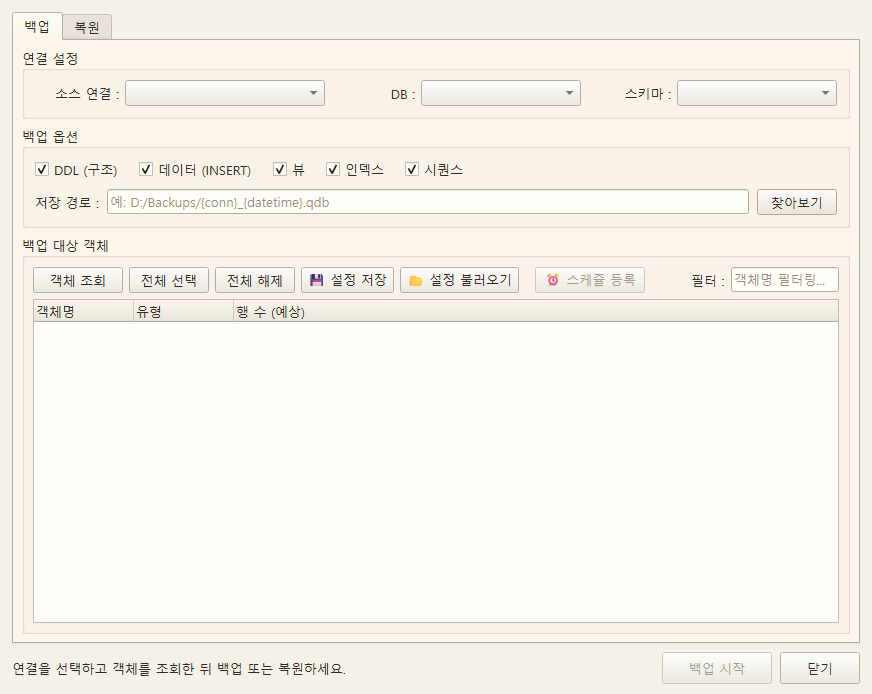
Key Features
- Default backup format: Querydog .qdb (stores DDL and data as frames)
- Existing SQL gzip backup files can also be restored
- Select backup target (entire DB / schema / table)
- Shows progress and outputs logs
- If reading the DDL or table data of the selected object fails, delete the incomplete .qdb file and display an error
- Before restoring a .qdb, check the DDL and data frame to the end to block the restoration of a corrupted file
- Restoring an existing table with DROP requires a backup of the table's DDL, and data is also required if data restoration is selected
- SQLite .qdb restoration is executed as a full transaction, rolling back to existing data in case of failure or interruption
- Oracle and MariaDB .qdb DROP restoration temporarily renames existing objects without deleting them, restores, and only cleans after row count verification (automatically reverts to pre-restoration state if failed or interrupted)
- First record the restoration steps in the disk log; if the backup window is opened after program exit or disconnection, suggest reverting to the pre-restoration state
- Before .qdb DROP restoration on server DB, automatically generate and verify a recovery .qdb of the target object (detached from the temporarily renamed object to maintain a consistent point in time)
- On MariaDB 10.6.1 and later, independent InnoDB tables are restored and verified in a temporary DB; the target is only replaced when locked and no changes occur during restoration
- PostgreSQL and SQL Server .qdb DROP restoration executes locking, detaching, restoring, verifying, and cleaning as a single transaction (server reverts to pre-restoration state in case of failure, interruption, program exit, or disconnection)
- Include foreign keys (120_foreign_keys.sql) in the .qdb backup, and read MariaDB and PostgreSQL backups as a point-in-time snapshot (for SQL Server, use a DB with snapshot isolation enabled)
- PostgreSQL·SQL Server .qdb backups originally contain the constraint names, UNIQUE, CHECK, default values, IDENTITY, current values of sequences, views, and trigger definitions as they are.
- Remembers the last backup location/policy per profile.
Before restoration, automatically revert along with the target backup.
Oracle·MariaDB restoration proceeds while leaving existing tables, constraints, indexes, and triggers by name. QD$... If it fails or is interrupted, it removes the newly created objects and restores the original names. After leaving them aside, writes cannot go to the original names, so all writes committed up to that point are preserved, and the protected backup (.before_restore_<Date>.qdb) is also consistent at a single point in time.
Even if the program is closed or the server connection is lost, when the backup window is opened next time, it reads the log (Data/restore_journal) and reverts. If other sessions hold uncommitted work on the target tables, it waits 30 seconds and then stops without changing anything. Oracle reconnects table permissions granted to other users and foreign keys pointing to tables not in the backup to the new tables.
Failures where the DB server itself shuts down rely on the atomicity of each DB's DDL and have not been tested directly.
Protected backups may not be encrypted, so check access permissions to the storage location.
PostgreSQL·SQL Server transaction restoration
Since both DBs include DDL in transactions, the entire restoration is executed in a single transaction. First, it locks writes to the target tables (reads remain possible), and within that lock, creates a protected backup, then handles existing tables, indexes, constraints, and sequences. qd$... Save aside by name and restore. After verifying the number of rows, move foreign keys, external views, permissions, and owners to a new table, delete the objects that were set aside, and then commit. If an error occurs, or if the process is interrupted, the program stops, or the connection is lost, the server rolls back the transaction, and it is the same as before the restoration (no log is needed). Writes that come in during restoration wait and are applied to the new table after the commit. Sessions writing to the restore target table in SQL Server may receive a deadlock error (1205), but since the write is not applied and reported as an error, it can be retried. If an uncommitted transaction is holding the target table, it waits 30 seconds and then stops without changing anything. Since all data is one transaction, large restorations require transaction log (WAL) space accordingly. If a materialized view or schema-bound object references the target table, it stops before starting and provides guidance.
MariaDB staged restore
If it is a standalone InnoDB table backup without foreign keys, triggers, views, or sequences, and you have CREATE DATABASE permission, first restore and verify in a temporary database. Just before replacement, lock the target and temporary tables and check changes during restoration with a checksum; if there are changes, do not replace and stop (do not overwrite writes from other sessions). The lock is maintained only while recalculating checksums and performing the replacement; reads and writes to the target table wait during that time. If conditions are not met, restore using the save-aside method.
Automation/Schedule
Backup Schedule
Overview
Register a headless backup executor in the OS scheduler (tools/backup_runner.py).
Screen
Example of the light theme screen of Querydog 1.0.46 source UI (2026-10-31). Only test data was used, and this does not reflect DB connection, transmission, or compilation results. Buttons added later may not appear on the screen.
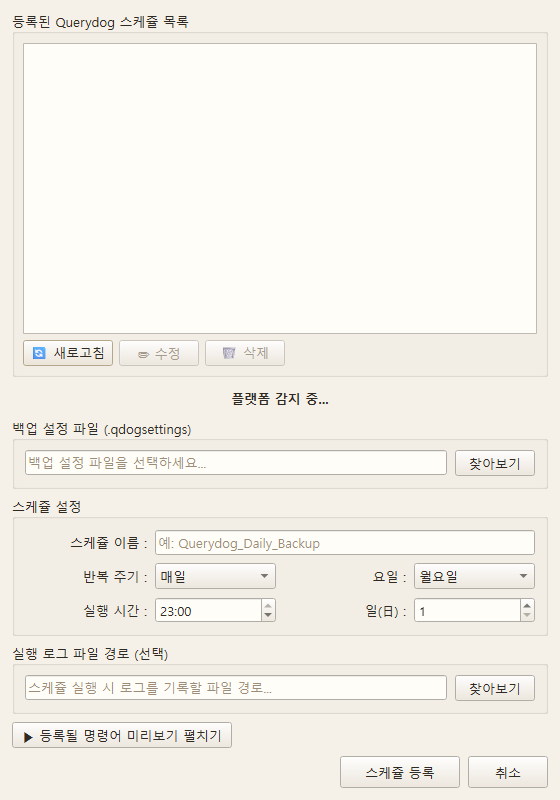
Key Features
- Windows (
schtasks) / Linux·macOS (cron) Automatic detection - Daily / weekly / monthly / one-time cycle
- Set retention days (automatic deletion)
- View, modify, delete registered Querydog backup schedule list
Automation/Schedule
Query Schedule
Overview
Automatically executes saved SQL files regularly.
Screen
Example of the light theme screen of Querydog 1.0.46 source UI (2026-10-31). Only test data was used, and this does not reflect DB connection, transmission, or compilation results. Buttons added later may not appear on the screen.
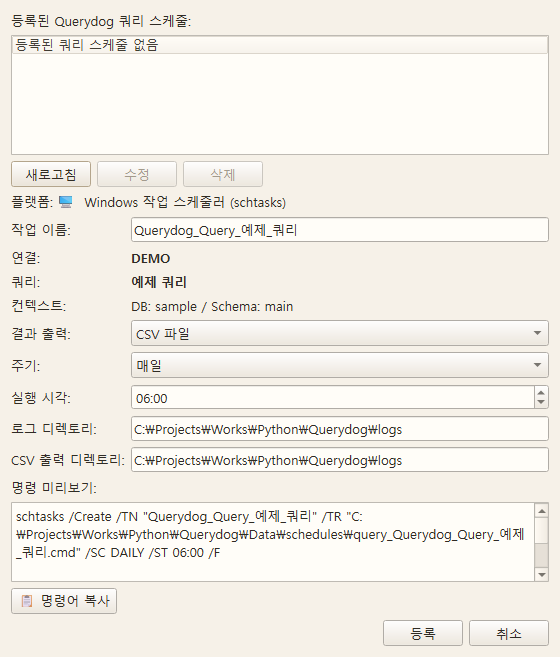
Key Features
- Windows Task Scheduler (
schtasks) or cron automatic registration - Specify daily / weekly / monthly / one-time cycle, time, day/date
- Result output mode: CSV file (Entire rows) / Logs only (Summary of up to 100 rows)
- Separate specification for log / CSV output directory
- DB / Schema context is automatically preserved in SQL file header comments
- View, modify, delete, refresh registered Querydog query schedule list
Entry path
Query tree > Right-click SQL file > Register query schedule
Current limitations
Scheduler (tools/query_runner.py) operates with a single connection, so
Currently does not support Cross DB queries . (Support plan separately maintained)
Automation/Schedule
Transfer Schedule
Overview
Registers saved transmission templates to the OS scheduler for automatic execution.
Screen
Example of the light theme screen of Querydog 1.0.46 source UI (2026-10-31). Only test data was used, and this does not reflect DB connection, transmission, or compilation results. Buttons added later may not appear on the screen.
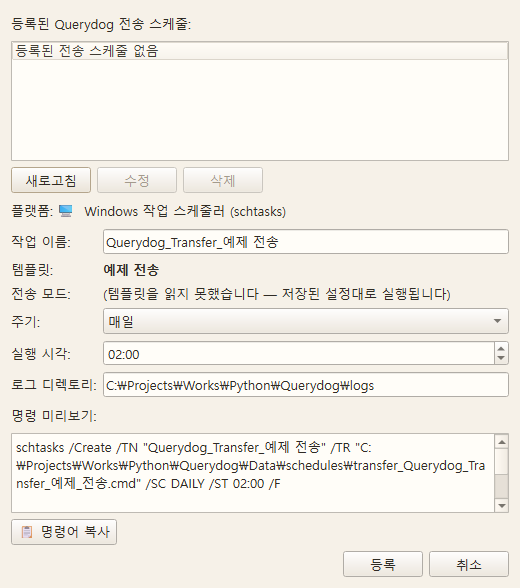
Key Features
- Automatic detection for Windows / Linux·macOS
- Daily / weekly / monthly / one-time cycle
- View and manage registered Querydog transmission schedules at a glance
- Executor is headless CLI (
tools/transfer_runner.py)
Additional Features
MySQL DB Manager
Overview
Management screen specialized for operating MySQL/MariaDB instances.
Screen
Example of the light theme screen of Querydog 1.0.46 source UI (2026-10-31). Only test data was used, and this does not reflect DB connection, transmission, or compilation results. Buttons added later may not appear on the screen.
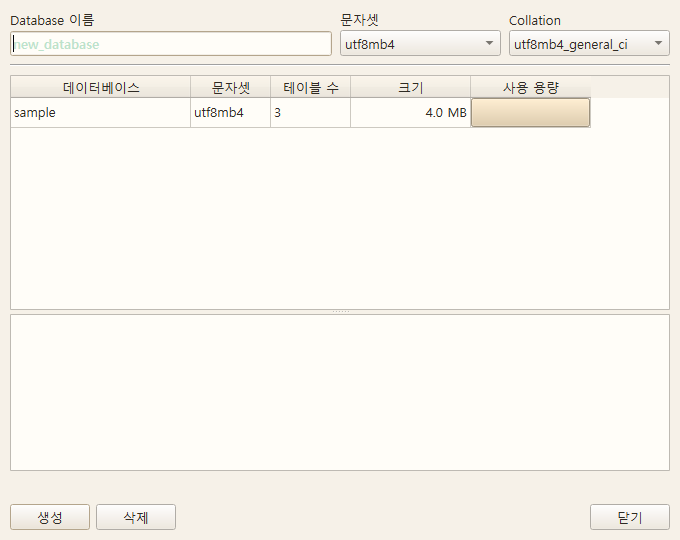
Key Features
- Integrated list of databases / tables / users
- Bulk change of character set / collation
- Engine (InnoDB / MyISAM) conversion
- Active process monitor and KILL
- Grant/Revoke permissions grid
Entry path
Tools > User Management > Database Management button (MySQL/MariaDB connection)
Additional Features
can be adjusted in
Overview
Manage global settings.
Screen
Example of the light theme screen of Querydog 1.0.46 source UI (2026-10-31). Only test data was used, and this does not reflect DB connection, transmission, or compilation results. Buttons added later may not appear on the screen.
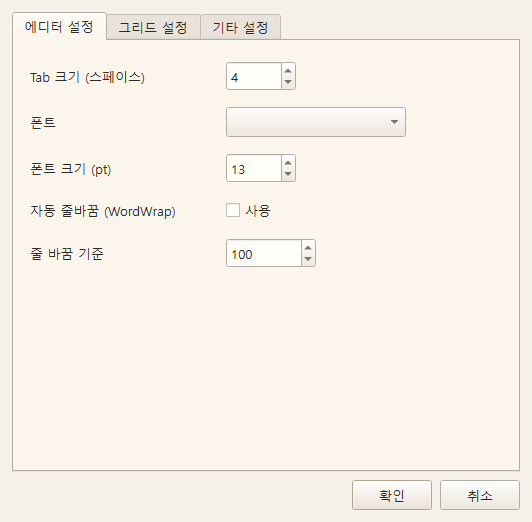
Key Features
- AI Settings: Provider / Model / API Key / System Prompt
- Theme: Choose bright themes like Light and Light Sand or dark themes
- Formatter: Select Fast / SQLFluff, ruleset path
- Result row limit (
max_query_result_rows) — upper limit for memory protection - Log retention period / log directory
- Backup/Schedule defaults
Entry path
Menu > Tools > Preferences (AI settings are under Tools > AI Settings)
Grid and tree
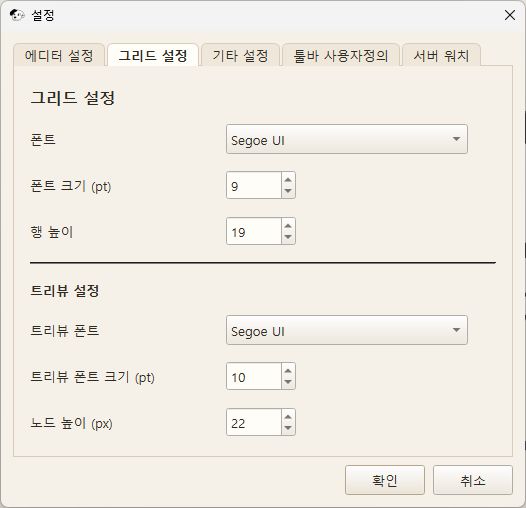
Other settings
This is a UI example rendering the current settings form in a test environment.
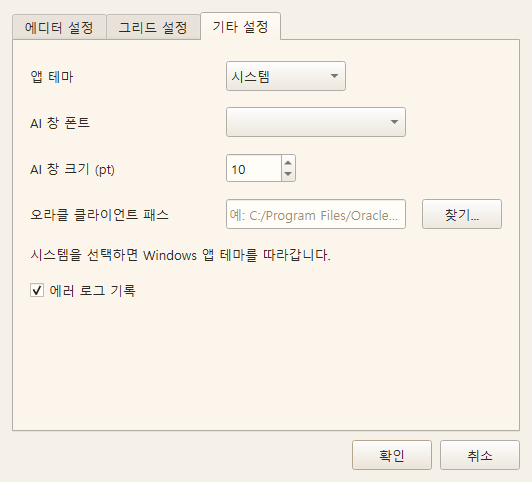
Toolbar customization
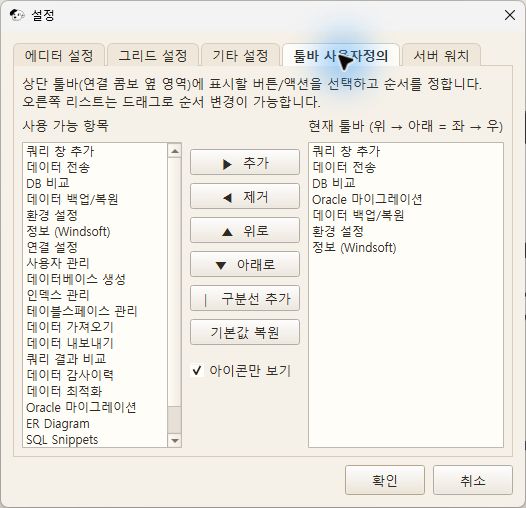
Server Watch
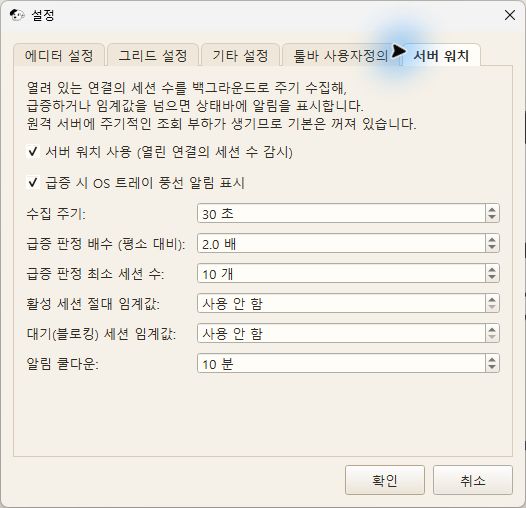
AI detailed settings
This is a UI example of the current code. It does not include actual API keys or account information.
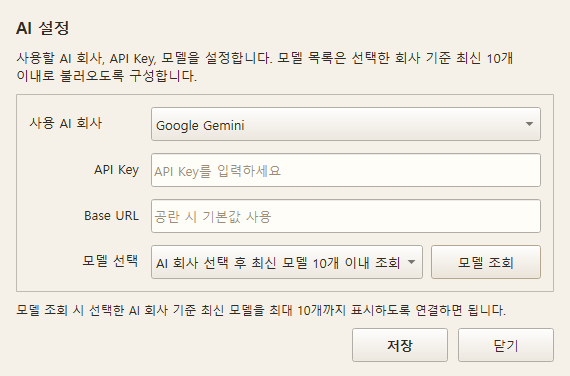
Appendix
Headless CLI
Overview
CLI tool that can be called from a scheduler or external workflow.
Key Features
tools/query_runner.py— Execute saved SQL and save results as CSV/logtools/transfer_runner.py— Perform DB transfer using saved transfer templatestools/backup_runner.py— Perform DB backup using saved backup policies
Usage example
Run in PowerShell from the project folder based on the source execution environment.
& "C:/Application/python/python.exe" tools/query_runner.py --conn "Connection Name" --query "Query.sql" --output csv --log-dir logs --output-dir logs
& "C:/Application/python/python.exe" tools/query_runner.py --list                 # List all saved queries
& "C:/Application/python/python.exe" tools/query_runner.py --list --conn "Connection Name"  # List queries for a specific connection only
& "C:/Application/python/python.exe" tools/transfer_runner.py --template "Template Name"
& "C:/Application/python/python.exe" tools/transfer_runner.py --template "Template Name" --log-dir "D:/Logs"
The relationship between the transfer executor and screen execution
transfer_runner.py is The same copy engine as when running on screenis used. The transfer mode (recreate / synchronize / incremental) stored in the template and the "Update existing rows" setting are applied as is, and the incremental reference value (Data/transfer_incremental.json) shares the same file as screen execution.
The execution rules are shared, but the actual results depend on the DB state, permissions, and stored passwords at the time of execution. SQLCipher passwords kept only in the current session cannot be used in separate scheduled processes. The current CLI does not pass some selected column values from the screen to the copy engine. When transferring only specific columns, please execute it from the screen.
The transfer mode is the value at the time the template was saved. You can check in the schedule registration window which mode it will execute in.
All headless executors run without a GUI, and on Windows, it is handled so that the console window does not flicker.
Appendix
File Structure
Overview
The main files and directories used by Querydog are as follows:
Key Features
- Connection Information:
Data/Connection.ini - Preferences:
Data/Querydog_setting.ini - Transfer Templates:
Data/transfer_templates.json - Incremental Reference Values:
Data/transfer_incremental.json - Oracle Migration Project:
Data/migration/<Name>.json - Role Templates:
config/role_templates.json - Saved Queries (Windows):
~/Documents/Querydog/Query/<ConnectionName>/ - Saved Queries (Linux/macOS):
~/.local/share/Querydog/Query/<ConnectionName>/ - Log Files:
logs/ - Permission Change History: Internal SQLite (
permission_historyTable) - Cython Protected Module:
mixins/*.pyd,core/*.pydetc.