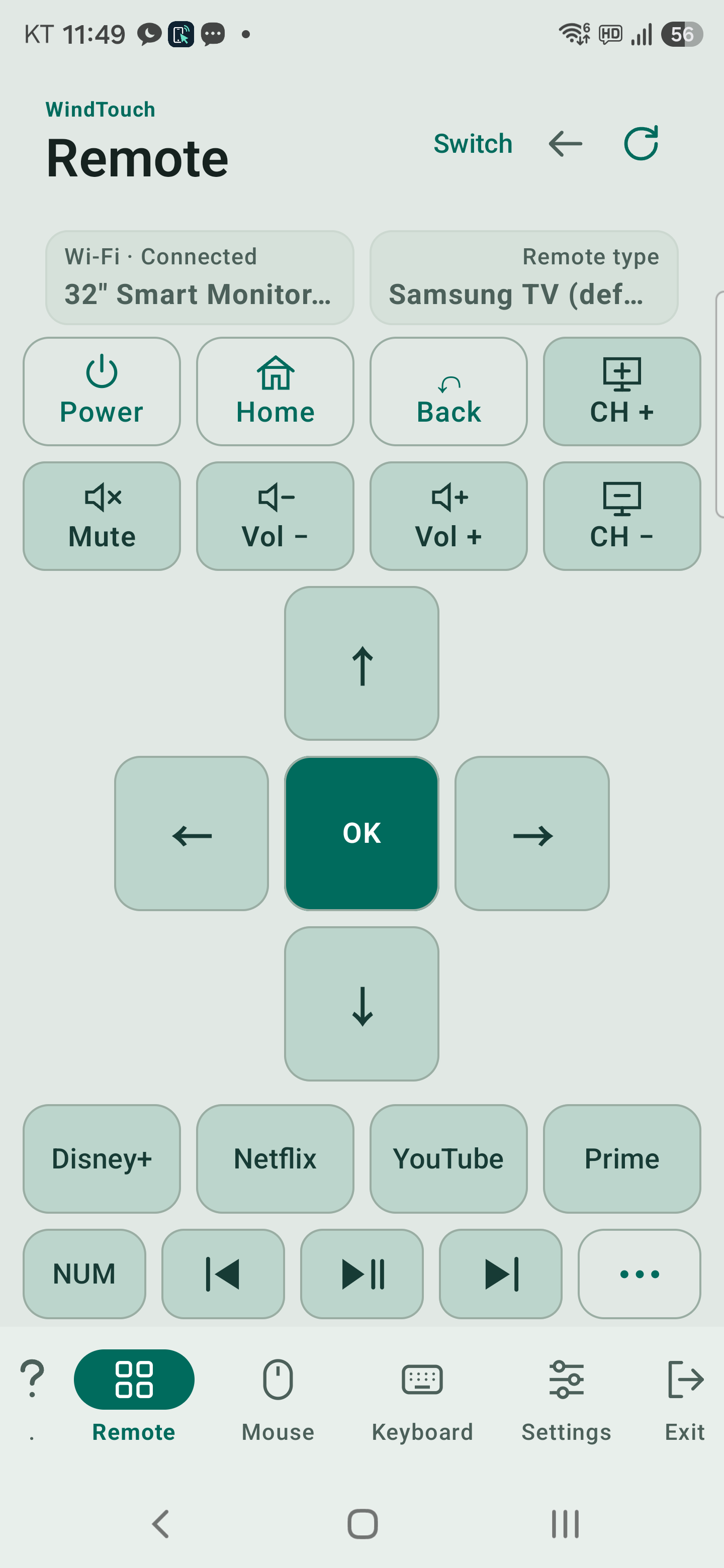
The top cards show the connection type, status and device name. Choose Wi-Fi or Bluetooth in Switch, not on the remote panel.
Remote connected to Samsung M7 over Wi-Fi · Galaxy S25 · 0.9.79 · 2026-10-24
Arrows / OK: move through menus and select.
Power, Home, Back, volume and channels: send the commands supported by the connected TV or box.
Four app buttons: available over Wi-Fi. They are hidden when using Bluetooth.
NUM: switch between navigation and the number pad.
Previous, Play/Pause, Next: control media when supported by the current app.
The TV and its HDMI box are separate devices
Connect to the box to control its channels and apps. TV volume and power may not be available through the box. A physical remote may use IR for these functions; WindTouch does not reproduce those IR signals.
Turning the TV off may also stop its Wi-Fi connection. For supported devices, WindTouch attempts wake-up using a saved network MAC address. Success depends on network standby settings and the wired/wireless interface. A Bluetooth MAC is not the network wake-up address.
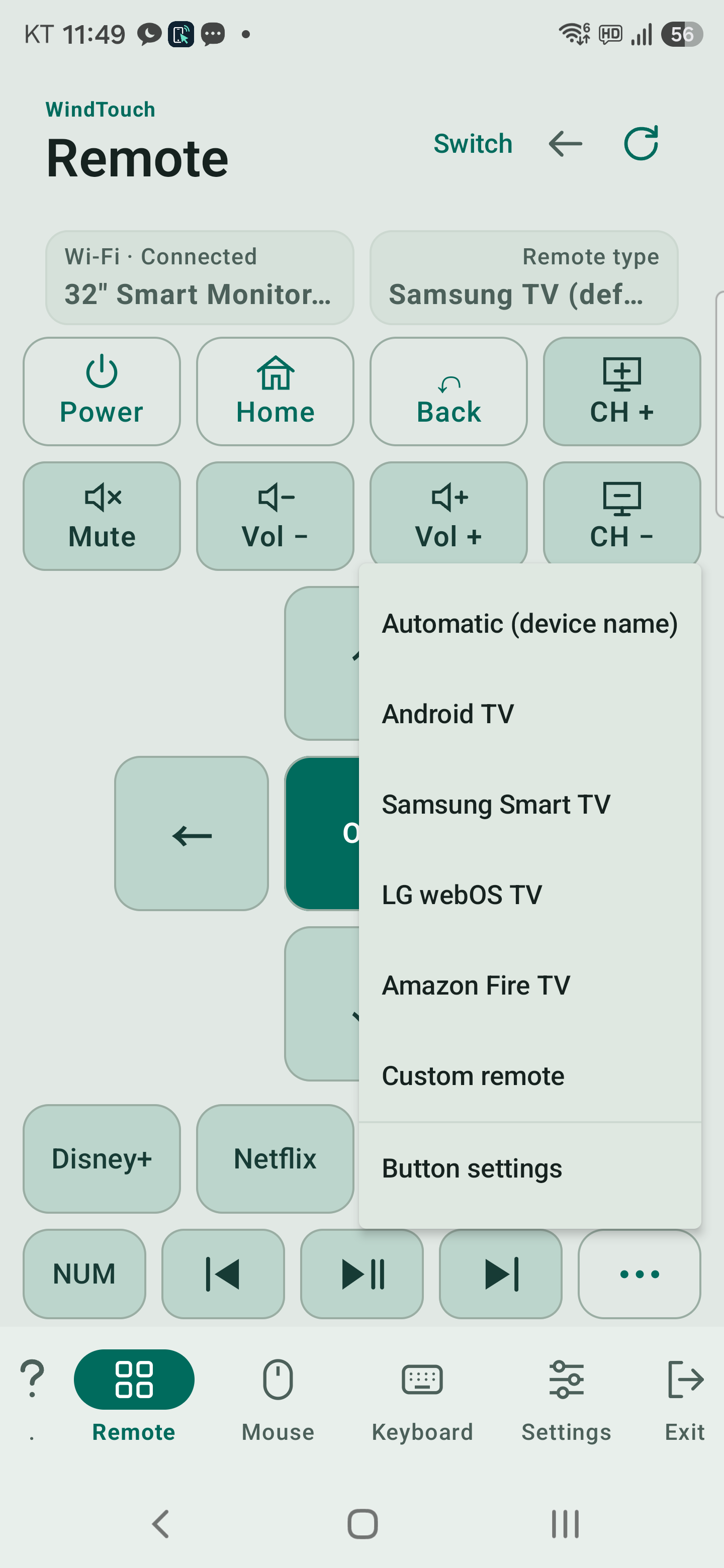
The … menu
Remote type and Button settings menu · Galaxy S25 · 0.9.79 · 2026-10-24
Use Automatic or the type appropriate to your device. The available profiles include Samsung, Android TV, LG webOS, Amazon Fire TV and Custom.
Button settings is available for Wi-Fi control. Use the Custom remote to change ordinary Wi-Fi commands. Default profiles choose commands for the TV protocol automatically.
Change a button
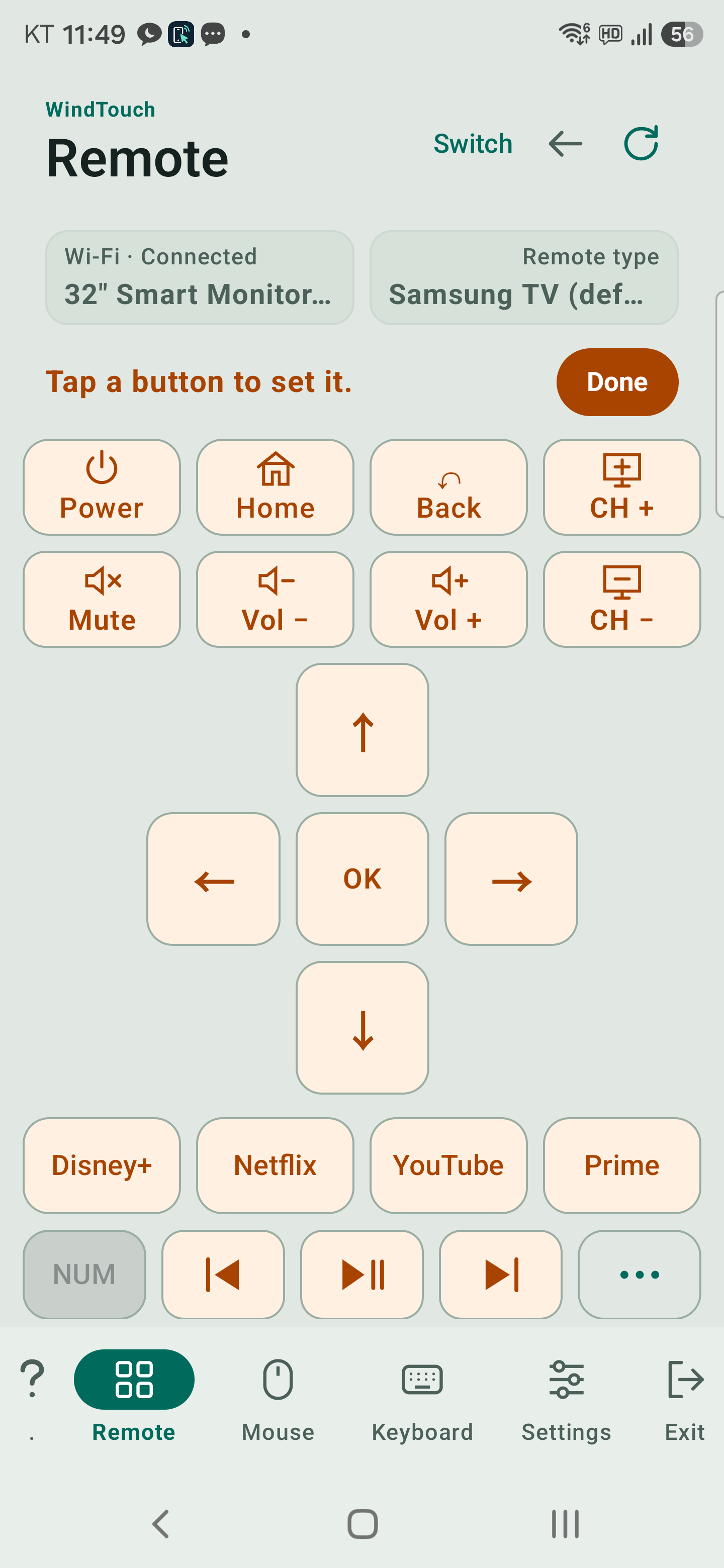
Connect the Wi-Fi TV and open … → Button settings.
Tap the button to change. If it shows an automatic-command notice, switch to Custom.
Choose a Wi-Fi command and tap Test. Check the actual TV response, then Save.
Use Restore automatic setting to undo the override. Tap Done at the top when finished.
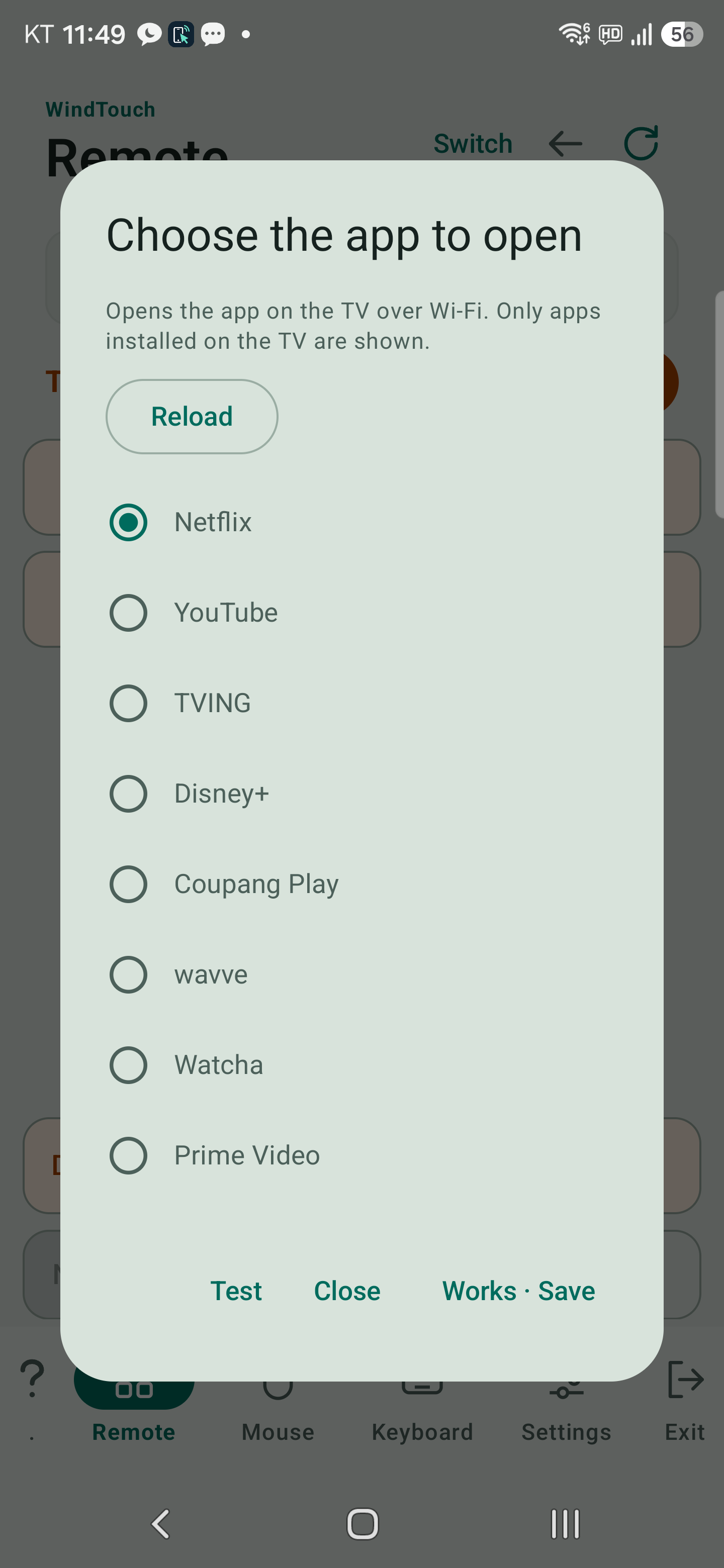
In Button settings mode, tap an app button to open the app picker. Reload refreshes its list. Select an app, choose Test, then Works · Save only after checking that it opens.
Choose an app: Reload and test before saving · Galaxy S25 · 0.9.79 · 2026-10-24
LG webOS: loads the list reported by the connected TV.
Samsung: shows supported catalog apps whose installation is confirmed by the TV.
Android TV: cannot report a complete installed-app inventory through this connection. It offers supported launch-link candidates such as Netflix, YouTube, Disney+ and Coupang Play. Provider firmware and app versions can affect whether a link works.
If the TV does not return its list, an explanatory message and candidate apps may appear. A candidate is not proof that the app is installed or can launch. Turn the TV on, check the connection and try Reload.
Holding buttons and landscape
Hold arrows, volume or channel buttons for repeat/long-press commands. The result depends on the device and active app. Use the top rotation button for landscape controls.
Manage remotes
In Settings → Manage remotes, choose up to seven entries for the … menu. You can rename entries. Visible profiles and per-TV button overrides are separate settings.
Saved settings
A normal update that keeps app data preserves your settings. Uninstalling or clearing app data can remove saved Wi-Fi registrations and button settings. They are not automatically transferred to another phone.
Importing remote JSON files from the old PC scanner is no longer offered. Previously imported entries may remain available.